


HIPAA Compliant WordPress Plugins: What Exists and What Cannot (2026)
HIPAA Compliant Hosting · https://hipaacomplianthosting.com/blog/hipaa-compliant-wordpress-plugins
Last updated: August 24, 2026
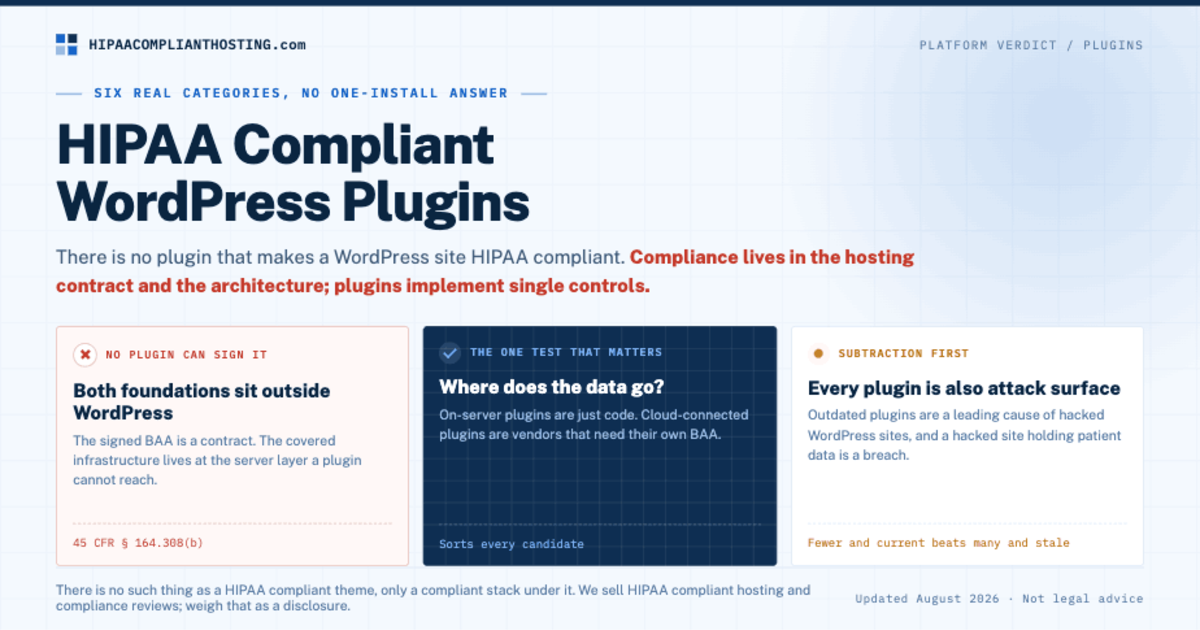
There is no plugin that makes a WordPress site HIPAA compliant. Compliance lives in the hosting contract and the architecture; plugins are components that implement single controls. That sentence saves you from the most expensive misunderstanding in healthcare WordPress. People search for HIPAA compliant WordPress plugins hoping for a one-install answer. Vendors are happy to sell the impression. What actually exists is narrower and more useful: plugins that handle forms, logins, sessions, logging, and backups correctly, on top of a host that signs a Business Associate Agreement (BAA). This guide maps the real categories, the test that separates safe plugins from risky ones, and the jobs no plugin can do.
TL;DR: Quick answer
No plugin can deliver HIPAA compliance, because the two foundations, the signed BAA and the covered hosting, cannot come from a plugin (45 CFR § 164.308(b)).
Useful HIPAA compliant WordPress plugins exist in six categories: forms, MFA and login security, session timeout, audit logging, backups, and privacy-safe analytics.
The one test that matters: does the plugin process data on your server, or ship it to the vendor's cloud? On-server plugins are just code. Cloud-connected plugins are vendors that need their own BAA.
Every plugin is also attack surface. Outdated plugins are a leading cause of WordPress breaches, so fewer and current beats many and stale.
Themes and page builders are cosmetic to compliance. There is no such thing as a HIPAA compliant theme, only a compliant stack under it.
Why no plugin can make you compliant
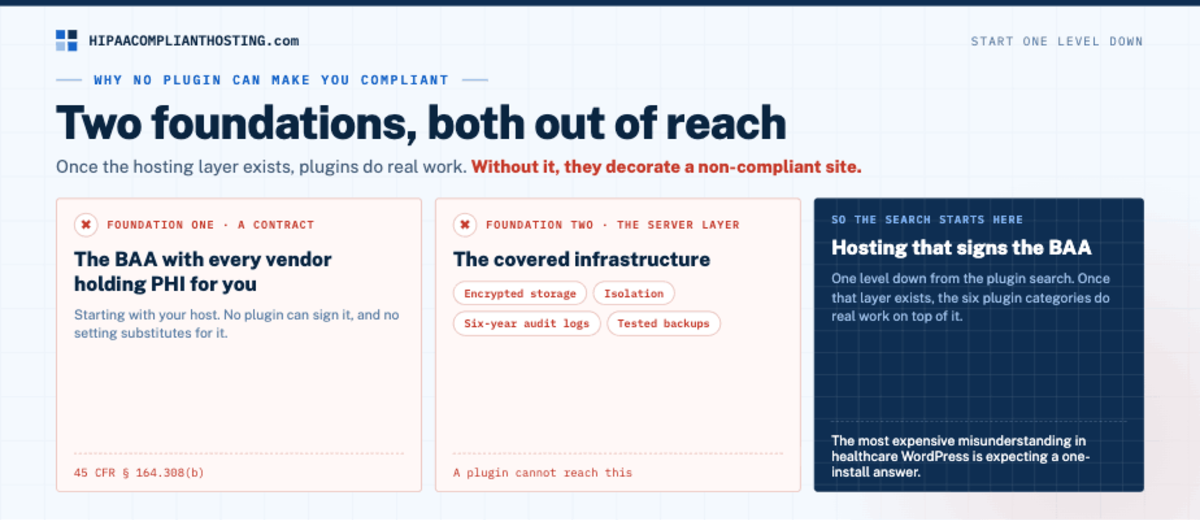
Two of the Security Rule's foundations are outside WordPress entirely. The BAA is a contract with every vendor that holds protected health information (PHI) for you, starting with your host (45 CFR § 164.308(b)). No plugin can sign it. And the covered infrastructure, encrypted storage, isolation, six-year audit logs, tested backups, lives at the server layer a plugin cannot reach. That is why the search for HIPAA compliant WordPress plugins has to start one level down, with hosting that signs the BAA. The full build order is in how to make WordPress HIPAA compliant. Once that layer exists, plugins do real work. Without it, they decorate a non-compliant site. Plugins only help on a host that qualifies; the comparison is in best HIPAA WordPress hosting.
The one test: where does the data go?
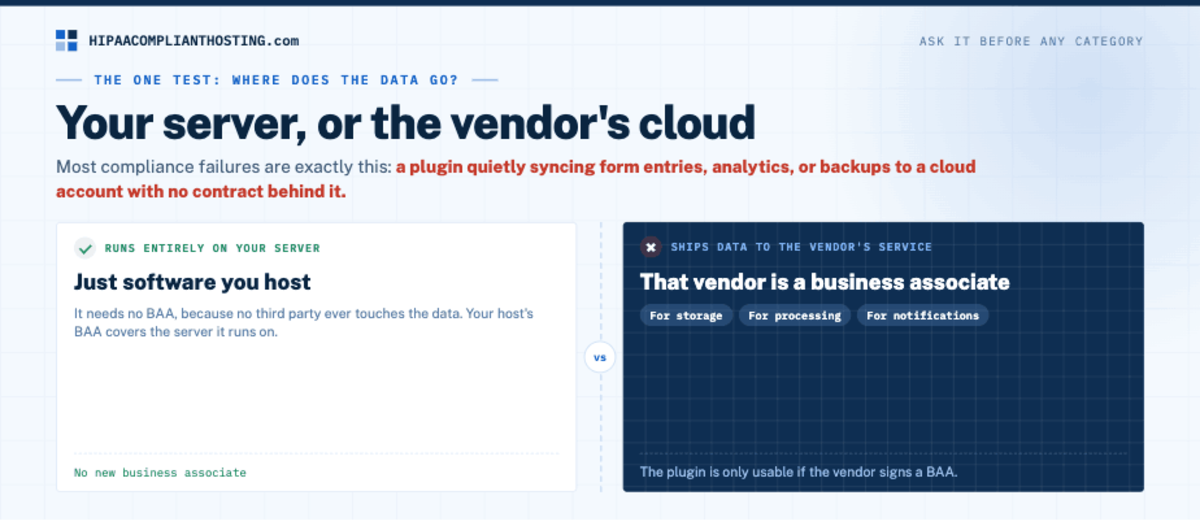
Before any category, learn the test that sorts all HIPAA compliant WordPress plugins from the risky ones. Ask: does this plugin process data on my server, or does it send data to the vendor's cloud? A plugin that runs entirely on your server is just software you host. It needs no BAA, because no third party ever touches the data; your host's BAA covers the server it runs on. A plugin that ships data to the vendor's service makes that vendor a business associate, whether the data goes for storage, processing, or notifications. Then the plugin is only usable if the vendor signs a BAA. Most compliance failures with HIPAA compliant WordPress plugins are exactly this: a plugin quietly syncing form entries, analytics, or backups to a cloud account with no contract behind it. The contract logic is in our HIPAA business associate agreement guide.
The six real categories
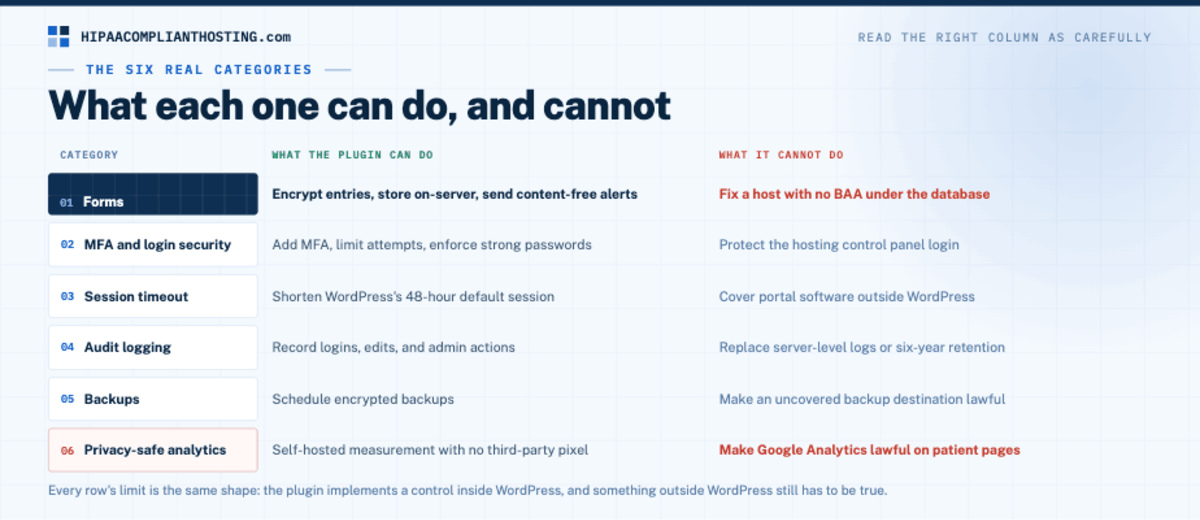
Category | What the plugin can do | What it cannot do |
|---|---|---|
Forms | Encrypt entries, store on-server, send content-free alerts | Fix a host with no BAA under the database |
MFA and login security | Add MFA, limit attempts, enforce strong passwords | Protect the hosting control panel login |
Session timeout | Shorten WordPress's 48-hour default session | Cover portal software outside WordPress |
Audit logging | Record logins, edits, and admin actions | Replace server-level logs or six-year retention |
Backups | Schedule encrypted backups | Make an uncovered backup destination lawful |
Privacy-safe analytics | Self-hosted measurement with no third-party pixel | Make Google Analytics lawful on patient pages |
Read the right column as carefully as the left. It is the honest half of every list of HIPAA compliant WordPress plugins. Every row's limit is the same shape: the plugin implements a control inside WordPress, and something outside WordPress still has to be true. Forms are the deepest category and have their own guide, including which vendors will sign a BAA, in HIPAA compliant WordPress forms. The session default that timeout plugins fix is documented in HIPAA automatic logoff requirements. And the analytics row exists because ad and analytics pixels on patient pages are how tracking settlements happen, per HIPAA tracking technologies.
Plugins are also the risk
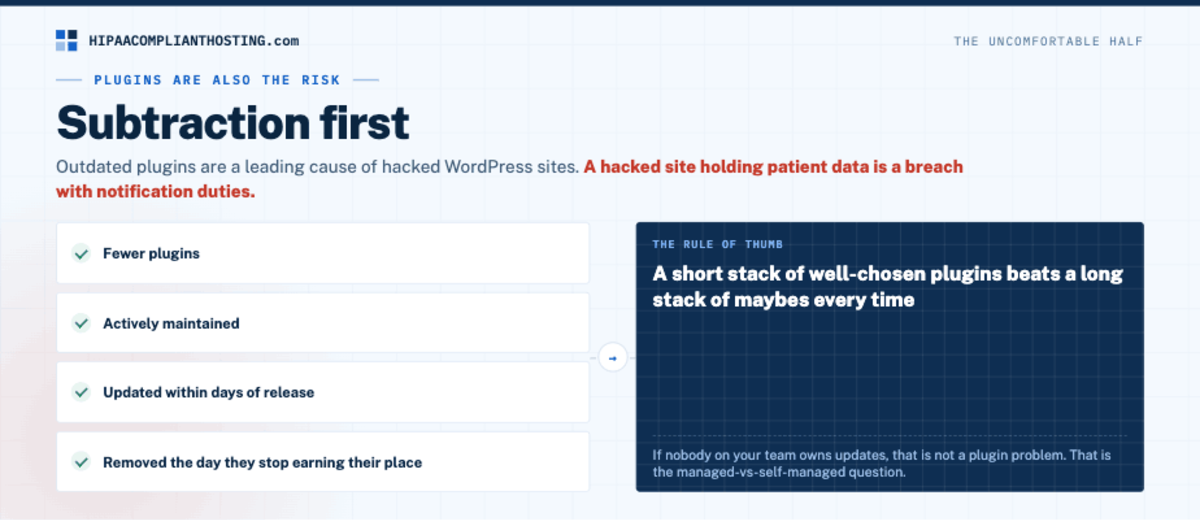
The uncomfortable half of the topic: every plugin you add is attack surface. Outdated plugins are a leading cause of hacked WordPress sites. A hacked site holding patient data is a breach with notification duties. So the plugin strategy for a healthcare site is subtraction first. Fewer plugins, actively maintained, updated within days of release, and removed the day they stop earning their place. A short stack of well-chosen HIPAA compliant WordPress plugins beats a long stack of maybes every time. If nobody on your team owns updates, that is not a plugin problem; that is the managed-vs-self-managed question, answered in managed vs self-managed HIPAA hosting. Joomla sites need the same discipline, since form and backup extensions there can keep their own copies of patient data. Our Joomla HIPAA compliant guide shows where RSForm! Pro and Akeeba Backup store them, and how to lock both down.
What about themes and templates?
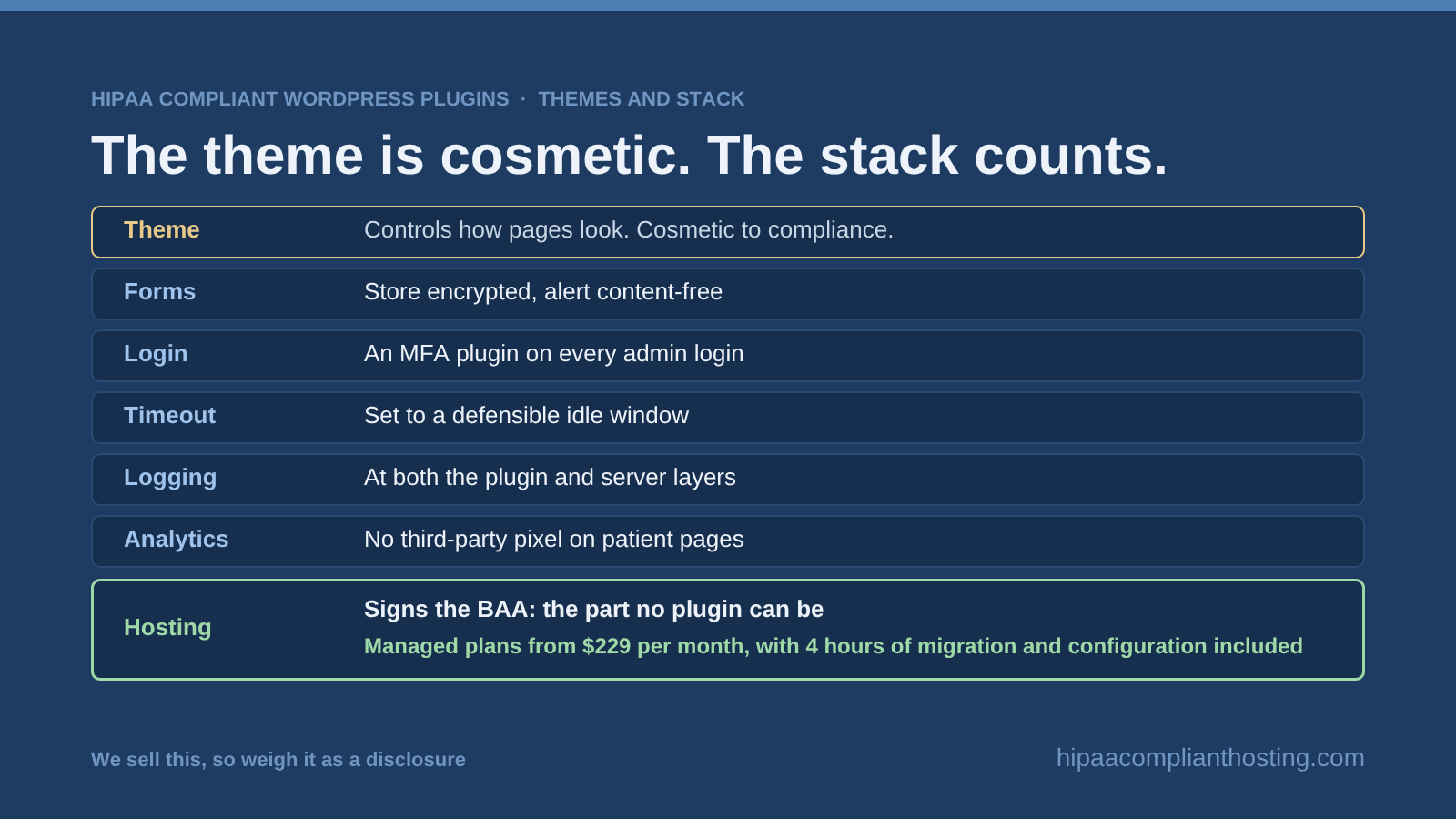
Searches for HIPAA compliant WordPress themes deserve the same straight answer as HIPAA compliant WordPress plugins: the theme layer is cosmetic to compliance. A theme controls how pages look. It does not touch where form data lands, whether the host signed a BAA, or what the session timeout is. Any well-coded, maintained theme can sit on a compliant stack; no theme can create one. Spend the theme budget on design, and the compliance budget on the layers that count.
The stack that actually works
Here is the honest pain point, and the short answer to the whole search. The working healthcare WordPress stack is: hosting that signs the BAA, a forms setup that stores encrypted and alerts content-free, an MFA plugin on every admin login, a timeout plugin set to a defensible idle window, logging at both the plugin and server layers, and analytics with no third-party pixel on patient pages. We sell the bottom layer, so weigh that as a disclosure. Our HIPAA compliant WordPress hosting is the part no plugin can be: the signed BAA, encrypted storage, server-level six-year logging, tested backups, and a firewall. Managed plans start at $229 per month, with 4 hours of migration and configuration included. The plugin layers above it are yours to choose, and our client-side compliance review will audit the stack you have, plugin by plugin, script by script. Send us your plugin list and we will tell you which ones ship data where.
Frequently asked questions
Is there a HIPAA compliance plugin for WordPress?
No. Compliance requires a signed BAA with your host and covered infrastructure, and no plugin can provide either. Plugins implement individual controls, forms, MFA, timeouts, logging, backups, on top of a compliant hosting layer.
Which WordPress plugins can handle patient data?
Plugins that store data encrypted on your own BAA-covered server, or plugins whose vendor signs a BAA for the data they receive. The sorting test is where the data goes: on-server plugins are just code, cloud-connected plugins are business associates.
Are free security plugins enough for HIPAA?
They help with real controls: MFA, login limits, session timeouts. They are not sufficient, because the BAA, encrypted storage, server logs, and tested backups sit below the plugin layer. Free plugins on an uncovered host protect a site that still fails on contract grounds.
Is there a HIPAA compliant WordPress theme?
No such thing exists, because themes only control appearance. Compliance is decided by hosting, forms, trackers, access controls, and documentation. Any maintained theme can sit on a compliant stack.
Do more security plugins mean more compliance?
Usually the opposite. Every plugin adds attack surface, and outdated plugins are a leading breach cause. Run the shortest stack that covers forms, MFA, timeout, logging, backups, and analytics, and keep it updated within days.
Recap: HIPAA compliant WordPress plugins
To recap, HIPAA compliant WordPress plugins are real in six categories, forms, MFA, timeouts, logging, backups, and privacy-safe analytics, and imaginary as a one-install compliance answer. The BAA and the covered hosting cannot come from a plugin. Sort every candidate with one question: does the data stay on my server or go to the vendor? Keep the stack short and current, ignore theme claims, and build on hosting that signs first.
This article is general information, not legal advice. Regulatory citations reflect 45 CFR Part 164 as of August 2026. Plugin and vendor capabilities change; confirm current terms, including BAA availability, with each vendor before use. Confirm your obligations with qualified counsel and base your safeguards on a written risk analysis. We sell HIPAA compliant hosting and compliance reviews. Reviewed August 2026.
Sources
45 CFR § 164.308 (administrative safeguards, BAA requirement): ecfr.gov
45 CFR § 164.312 (technical safeguards): ecfr.gov
HHS OCR: Use of online tracking technologies