


HIPAA Website Audit: How to Check Your Site and Fix What You Find
HIPAA Compliant Hosting · https://hipaacomplianthosting.com/blog/hipaa-website-audit
Last updated: July 13, 2026
A HIPAA website audit is a structured check of your website against the HIPAA Security Rule: who hosts it and under what contract, what patient data its forms collect and where that data goes, and which third-party scripts run in your visitors' browsers. Most practices have never run one, and it shows in the enforcement record. The failure OCR cites most often is the risk analysis under 45 CFR § 164.308(a)(1)(ii)(A) that never covered the website at all. Meanwhile the largest tracking-related exposure ever recorded, Kaiser's 13.4 million records, came from ordinary advertising pixels on its own pages. This guide gives you the full audit scope, a 15-minute self-audit you can run today, and what each common finding costs to fix. Disclosure up front: we sell a professional version of this audit and the hosting that fixes several findings, so weigh our advice accordingly.
TL;DR: Quick answer
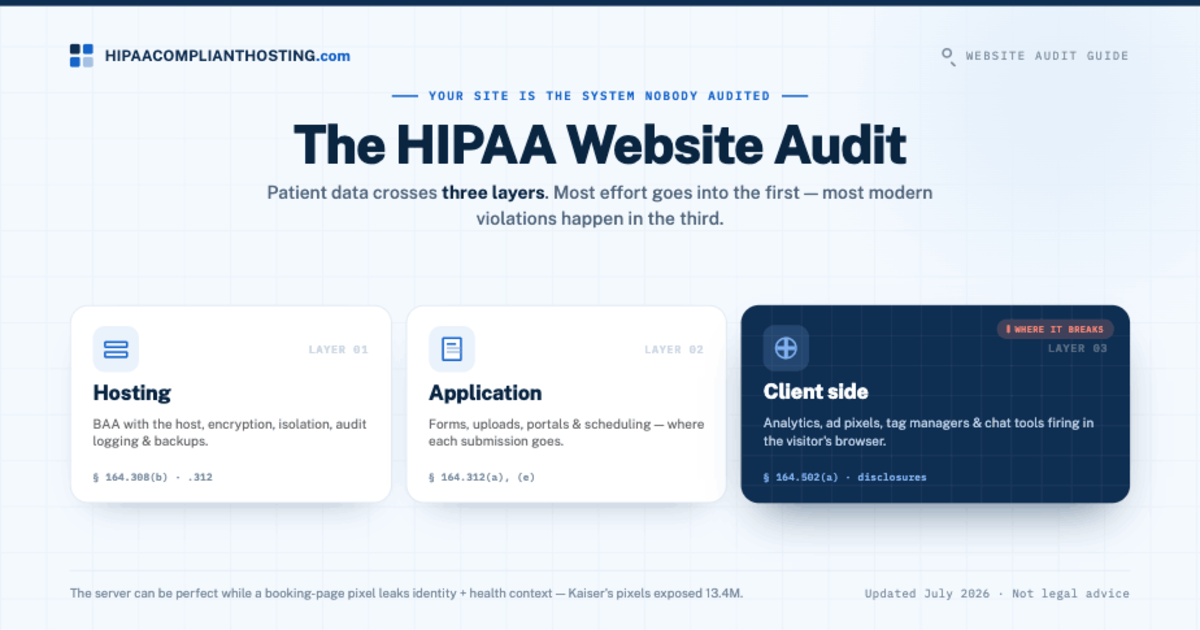
A HIPAA website audit checks three layers: the hosting layer (BAA and server safeguards), the application layer (forms, uploads, notifications), and the client side (tracking scripts, pixels, chat widgets).
Your website is an ePHI system the moment a form collects health details, and it belongs in the risk analysis required by 45 CFR § 164.308(a)(1)(ii)(A).
You can run a meaningful self-audit in about 15 minutes with your browser and your hosting invoice. The checklist is below.
The most common findings: a host with no BAA, form entries emailed in plain text, advertising pixels on booking pages, and forgotten old sites still collecting data.
Tracking-pixel failures have produced settlements of $12.25 million (Advocate Aurora) and $6.6 million (Novant), and OCR's risk-analysis enforcement initiative is active through 2026.
What does a HIPAA website audit cover?
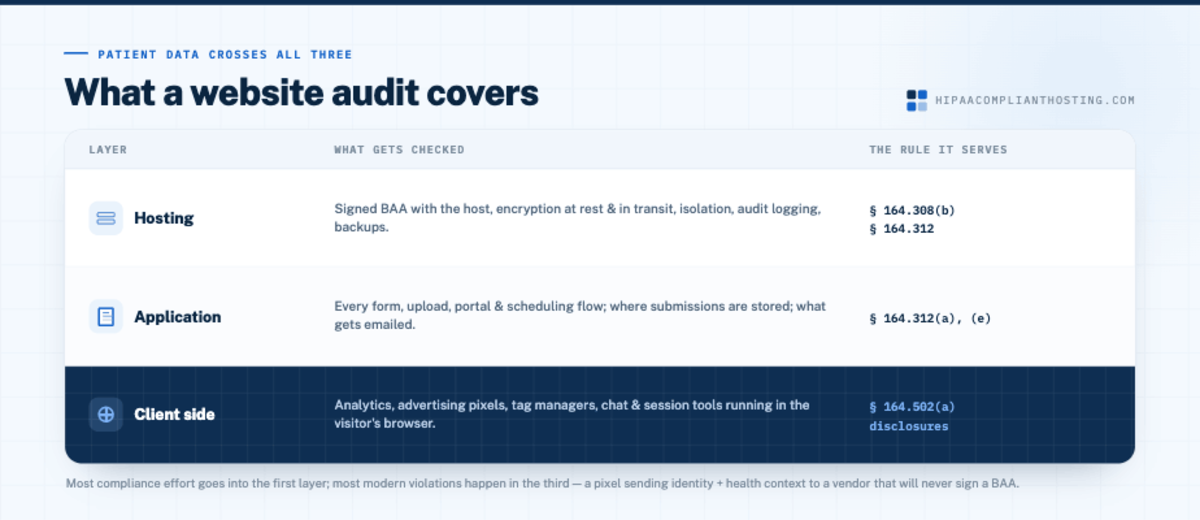
Three layers, because patient data crosses all three.
Layer | What gets checked | The rule it serves |
|---|---|---|
Hosting | Signed BAA with the host, encryption at rest and in transit, isolation, audit logging, backups | § 164.308(b), § 164.312 |
Application | Every form, upload, portal, and scheduling flow; where submissions are stored; what gets emailed | § 164.312(a), (e) |
Client side | Analytics, advertising pixels, tag managers, chat and session tools running in the visitor's browser | § 164.502(a) disclosures |
Most compliance effort goes into the first layer and most modern violations happen in the third. The server can be perfect while a pixel on the booking page sends identity plus health context to a vendor that will never sign a BAA. That is exactly what a HIPAA website audit exists to catch before a regulator or a class-action firm does. The recovery half of the hosting check, backups and tested restores, is detailed in HIPAA backup and disaster recovery. The standard we audit against is laid out in our HIPAA compliant website guide. The header check is expanded in clickjacking prevention.
The 15-minute self-audit
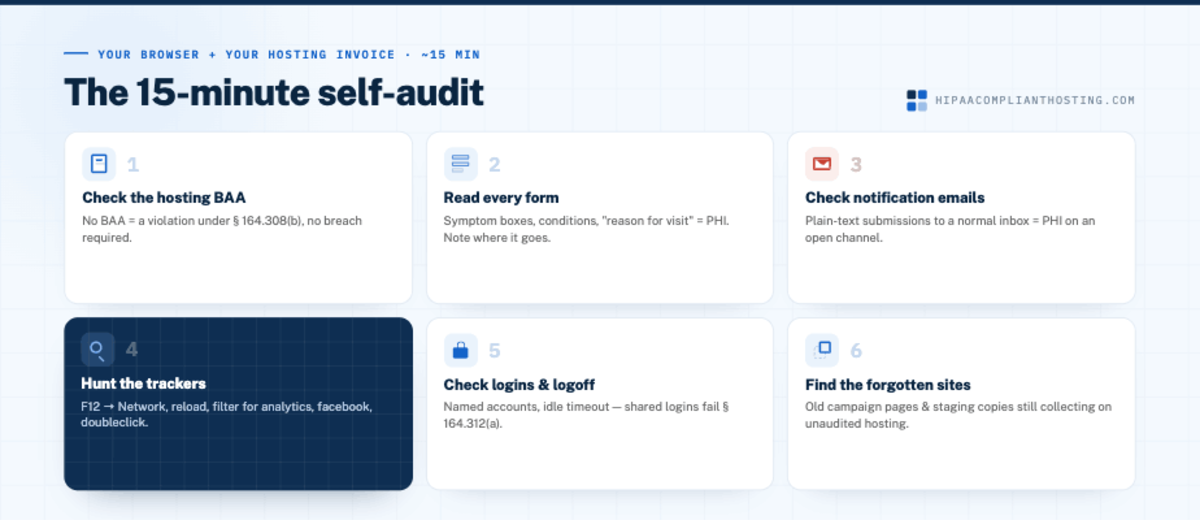
Check the hosting contract. Find out who hosts your site, then find your BAA with them. No BAA means every patient submission is already a violation under 45 CFR § 164.308(b), no breach required. Mainstream hosts mostly do not sign one; the test is in who needs HIPAA-compliant hosting.
Read every form on your site. Open each one and read the fields. Names and phone numbers are low risk. Symptom boxes, condition checklists, insurance details, and "reason for visit" fields are PHI. Third-party booking tools count too; see is Calendly HIPAA compliant. Note where each form's data goes; the standards are in HIPAA compliant forms.
Check your notification emails. If form submissions arrive in your ordinary inbox as plain text, PHI is flowing through an unprotected channel. This is one of the most common findings there is. If your workflows also text patients, check them against HIPAA compliant texting.
Hunt the trackers. Open a booking or intake page in Chrome, press F12, select the Network tab, reload, and filter for "google-analytics," "googletagmanager," "facebook," and "doubleclick." Each match is a third party receiving data from that page. Submit a test entry and watch what fires. The full walkthrough is in HIPAA tracking technologies.
Check logins and logoff. Shared admin accounts and sessions that never expire fail § 164.312(a). Every user gets a named login; idle sessions time out.
Find the forgotten sites. Old campaign pages, staging copies, and a previous version of the site at a subdomain often still collect data on hosting nobody audits. If it is live and has a form, it is in scope.
Twenty minutes of honest checking here beats most paid assessments, because the failures are rarely subtle. They are a pixel that should not be there and a form that emails symptoms to a Gmail inbox.
What audits usually find, and what it has cost others
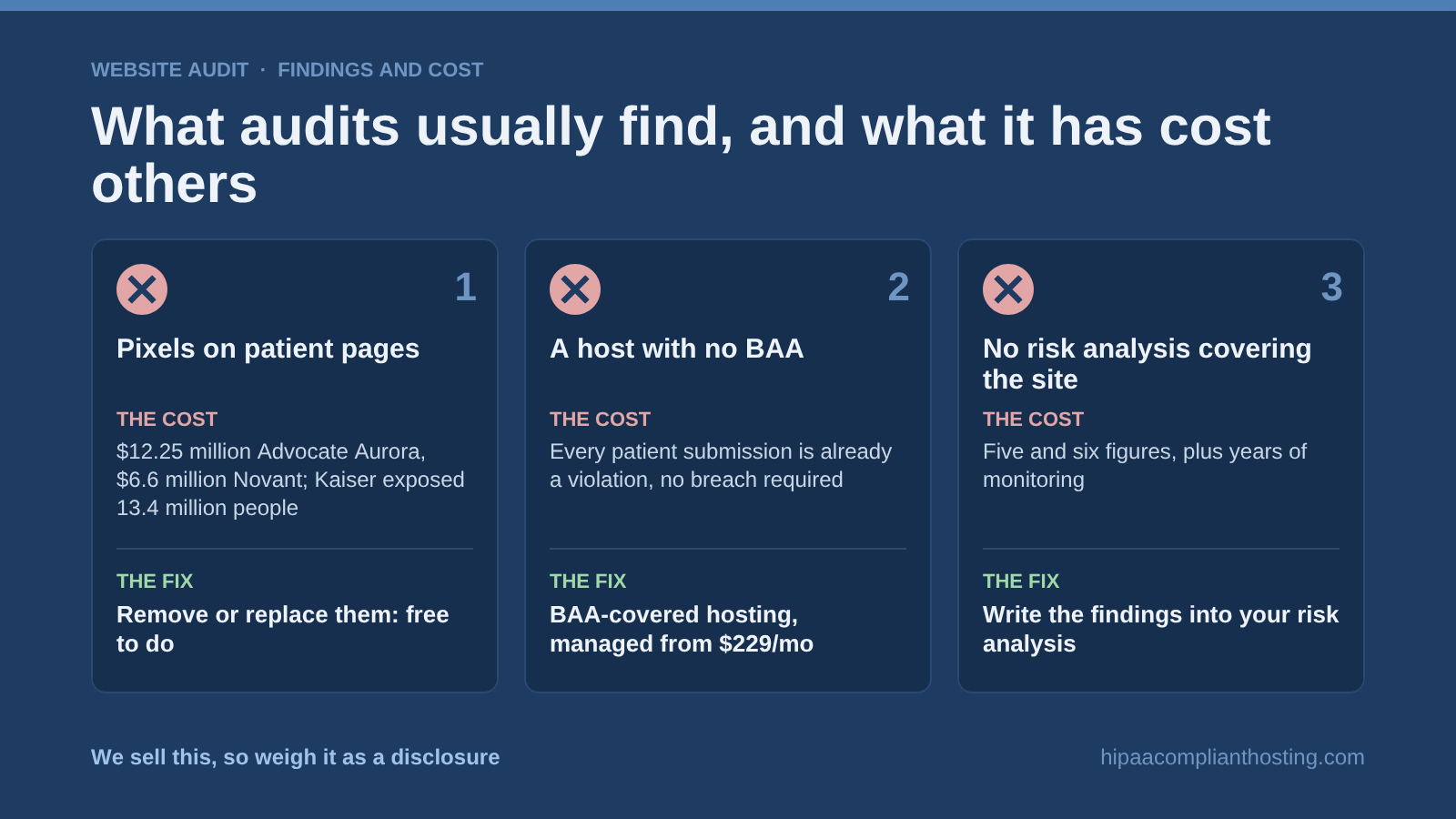
The findings repeat across practices of every size. Advertising pixels on patient-facing pages produced a $12.25 million settlement for Advocate Aurora Health and $6.6 million for Novant Health, and Kaiser's pixel exposure reached 13.4 million people, one of the largest health breaches ever recorded, as our healthcare data breach statistics show. The no-BAA host is so common because sites drift into PHI collection years after launch. And OCR's risk-analysis initiative keeps settling with entities whose documentation never mentioned the website: five and six figures, plus years of monitoring, for practices that could not produce a risk analysis covering the systems this audit checks. The penalty mechanics are in HIPAA violation fines and penalties. If Analytics is on the site, is Google Analytics HIPAA compliant explains what to change.
Fixing what you find
Trackers on PHI pages: remove them or replace them with BAA-signing or self-hosted analytics. Free to do; the discipline is keeping them off.
Forms and notifications: move submissions to encrypted storage with access controls, and stop emailing PHI in plain text.
The no-BAA host: move the PHI-handling parts of the site to BAA-covered hosting. Managed plans start at $229 per month, with 4 hours of migration and configuration included; what each tier covers is in managed HIPAA hosting. A clean marketing site with no PHI can stay where it is.
The documentation gap: write the findings down. Your audit notes become input for the risk analysis under § 164.308(a)(1)(ii)(A), which is the first document OCR requests. How to build that document is covered in our HIPAA risk analysis guide.
To work the fixes item by item, use our HIPAA compliance checklist for websites. If the audit shows the host is the weak point, medical website hosting explains what to replace it with.
When to get the professional version
The self-audit finds the obvious leaks. It misses scripts that load conditionally, tags chained through managers, server-side forwarding, and the documentation format an auditor expects. Our client-side compliance review is the professional version of steps 2 through 4: we audit every script, cookie, form, and third-party tool across your key pages and return a findings report with risk levels and clear fixes, written so it can sit in your compliance file. It pairs with our HIPAA compliant hosting but does not require it. We sell both, so weigh that as a disclosure; the self-audit above is yours either way, because a practice that finds its own pixel problem this week is better off than one that waits for a demand letter. Tell us what your site collects and we will scope the review, or tell you the self-audit already covered you. Agencies auditing client sites will find the agency-specific duties in HIPAA compliance for marketing agencies.
Frequently asked questions
What is a HIPAA website audit?
A structured check of a website against the HIPAA Security Rule across three layers: the hosting contract and safeguards, the forms and data flows, and the third-party scripts running in visitors' browsers. The findings feed the risk analysis required by 45 CFR § 164.308(a)(1)(ii)(A).
How often should we audit our website?
At least yearly, matching the risk-analysis cadence HHS recommends, and after any site change: a new form, a new plugin, a new marketing tag, or a redesign. Most violations enter through changes nobody re-checked.
Can I do a HIPAA website audit myself?
Yes, meaningfully. The 15-minute self-audit above catches the most common failures: the no-BAA host, PHI in plain-text email, and trackers on patient pages. A professional review adds the conditional scripts, chained tags, and documentation a self-check misses.
What does a HIPAA website audit cost?
The self-audit costs your time. Professional client-side reviews are one-time engagements scoped to your site; ask us for a quote. Fixes range from free (removing a pixel) to managed hosting from $229 per month if the audit finds a no-BAA host.
Is my marketing-only website in scope?
Only if it touches patient data. A brochure site with a phone number and no health-related forms generally is not, but audit it once to be sure: sites drift, and one added "describe your symptoms" field changes the answer.
Recap: HIPAA website audit
To recap, a HIPAA website audit checks the hosting and its BAA, every form and where its data flows, and every script running in your visitors' browsers. Run the 15-minute self-audit: confirm the BAA, read the form fields, check the notification emails, hunt the trackers, tighten logins, and find the forgotten pages. Fix what you find, write it down, and repeat yearly. The enforcement record says the website is the system nobody audited, and the settlements say the browser side is where it breaks. Check yours before someone else does.
This article is general information, not legal advice. Confirm your obligations with qualified counsel and base your safeguards on a documented risk analysis specific to your organization. Settlement figures and enforcement details are as published through July 2026. We sell the review and hosting services described. Reviewed July 2026.
Sources
45 CFR § 164.308 (administrative safeguards, risk analysis, BAA provisions): ecfr.gov
45 CFR § 164.312 (technical safeguards): ecfr.gov
HHS OCR: Use of Online Tracking Technologies by HIPAA Covered Entities
HHS OCR: Enforcement process and results
HHS Security Risk Assessment Tool: healthit.gov