


Is Google Drive HIPAA Compliant? The 2026 BAA Answer
HIPAA Compliant Hosting · https://hipaacomplianthosting.com/blog/is-google-drive-hipaa-compliant
Last updated: October 20, 2026
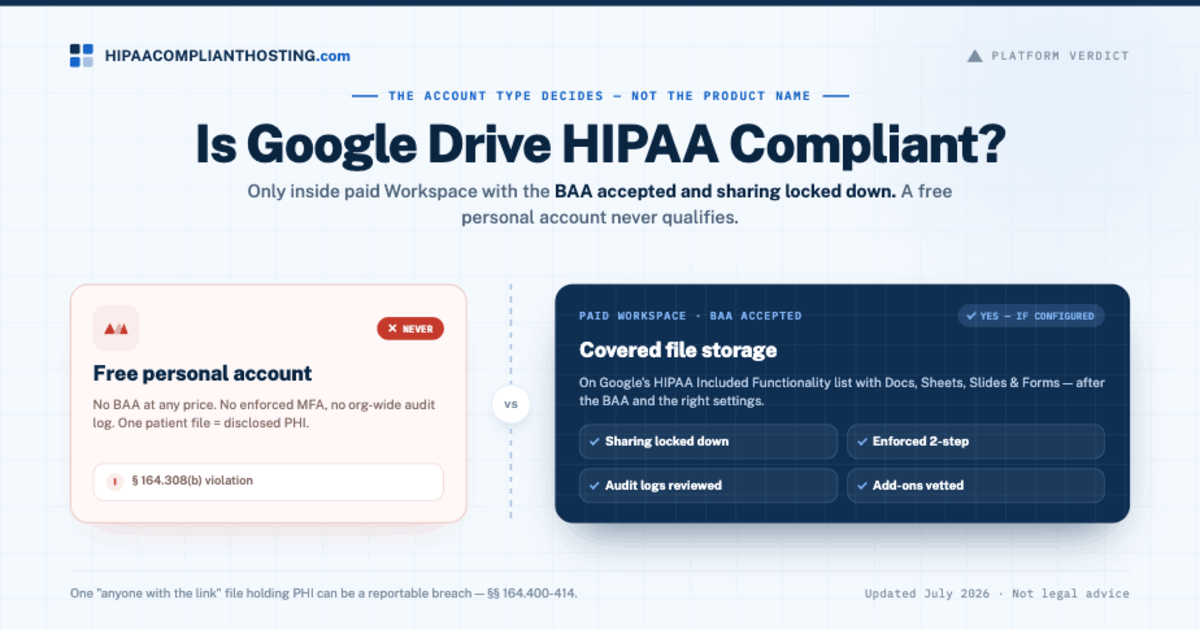
Is Google Drive HIPAA compliant? Only inside a paid Google Workspace plan. Your practice must accept Google's Business Associate Agreement (BAA) and lock down the sharing settings. A free personal Google account can never lawfully hold patient files. So when someone asks is Google Drive HIPAA compliant, the real question is which account type and which settings. Google's HIPAA Included Functionality list covers Drive, including Docs, Sheets, Slides, Forms, and Vids. That coverage only exists after the BAA is accepted in the Workspace Admin console. It only holds up if sharing, sign-in rules, and audit logging are set up. This guide walks through each account type, the settings that decide it, and when Drive is the wrong tool.
TL;DR: Quick answer
Google signs a BAA for Drive on paid Google Workspace and Cloud Identity plans. Free consumer Google accounts are never covered.
Drive sits on Google's HIPAA Included Functionality list with Docs, Sheets, Slides, Forms, and Vids (checked October 20, 2026). Google Docs gets the same answer as Drive.
The BAA is the start, not the finish. Sharing limits, enforced 2-step verification, and reviewed audit logs are your job under 45 CFR § 164.312.
One "anyone with the link" file holding patient data can be a reportable breach under 45 CFR §§ 164.400-414.
Drive works for covered file storage. It is the wrong tool for structured patient records at scale. Those need role-based systems on BAA-covered infrastructure.
Verified against Google's published terms on October 20, 2026. Policies change; confirm current terms before you rely on them.
Why the BAA decides the answer
HIPAA asks one question first: has the vendor signed a Business Associate Agreement? Under 45 CFR § 164.308(b), the written agreement must come before any patient files. Google offers its BAA only on paid Workspace and Cloud Identity plans. An admin accepts it in the Admin console. No BAA means no coverage, whatever the account's security looks like. That contract test is why "is Google Drive HIPAA compliant" never has a one-word answer. It depends on the account.
Personal Google Drive: never
A free Gmail account's Drive has no BAA path at any price. It also fails on controls. There is no admin-enforced 2-step verification. There is no org-wide audit log. And link sharing defaults toward easy, not safe. Upload a patient roster to a personal Drive and you have disclosed PHI. The vendor holding it has no HIPAA duties. So for personal accounts, is Google Drive HIPAA compliant? No, never. This is the same rule we document for Google Sheets, which lives inside Drive.
Workspace Drive: yes, with the BAA and the right settings
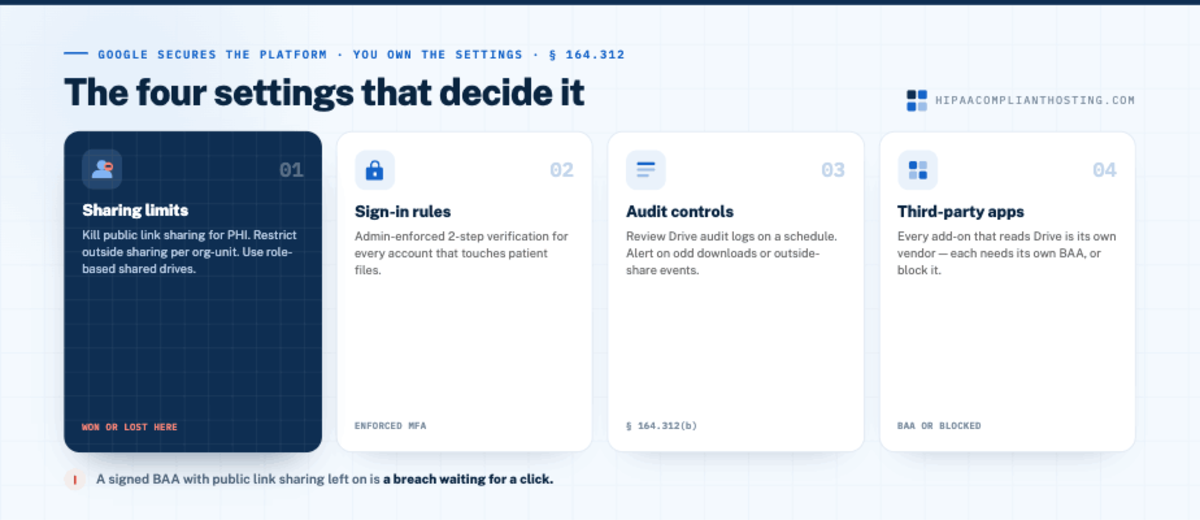
On a paid plan with the BAA accepted, is Google Drive HIPAA compliant? Yes, once the settings match. Google secures the platform. You own the settings:
Sharing limits. Turn off public link sharing for anything holding PHI. Restrict outside sharing at the org-unit level. Use shared drives with role-based membership, not personal Drives.
Sign-in rules. Admin-enforced 2-step verification for every account that touches patient files.
Audit controls. Drive audit logs reviewed on a schedule. Set alerts on odd download or outside-share events (45 CFR § 164.312(b)). Google keeps Drive log events for 6 months, and admins cannot extend that. Export them if your policy keeps logs longer; our guide to HIPAA audit logs covers what to keep.
Third-party apps. Every add-on that reads Drive files is its own vendor. Each one that touches PHI needs its own BAA, or it gets blocked.
The sharing defaults are where "is Google Drive HIPAA compliant" is won or lost in practice. A signed BAA with public link sharing on is a breach waiting for a click. The edition-by-edition setup is in our guide to Google Workspace HIPAA compliance.
Account by account
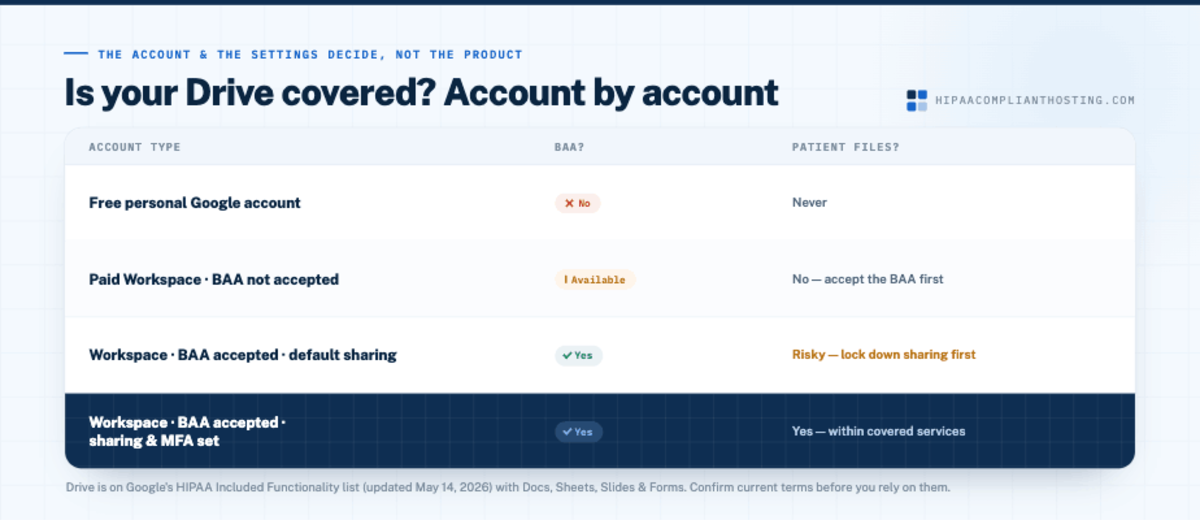
Account type | BAA available? | Patient files? |
|---|---|---|
Free personal Google account | No | Never |
Paid Workspace, BAA not accepted | Available but not signed | No, accept the BAA first |
Paid Workspace, BAA accepted, default sharing | Yes | Risky; lock down sharing before PHI arrives |
Paid Workspace, BAA accepted, sharing and MFA set | Yes | Yes, within the covered services |
Is Google Docs HIPAA compliant?
Google Docs can hold patient data only in a Google Workspace account whose admin has accepted Google's BAA in the Admin console. In a free personal Google account, it never can. Docs gets the same answer as Drive. Google lists Google Drive "including Google Docs, Google Forms, Google Photos, Google Sheets, Google Slides, and Google Vids" as covered (checked October 20, 2026).
Same BAA. There is no separate agreement for Docs. The Workspace BAA your admin accepts covers Docs along with the rest of Drive.
Sharing settings. Docs uses Drive's sharing settings. Share each Doc that holds PHI with named people, never "anyone with the link." Google's HIPAA help page points to sharing with specific recipients instead.
Add-ons and AI. Google says third-party applications, including add-ons, are not covered by its BAA. Gemini in Google Workspace is on Google's covered list; a third-party AI add-on is not.
Consumer accounts excluded. A Doc in a free personal Google account has no BAA behind it. Never draft patient notes there, even for a minute.
Docs suits letters, care plans, and meeting notes inside a covered account. It is a weak fit for structured patient records at scale, for the reasons below.
When Drive is the wrong tool
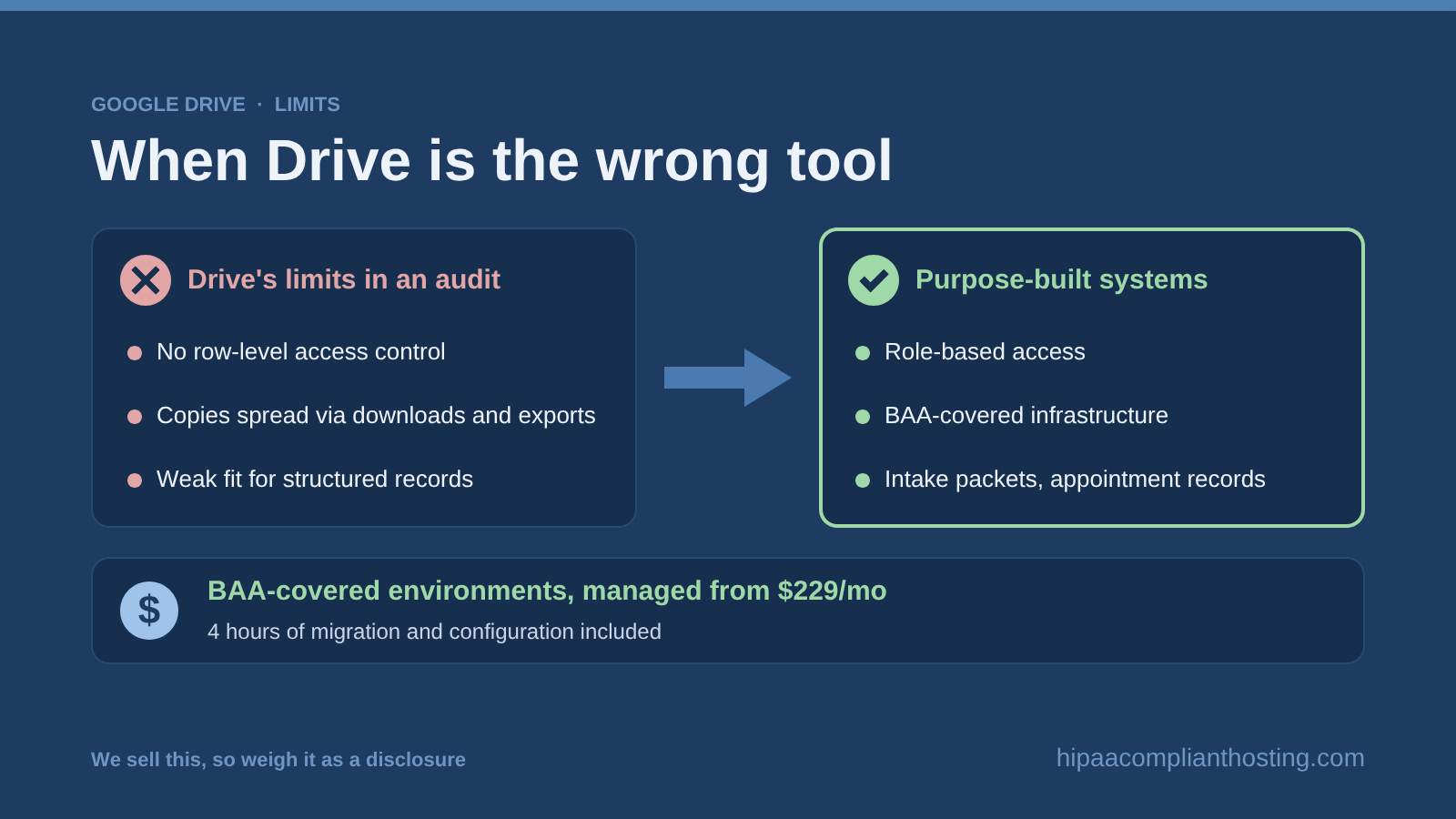
Covered and configured, Drive still has limits that show up in audits. Drive controls access per file and folder, not per record: anyone who can open a spreadsheet sees every row in it. Copies spread through downloads and exports, outside your audit trail. And a folder tree is a weak fit for structured patient records at scale. Intake packets, appointment records, and anything your website collects belong in purpose-built systems. Those systems need role-based access and BAA-covered infrastructure.
That is the line where storage stops being a Drive question and becomes a HIPAA compliant hosting question. For patient systems that run in the cloud, HIPAA compliant cloud hosting puts those servers under a BAA of their own. Our guide to healthcare IT hosting maps which practice systems need a HIPAA host and who signs each BAA.
Website forms feeding patient data have their own standards, covered in HIPAA compliant forms. And remember the contrast: Google Analytics is NOT on the covered list. That trap is unpacked in is Google Analytics HIPAA compliant.
If your patient data flows through your website
Drive coverage does nothing for your website. The intake form, the booking flow, and the records your web app stores live elsewhere. They live on your hosting, and that hosting needs its own BAA and safeguards. That is what we sell: single-tenant AWS servers, managed from $229 a month with no long-term contract. We sign our BAA within 24 hours of signup, before patient data moves. Our BAA covers the servers and services we run; Drive stays under Google's BAA. Every plan includes encryption at rest and in transit, six-year audit logging, and tested encrypted backups. Your first month comes with 4 hours of migration and configuration included; after that, it is $175 an hour, quoted before work starts. Weigh that as a disclosure.
If your site already collects patient data, ask about our client-side compliance review. Tell us what your practice stores and where, and you will get a straight answer either way. If Drive is out, cheapest HIPAA compliant hosting shows what a compliant alternative costs.
Once a file leaves Drive for your website, form pipeline, or database, Google's coverage stops. The full map is in what the Google Workspace BAA does not cover.
Frequently asked questions
Is Google Drive HIPAA compliant?
Only inside a paid Google Workspace plan. The BAA must be accepted in the Admin console, with sharing, sign-in, and audit settings locked down. A free personal Google Drive can never lawfully store patient files.
Does Google sign a BAA for Drive?
Yes, as part of the Google Workspace Business Associate Agreement on paid Workspace and Cloud Identity plans. Drive is on Google's HIPAA Included Functionality list. Google now posts that list on a combined HIPAA page, which names Drive with Docs, Forms, Photos, Sheets, Slides, and Vids (checked October 20, 2026).
Is Google Docs covered by Google's BAA?
Yes, on a Workspace account whose admin has accepted the BAA. Google lists Docs inside Drive, so no separate agreement is needed. A Doc in a free personal Google account is never covered.
Can I store patient files in a free Google account?
No. Free accounts have no BAA path, no enforced MFA, and no org-wide audit logs. Even one patient file there violates 45 CFR § 164.308(b).
Is the BAA alone enough to make Drive compliant?
No. You still owe the technical safeguards: limited sharing, enforced 2-step verification, and reviewed audit logs. A covered account with public link sharing on is how "is Google Drive HIPAA compliant" becomes a breach report.
Can telehealth session recordings go in Drive?
Yes, if the account is a covered Workspace Drive with the BAA accepted and sharing locked down. Recordings are stored PHI. Keep them in a restricted shared drive with logged access, never a personal account. Google Meet is on Google's covered list too. Any other video platform needs its own BAA; see HIPAA compliant video conferencing.
Recap: is Google Drive HIPAA compliant?
To recap, is Google Drive HIPAA compliant? Yes on a paid Workspace plan with the BAA accepted and the settings locked down. Never on a free personal account. Accept the BAA in the Admin console. Restrict sharing, enforce 2-step verification, and review the audit logs. Keep structured patient records in purpose-built systems on BAA-covered infrastructure. Treat every third-party Drive app as its own vendor. The account and the settings decide the answer, not the product name.
This article is general information, not legal advice. Google's BAA terms and Included Functionality list are as published on October 20, 2026, and they change. Confirm current terms with Google, consult qualified counsel, and base your safeguards on a documented risk analysis. We sell HIPAA compliant hosting and compliance reviews. Reviewed October 2026.
Sources
Google Workspace Help: HIPAA Compliance with Google Workspace and Cloud Identity
Google Cloud: HIPAA compliance on Google Cloud and Google Workspace (Google Workspace supported services; the HIPAA Included Functionality link now redirects here)
Google Workspace Help: Data retention and lag times
Google Workspace: HIPAA Business Associate Amendment
45 CFR § 164.308 (administrative safeguards, BAA requirement): ecfr.gov
45 CFR § 164.312 (technical safeguards): ecfr.gov