


Google Workspace Signed Your BAA. Here's What It Still Doesn't Cover (2026)
HIPAA Compliant Hosting · https://hipaacomplianthosting.com/blog/google-workspace-baa-what-it-does-not-cover
Last updated: October 20, 2026
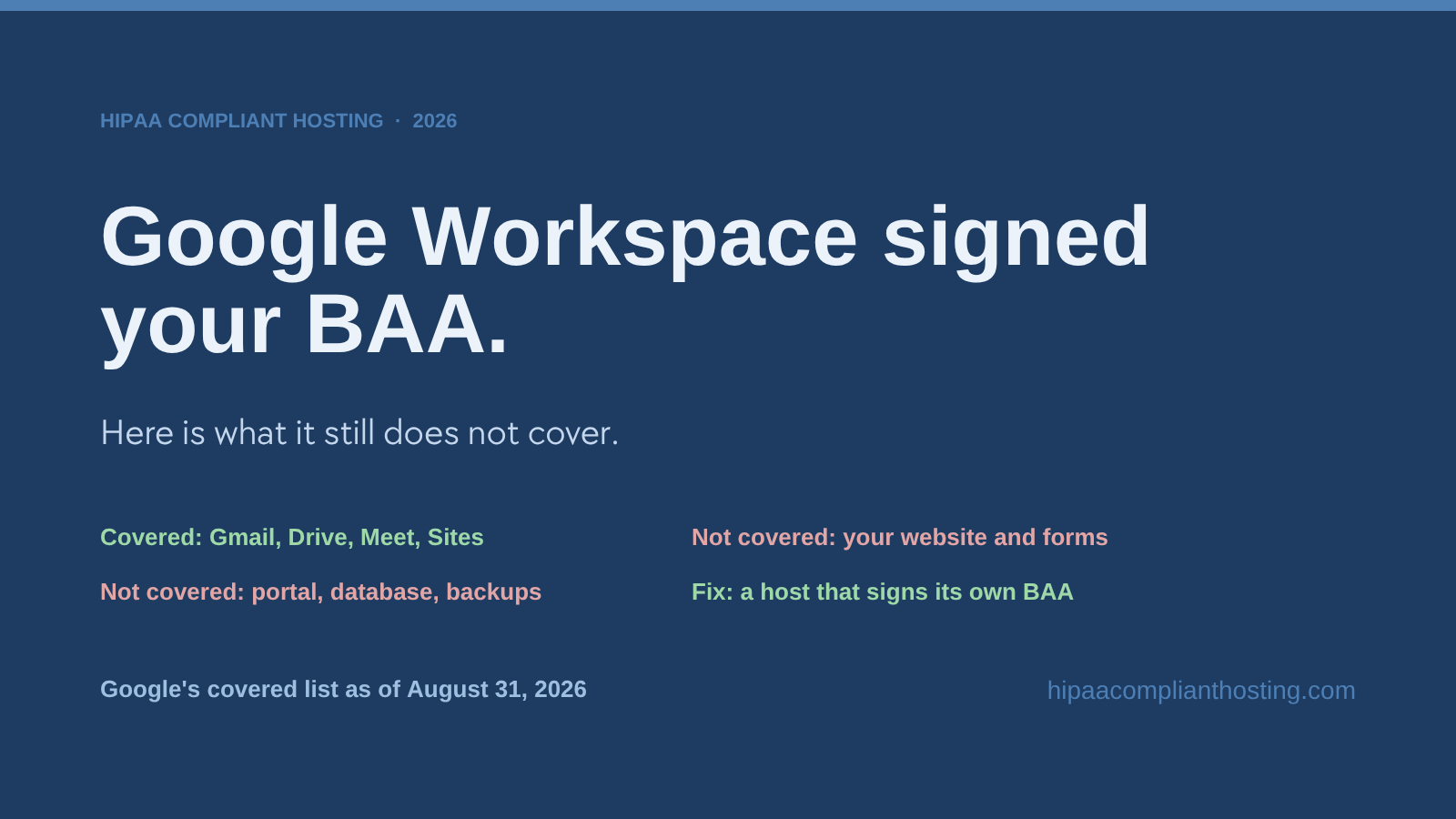
You accepted the BAA in the Admin Console, turned off the services it does not cover, and enforced MFA. Good. That covers the apps on Google's list, and nothing else your practice runs. The Google Workspace BAA follows Google's apps. It does not follow patient data once that data leaves them. Your website, your intake forms, your patient portal, and the database behind them sit outside it. So do the email your web server sends and the backups of all of the above. Each of those needs its own Business Associate Agreement with whoever hosts it. This guide maps the six gaps, gives you a three-question test, and lists what a BAA-covered host has to provide. We sell HIPAA compliant hosting, so weigh our advice accordingly. Every fact here was checked against Google's published HIPAA terms on October 20, 2026.
TL;DR: Quick answer
The Google Workspace BAA covers a set list of apps. Gmail, Calendar, Drive, Docs, Sheets, Forms, Meet, Chat, Sites, Vault, and Gemini in Workspace are on it, with about a dozen others.
It does not cover your website, its intake or appointment forms, or a patient portal. It does not cover the database behind them, notification email sent from your web server, or backups.
Google Sites is on the covered list, but it cannot run a form pipeline with server-side storage, a database, or a portal with custom code.
A host that stores or transmits ePHI is a business associate under 45 CFR § 160.103. It must sign its own BAA under 45 CFR § 164.308(b) and § 164.504(e).
The three-question test near the end tells you in under a minute whether this gap is open at your practice.
What the Google Workspace BAA covers, and where it stops
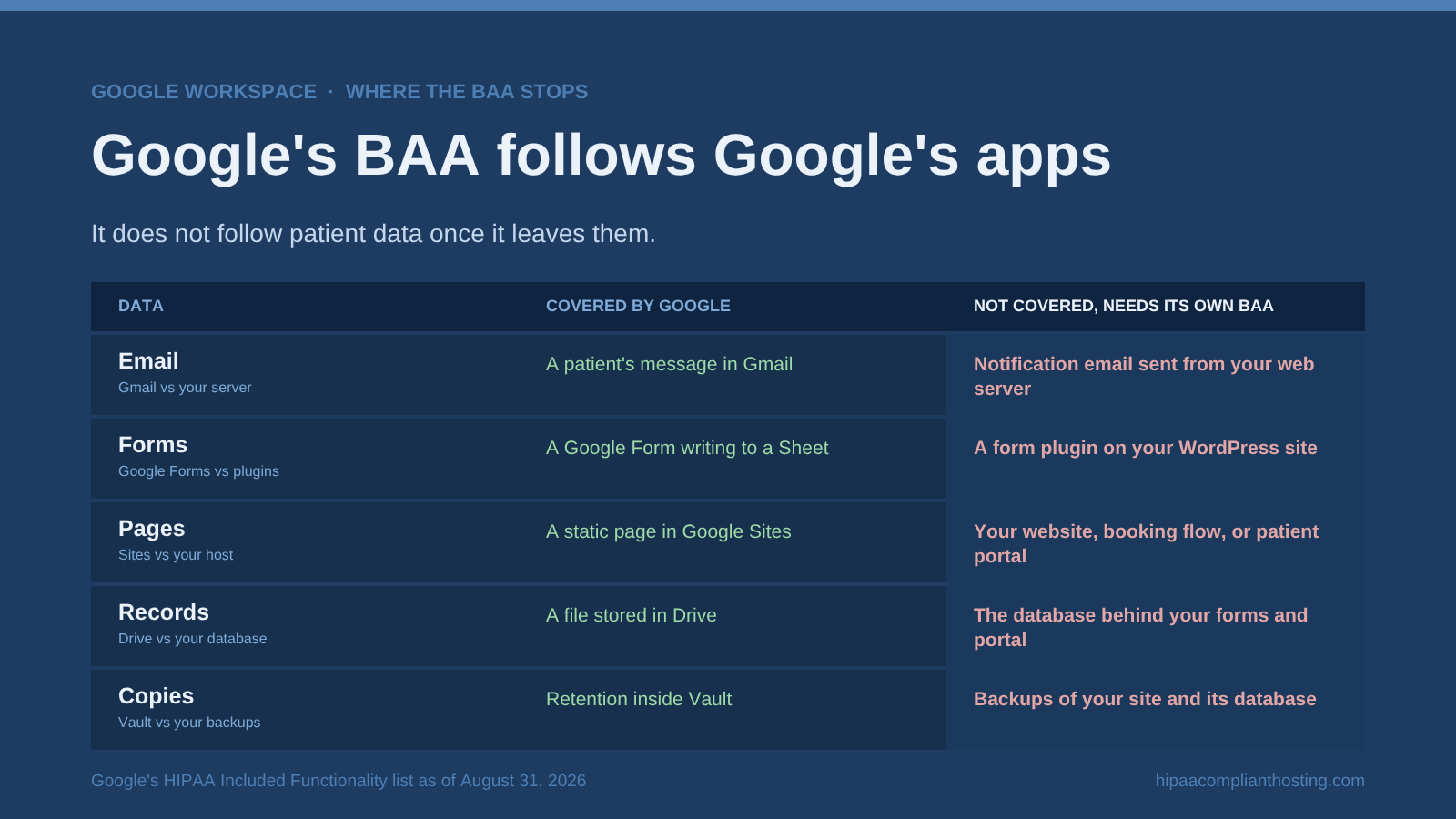
Google publishes its covered list as the HIPAA Included Functionality. The list now sits on Google's HIPAA compliance page for Google Cloud and Google Workspace. Its Workspace section is dated August 31, 2025, and we checked it on October 20, 2026. It names the core Workspace apps and a few platform tools. Everything else your practice runs sits outside it.
Covered by the Google Workspace BAA | Your infrastructure, not covered |
|---|---|
Gmail, Calendar, Drive, Docs, Sheets, Slides, Forms, Photos, Vids, Meet, Chat, Keep, Sites, Groups, Tasks, Cloud Search, Vault, Voice (managed users), Cloud Identity, AppSheet, Apps Script, Gemini in Workspace, the Gemini app (not Gemini in Chrome) and the Gemini Mac app | Your website and its hosting, website contact and appointment forms, a patient portal or intake flow, the database behind them, notification email sent from your web server, backups of any of these, and analytics or ad pixels on those pages |
The rule of thumb is simple. The Google Workspace BAA follows Google's apps. It does not follow the data once it leaves them. A patient's message in Gmail is covered. The same patient's symptoms, typed into a form on your WordPress site and stored in your site's database, are not. Have you not yet accepted the BAA, or do you want the hardening checklist for the suite itself? Our guide to Google Workspace HIPAA compliance covers that side. Does your practice run Microsoft 365 instead? Microsoft's BAA works like the Google Workspace BAA: it covers in-scope Microsoft services, not a website hosted somewhere else. Our guide to Microsoft 365 HIPAA compliance covers that suite. This article is about everything Google Workspace does not touch. Google's list changes, so check Google's current list before you rely on it.
The six exposures outside the Google Workspace BAA
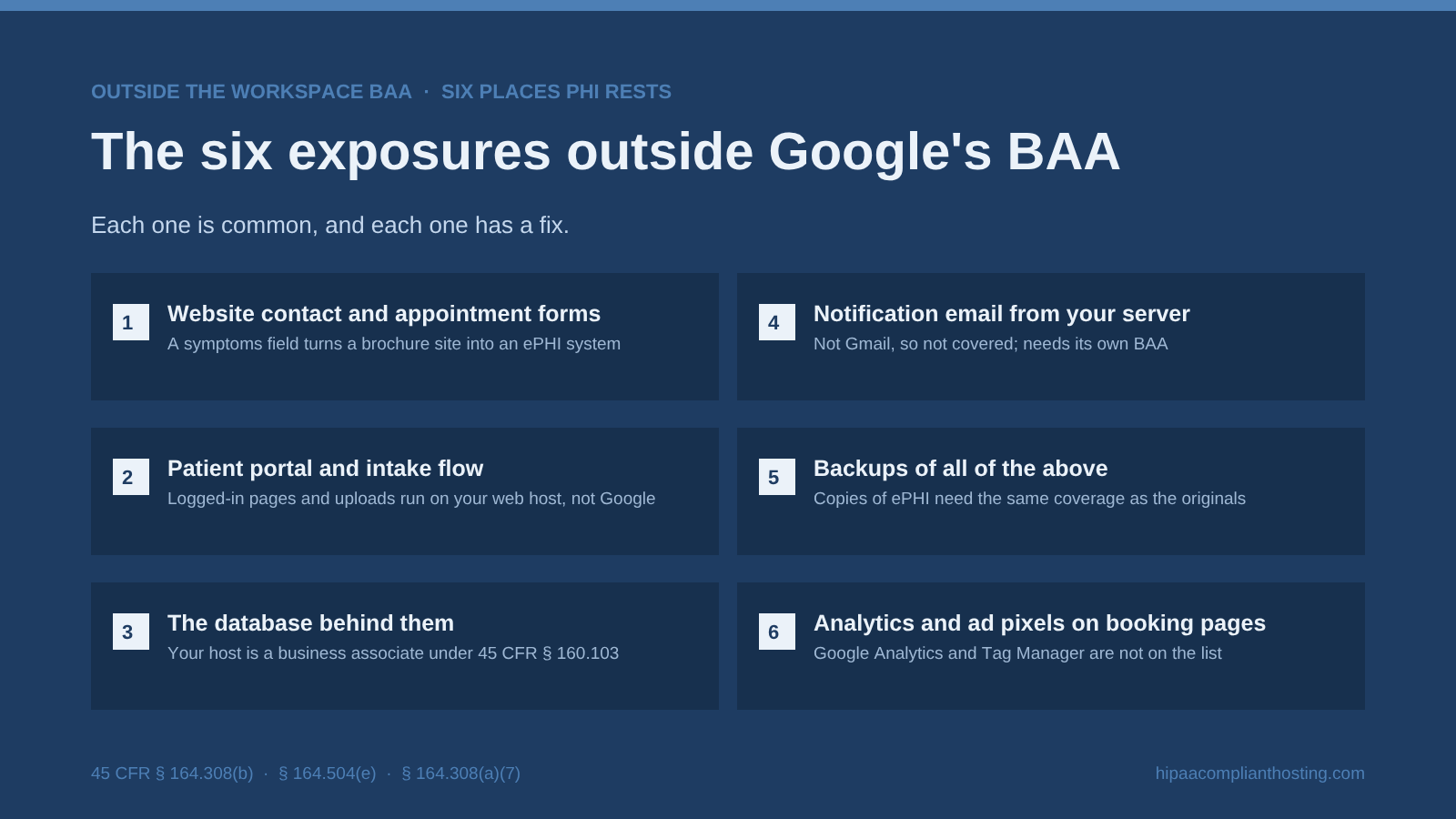
Patient data can end up outside the Google Workspace BAA in six places. Each one has a fix.
1. Website contact and appointment forms
A "tell us about your symptoms" field turns a brochure site into an ePHI system. The form plugin, the server it posts to, and the email it sends all sit outside Workspace. A typical failure: a clinic's contact form saves every submission to the site database on a shared host that signs no BAA. Under 45 CFR § 164.308(b), that missing contract is a violation on its own, before any breach. The fixes are in HIPAA compliant forms, and the plugin-level setup is in HIPAA compliant WordPress forms.
2. Patient portal and intake flow
Logged-in pages, file uploads, e-signatures, and intake questionnaires do not run on Google's covered apps. They run on your web host. A typical failure: a practice builds a portal on its marketing site's hosting plan, because the plan was already paid for. Every record in that portal now rests on infrastructure with no BAA. The full requirements list is in HIPAA compliant website.
3. The database behind them
Form entries, portal records, and CMS tables rest on your host's disks. A host that maintains ePHI for you is a business associate under 45 CFR § 160.103, and needs its own BAA under 45 CFR § 164.504(e). A typical failure: the site was set up years ago, the host was chosen on price, and nobody has asked whether it signs a BAA. Our decision framework in who needs HIPAA compliant hosting walks through the edge cases.
4. Notification email leaving your server
This one confuses even careful admins. Gmail under the BAA is covered. Email sent by your web server is not Gmail. Picture a WordPress form that emails "New submission from Jane, knee pain, wants Tuesday" to the front desk. That message leaves your server through SMTP, or through a transactional email service, before it ever reaches Gmail. That path needs its own BAA. A typical failure: form notifications route through a free email relay that has never signed one. The provider comparison is in HIPAA compliant email.
5. Backups of all of the above
The contingency plan standard at 45 CFR § 164.308(a)(7) requires retrievable, exact copies of ePHI. Those copies are ePHI too. Backup files of your site database need the same BAA coverage and encryption as the originals. A typical failure: a host's nightly backup lands in a storage bucket owned by a third vendor that has no BAA with anyone. What to require is in HIPAA backup and disaster recovery.
6. Analytics and ad pixels on booking pages
The Google Workspace BAA does not cover Google Analytics, Google Tag Manager, or Google Ads. In AHA v. Becerra (N.D. Tex., June 20, 2024), a federal court vacated one part of OCR's tracking guidance. That part said an IP address plus a visit to a public health information page is, by itself, protected health information. HHS appealed, then asked the Fifth Circuit to dismiss its own appeal. The appeal was dismissed on September 4, 2024. The rest of the guidance still applies. Trackers on patient portals, login pages, and booking flows can still expose PHI. A typical failure: a Tag Manager container installed for a marketing campaign fires on the booking confirmation page. The verdict and a 15-minute self-check are in is Google Analytics HIPAA compliant.
Google Sites is on the covered list. Why that does not close the gap
Google Sites appears on the HIPAA Included Functionality list. So it is a fair place for a practice to look. For a static informational page, it works under the Google Workspace BAA. A page that lists hours, services, and a phone number holds no PHI in the first place. The same goes for a Google Form that writes to a Sheet inside the covered account. Both apps are on the list, and the data stays inside Google's boundary.
The gap opens the moment a practice needs more than that. Sites cannot run server-side code, a database, or a patient portal with custom logic. It cannot host a WordPress site, a booking plugin, or a secure upload flow. Most practices need at least one of those, and the moment they do, they are back on third-party hosting, and the BAA question restarts. Storage inside Drive is the same story: covered on Google's side, but only until the file leaves. The details are in is Google Drive HIPAA compliant.
The three-question test
Does any form, chat widget, upload, or quiz on your site collect identifying information plus health information? A name and a reason for the visit is enough.
Does that data rest in a database, mail queue, or backup that you or your host control, rather than in Gmail or Drive? Form entries in the site database count. So do notification emails and nightly backups.
Can your current host sign a BAA and document the 45 CFR § 164.312 safeguards? Most consumer shared hosting cannot.
Yes, yes, no means the gap is open today. Yes, yes, yes means you are covered on paper; check that the safeguards are real. No to the first question means the Google Workspace BAA may be all you need, and standard hosting is fine. For an interactive check, use our HIPAA hosting assessment.
What BAA-covered hosting has to include
If the test put your site in scope, the host you choose needs to provide five things. Hold any provider, including us, to this list.
A signed BAA that names the host as your business associate, per 45 CFR § 164.504(e). Get it before any PHI moves, not after.
Encryption in transit and at rest for the site, the database, and every backup copy, per 45 CFR § 164.312(a) and (e).
Unique logins and verified sign-in for every person who can reach the server or the CMS. 45 CFR § 164.312(a)(2)(i) requires a unique user ID for each person. Section 164.312(d) requires procedures to verify that each user is the one claimed. The current rule does not name MFA, but MFA is a strong way to meet that standard. HHS's proposed Security Rule update of January 6, 2025 would require it. That proposal is not law yet, and the current rule still applies.
Audit logging that records who accessed what and when, per 45 CFR § 164.312(b). That standard sets no retention period for the logs themselves. Many organizations keep logs for six years to line up with HIPAA's documentation rule. Our guide to HIPAA audit logs covers what to record and how long to keep it.
Tested, encrypted backups with a documented restore procedure, per 45 CFR § 164.308(a)(7).
On cost, our managed HIPAA hosting starts from $229 a month, with 4 hours of migration and configuration included in the first month. Self-run cloud servers under AWS's own BAA can cost less in cash and more in engineer hours. Every item on the list becomes your job. Our managed HIPAA cloud hosting takes most of those jobs off your plate. You get a BAA signed within 24 hours of signup, before patient data moves. Servers are single-tenant AWS, with encryption at rest and in transit, six-year audit logging, and tested encrypted backups. Whoever hosts you, turn on MFA for your own CMS logins. The full price bands are in our HIPAA hosting cost guide.
One more thing to know before you shop: no host can make you "HIPAA certified." No such certification exists. A host provides BAA-covered infrastructure; your risk analysis, policies, and training complete the picture. That division of duties is spelled out in who does what under a BAA.
Already on Workspace? Your suite is covered. Check whether your website is.
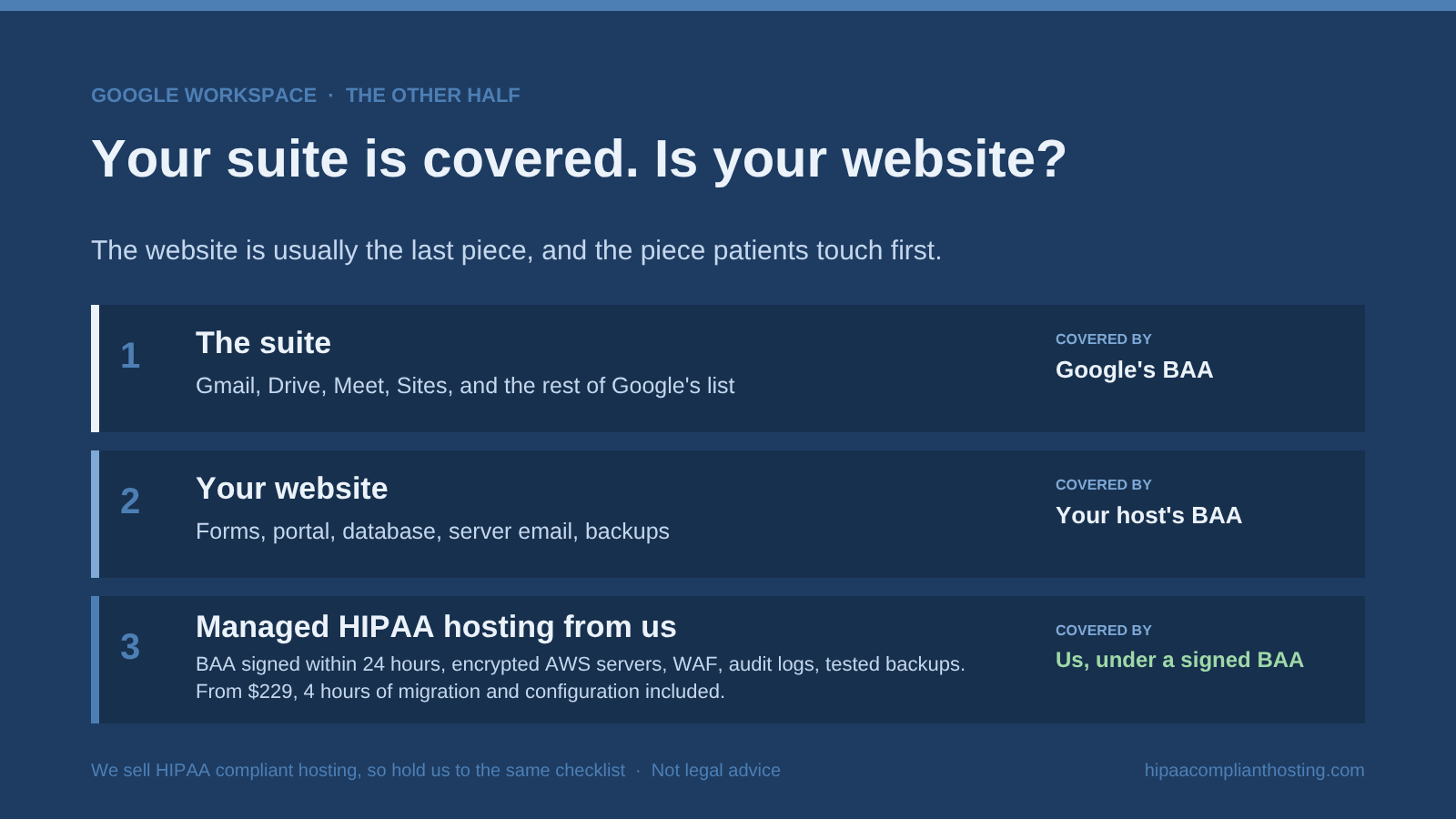
Your Google Workspace BAA already did the hard part for the apps your staff work in. The website is usually the last piece, and it is the piece patients touch first. Run our hosting assessment to see whether your site is inside or outside the line. If you would rather talk it through, tell us what your site collects and we will say whether you need this. Sometimes the honest answer is no.
If you do need a BAA-covered host, our HIPAA compliant WordPress hosting comes with a BAA signed within 24 hours of signup, before patient data moves. You get single-tenant AWS servers, a web application firewall, encryption at rest and in transit, six-year audit logging, and tested encrypted backups. Plans start from $229 a month, and monthly plans have no long-term contract. You also get 4 hours of migration and configuration included in the first month. After that, work is $175 an hour, quoted before work starts. It is one part of our wider HIPAA compliant hosting lineup. We sell HIPAA compliant hosting, so hold us to the same checklist.
Frequently asked questions
Does the Google Workspace BAA cover my website?
No. The Google Workspace BAA covers the apps on Google's HIPAA Included Functionality list. Your website, its forms, and the server it runs on are outside that list, unless the site is a static page built in Google Sites. The host that stores your site's data needs its own BAA.
Does the Google Workspace BAA cover Google Forms?
Yes. Google lists Google Forms under Google Drive on its covered list (checked October 20, 2026). A Google Form that writes responses to a Sheet inside your covered account stays inside the BAA. Forms built with a website plugin or a third-party form tool are a different case. Those post to your web server or to the tool's servers, and neither is covered by Google.
Is Google Sites enough for a patient portal?
No. Google Sites is covered, but it is a static page builder. It cannot run a database, server-side code, logged-in patient accounts, or secure uploads with custom logic. A real portal needs hosting that signs its own BAA.
Do I need a separate BAA for my web host if I already have one with Google?
Yes, if your site stores or transmits ePHI. Google's BAA binds Google. It says nothing about your web host, which is a separate business associate under 45 CFR § 160.103 and needs its own contract under § 164.504(e). For every other system a practice runs, see who hosts it and whose BAA covers it.
Recap: the Google Workspace BAA and your website
To recap, the Google Workspace BAA covers Google's apps and stops there. Your website, its forms, a patient portal, and the database behind them sit outside it. So do server-sent email, backups, and any tracking pixels on those pages. All of them need their own BAA-covered hosting. Google Sites does not close the gap for anything beyond a static page. Run the three-question test, and if it comes up yes, yes, no, fix the hosting side first.
This article is general information, not legal advice. Google's HIPAA Included Functionality list changes. The Workspace list cited here is dated August 31, 2025, on a Google page last updated October 16, 2026. Google's HIPAA help page was last updated October 20, 2026. We checked both on October 20, 2026. Confirm current terms with Google, consult qualified counsel, and base your safeguards on a documented risk analysis. We sell HIPAA compliant hosting. Reviewed October 2026.
Sources
Google: HIPAA Included Functionality list, now on Google's page "HIPAA compliance on Google Cloud and Google Workspace" (Workspace list dated August 31, 2025; checked October 20, 2026)
Google Workspace Help: HIPAA compliance with Google Workspace and Cloud Identity (last updated October 20, 2026)
Google Cloud: HIPAA compliance
Microsoft: HIPAA and HITECH Act offering (BAA covers in-scope Microsoft services)
45 CFR § 160.103 (definitions): ecfr.gov
45 CFR § 164.308 (administrative safeguards, BAA, contingency plan): ecfr.gov
45 CFR § 164.312 (technical safeguards): ecfr.gov
45 CFR § 164.316(b)(2)(i) (six-year documentation retention): law.cornell.edu
45 CFR § 164.504(e) (business associate contracts): ecfr.gov
HHS OCR: use of online tracking technologies (notes the June 20, 2024 vacatur)
American Hospital Association v. Becerra, No. 4:23-cv-01110 (N.D. Tex.): district court docket; Fifth Circuit No. 24-10775: appeal docket (dismissed September 4, 2024)
Federal Register: HIPAA Security Rule proposed rule, 90 FR 898 (January 6, 2025; proposed 45 CFR 164.312(f)(2)(ii)(A) would require MFA)