


Google Workspace HIPAA Compliance: The BAA, Setup, and the Limits in 2026
HIPAA Compliant Hosting · https://hipaacomplianthosting.com/blog/google-workspace-hipaa
Last updated: July 15, 2026
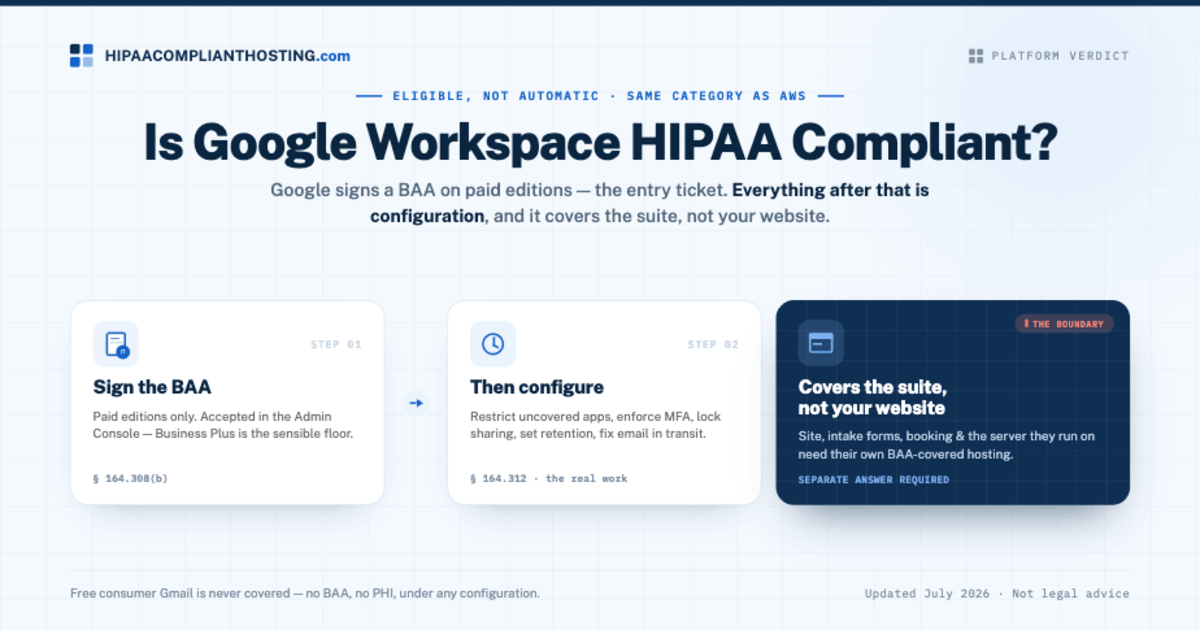
Google Workspace can support HIPAA compliance, and the entry ticket is real: Google signs a Business Associate Agreement (BAA) on paid Workspace plans, accepted digitally in the Admin Console. That puts Google Workspace HIPAA compliance in the same category as AWS: eligible, not automatic. The BAA covers a specific list of apps. Free consumer Gmail is never covered. And the distance between "we signed the BAA" and "we are compliant" is all configuration: which apps your staff can use, how access is controlled, and what happens to email in transit. This guide covers the editions, the covered apps, the setup steps, and the limits that keep catching practices. Disclosure up front: we set up Google Workspace for healthcare clients alongside our hosting, so weigh our advice accordingly.
TL;DR: Quick answer
Google signs a HIPAA BAA on paid Google Workspace editions. Business Plus is the practical minimum, because it adds Vault for retention and stronger device controls.
You accept the BAA yourself in the Admin Console: Account, then Account settings, then Legal and Compliance. Keep a record of the acceptance.
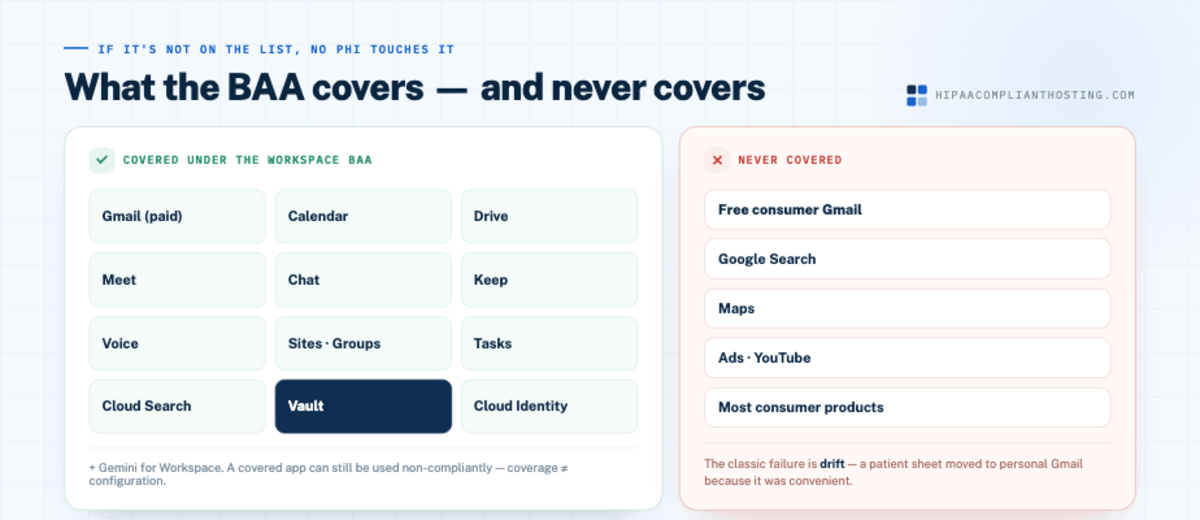
The BAA covers core apps including Gmail, Calendar, Drive, Meet, Chat, Keep, Voice, Sites, Tasks, and Vault. Consumer products like free Gmail, Search, Maps, and Ads are never covered.
Signing the BAA does not make you compliant. You must restrict non-covered services, enforce MFA, control sharing, and configure retention.
Gmail's transport encryption is opportunistic, so many practices pair Workspace with an enforced-encryption layer for patient email. And the Workspace BAA covers the suite, not your website.
Does Google sign a BAA for Workspace?
Yes, on paid editions. That single fact separates Google Workspace HIPAA compliance from consumer Gmail, which offers no BAA and can never hold patient data. Under 45 CFR § 164.308(b), the BAA is the legal gate: a vendor that stores or transmits protected health information (PHI) for you must sign one first. Which edition you pick matters in practice. The BAA is available on paid plans generally, but Business Plus and up is the sensible floor for healthcare, because it includes Google Vault for retention and audit needs and stronger mobile device management. Confirm the current terms on your edition before relying on them, because Google's plan lineup changes. For the contract itself, see what the law requires a BAA to say.
How to accept the Google BAA, step by step
Sign in to the Google Admin Console as a super administrator.
Go to Account, then Account settings, then Legal and Compliance.
Open the Business Associate Amendment section, review it, and accept.
Save proof. Google does not send a countersigned copy, so screenshot the acceptance and file it with your compliance records; the documentation rule at 45 CFR § 164.316 expects you to keep evidence for six years.
Do this before any patient data touches the account, not after. Coverage starts at acceptance.
What the BAA covers, and what it never covers
Covered under the Workspace BAA | Never covered |
|---|---|
Gmail (paid), Calendar, Drive, Meet, Chat, Keep, Voice, Sites, Groups, Tasks, Cloud Search, Vault, Cloud Identity, Gemini for Workspace | Free consumer Gmail, Google Search, Maps, Ads, YouTube, and most consumer Google products |
The covered list changes over time, so check Google's current HIPAA implementation guide when you configure. For a configuration-level walkthrough from a Google partner, gPanel's Google Workspace HIPAA setup and BAA guide covers the admin settings in detail. The rule of thumb: if a service is not on the covered list, no PHI may touch it, even from an account that signed the BAA. Note that a covered app can still be used non-compliantly; Google Meet can carry telehealth visits under the BAA, but the platform requirements around it are their own topic, covered in HIPAA compliant telehealth. For the dedicated video platforms, the parallel question is is Zoom HIPAA compliant, and how Meet stacks up against those platforms is compared in HIPAA compliant video conferencing. Drive follows the same pattern: it is on the covered list, but its sharing settings decide whether it stays compliant, and the Drive-specific verdict and settings are in is Google Drive HIPAA compliant. The classic failure is drift, a staff member moving a patient spreadsheet into a personal Gmail or an uncovered tool because it was convenient. We catalog that pattern in whether Google Sheets is HIPAA compliant for patient data, and it is exactly what admin restrictions exist to prevent. Running Microsoft instead? See our Microsoft 365 HIPAA guide for that side.
The Google Workspace HIPAA hardening checklist
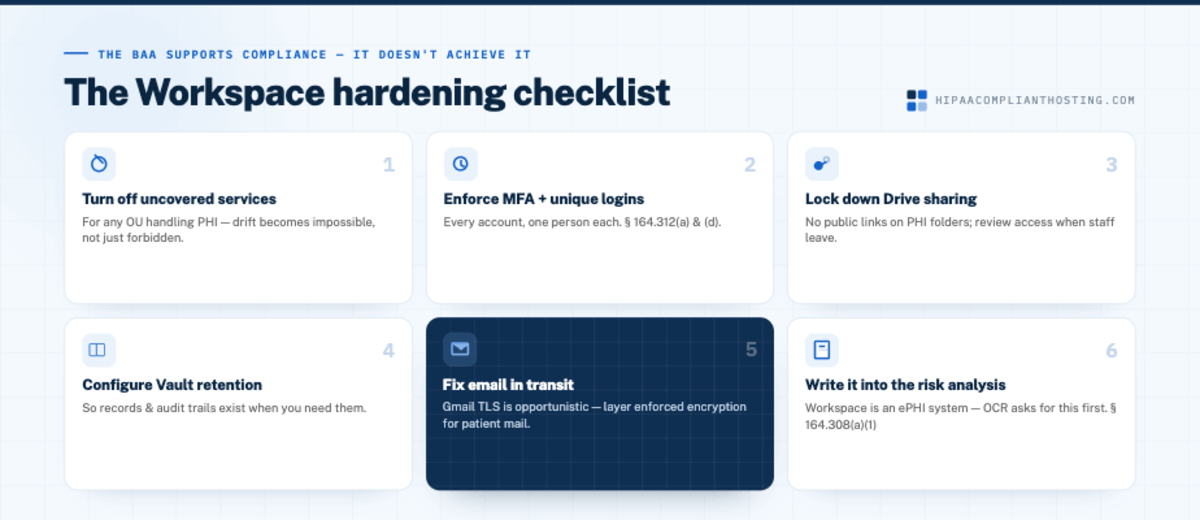
Google's own guidance is blunt: the BAA supports your compliance, it does not achieve it. Google Workspace HIPAA compliance is won or lost in these settings. Work through them in order:
Turn off non-covered services for any organizational unit that handles PHI, so drift becomes impossible rather than forbidden.
Enforce MFA on every account, and unique logins per person, per 45 CFR § 164.312(a) and (d).
Lock down Drive sharing defaults: no public links on PHI folders, external sharing restricted, and access reviewed when staff leave.
Configure Vault retention so records and audit trails exist when you need them.
Fix email in transit. Gmail uses opportunistic TLS: if the receiving server does not support encryption, mail can travel unprotected. For routine patient email, layer an enforced-encryption service on top of Workspace; the options are compared in HIPAA compliant email encryption services, and the wider email verdict, covering Outlook and the dedicated vendors as well as Gmail, is in our guide to HIPAA compliant email. The provider-by-provider ranking is in our best HIPAA compliant email guide.
Write it into the risk analysis. Workspace is an ePHI system under 45 CFR § 164.308(a)(1)(ii)(A), and OCR asks for that document first.
If any item on that list has no owner at your practice, that is the gap to fix this week, not after an incident.
What Google Workspace HIPAA compliance does not cover: your website
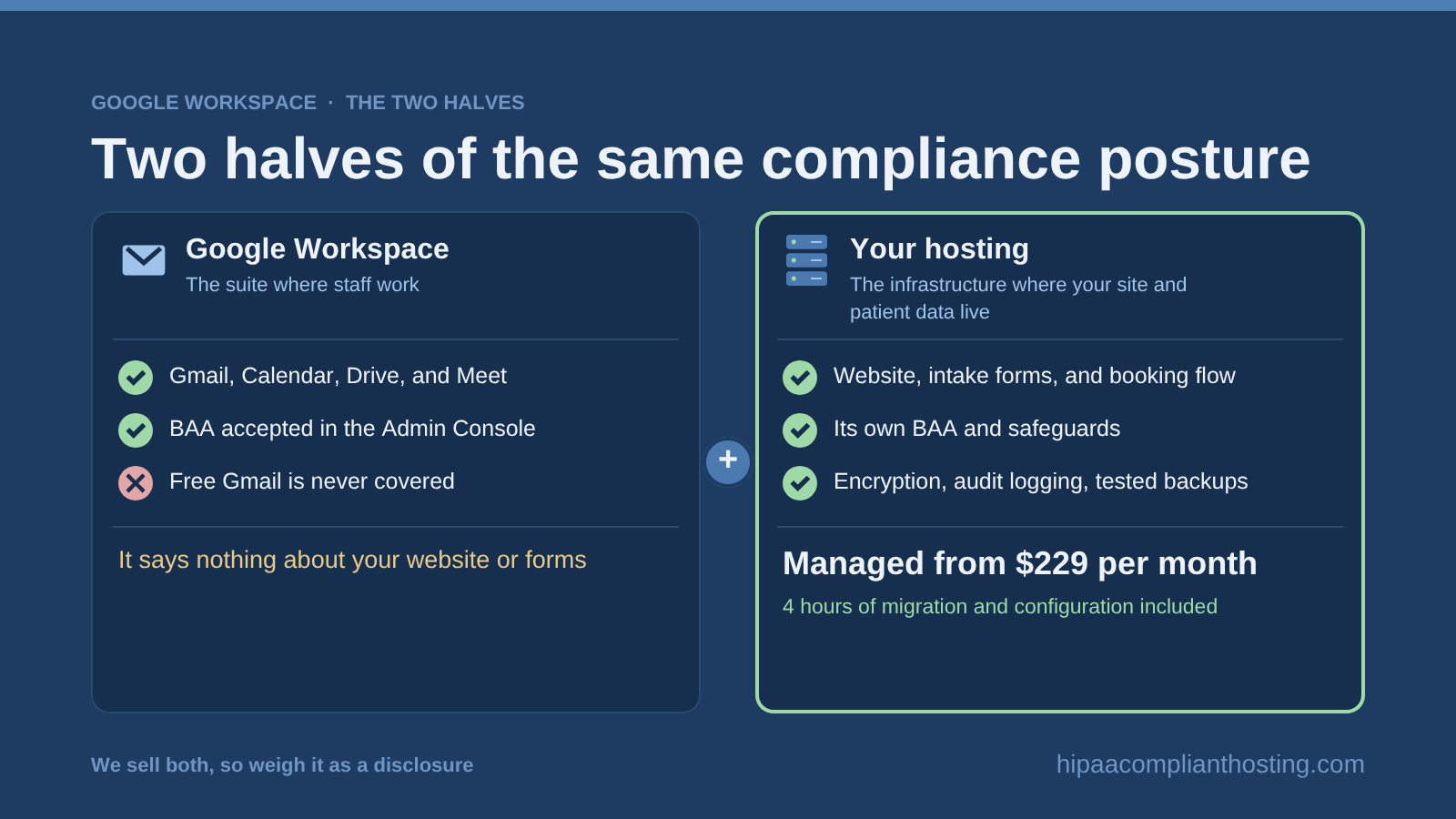
This is the boundary practices miss most. The Workspace BAA covers Google's apps. It says nothing about your website, your intake forms, your booking flow, or the server they run on. A practice can have a perfectly configured Workspace and still leak PHI through a contact form on a host that signs no BAA, or a tracking pixel on the booking page. Those live on your hosting, which needs its own BAA and safeguards; the six exposures are mapped in what the Google Workspace BAA does not cover, the test is in who needs HIPAA-compliant hosting, and the self-check is our HIPAA website audit. Workspace and hosting are two halves of the same compliance posture: the suite where staff work, and the infrastructure where your site and patient data live. For sites and patient apps that run in the cloud, HIPAA cloud hosting is the half that needs its own BAA. Workspace does not cover Google Analytics; that verdict is in is Google Analytics HIPAA compliant.
If you would rather have both halves handled together
We set up Google Workspace for healthcare clients and run the hosting side as our core business: BAA-covered environments with encryption, audit logging, and tested backups, managed from $229 per month with 4 hours of migration and configuration included, detailed in managed HIPAA hosting. One vendor accountable for the website, the forms, and the productivity suite configuration is one fewer seam where PHI leaks. That is HIPAA compliant hosting plus the suite your team already uses. We sell both, so weigh that as a disclosure. If you just want your current Workspace checked, tell us your edition and what your staff handles and we will give you the straight configuration list. For the hosting side of the stack, HIPAA hosting cost shows current prices.
Frequently asked questions
Is Google Workspace HIPAA compliant?
It can be. Google signs a BAA on paid Workspace editions, accepted in the Admin Console, covering core apps like Gmail, Drive, Calendar, and Meet. Compliance then depends on your configuration: restricted services, MFA, sharing controls, and retention. It is not compliant by default.
How do I sign the Google Workspace HIPAA BAA?
In the Admin Console as a super administrator: Account, then Account settings, then Legal and Compliance, then review and accept the Business Associate Amendment. Save a screenshot of the acceptance, because Google does not send a countersigned copy. Do it before any PHI enters the account.
Is free Gmail HIPAA compliant?
No, never. Consumer Gmail has no BAA and may not store or transmit PHI under any configuration. Only paid Workspace editions under an accepted BAA qualify.
Which Google Workspace edition do I need for HIPAA?
The BAA is available on paid editions, and Business Plus is the practical minimum for healthcare because it includes Vault for retention and stronger device management. Confirm current edition terms with Google before deciding.
Which Google apps are covered by the BAA?
The covered list includes Gmail, Calendar, Drive, Meet, Chat, Keep, Voice, Sites, Groups, Tasks, Cloud Search, Vault, Cloud Identity, and Gemini for Workspace. Consumer products like Search, Maps, and Ads are never covered. Check Google's current list when you configure, because it changes. AI tools that handle patient data outside Workspace need a BAA for the model service and one for the hosting around them.
Does the Workspace BAA cover my website and intake forms?
No. It covers Google's apps only. Your website, forms, and portal need their own BAA-covered hosting and safeguards, which is a separate decision from the productivity suite.
Recap: Google Workspace HIPAA
To recap, Google Workspace HIPAA compliance is real and conditional. Google signs the BAA on paid editions, you accept it in the Admin Console, and the covered apps can then handle PHI. The work is in the hardening checklist: restrict uncovered services, enforce MFA, control sharing, set retention, and handle email transport honestly. Business Plus is the sensible floor. Free Gmail is never an option. And the BAA covers the suite, not your website, so the hosting half of your compliance still needs its own answer.
This article is general information, not legal advice. Google's editions, covered-services list, and BAA terms are as published in mid-2026 and change; confirm current terms in Google's HIPAA implementation guide, consult qualified counsel, and base your safeguards on a documented risk analysis. We sell Google Workspace setup and HIPAA compliant hosting. Reviewed July 2026.
Sources
Google Workspace Help: HIPAA compliance with Google Workspace and Cloud Identity
Google Cloud: HIPAA compliance
45 CFR § 164.308 (administrative safeguards, BAA provisions): ecfr.gov
45 CFR § 164.312 (technical safeguards): ecfr.gov
HIPAA Journal: Is Google Workspace HIPAA compliant?