


Is Notion HIPAA compliant? The Enterprise BAA, the settings and what stays out
HIPAA Compliant Hosting · https://hipaacomplianthosting.com/blog/is-notion-hipaa-compliant
Last updated: November 27, 2026
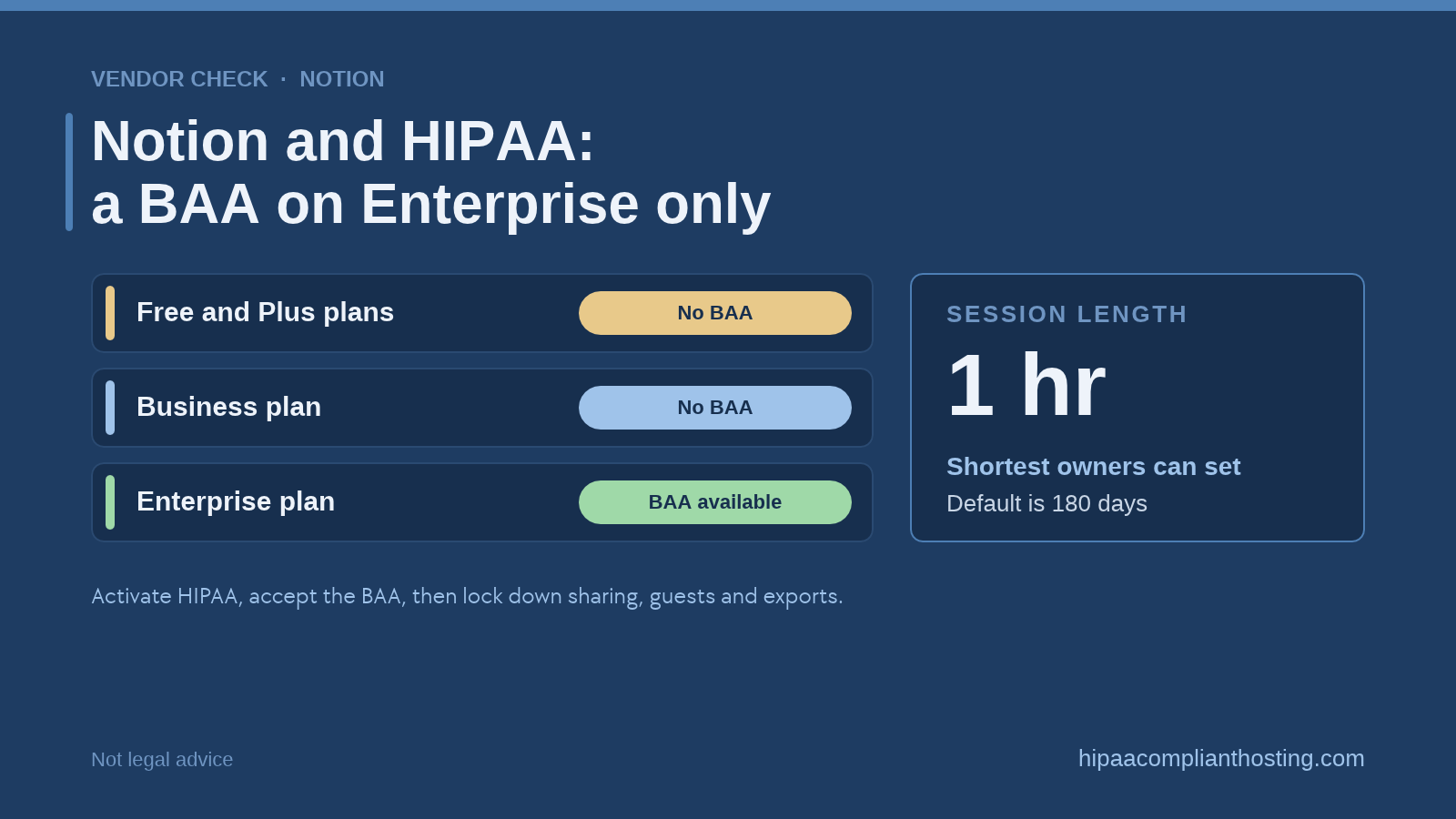
Is Notion HIPAA compliant? It can be, but only on the Enterprise plan. You activate HIPAA compliance in workspace settings, accept Notion's BAA, then lock down sharing, guests and exports. On Free, Plus or Business, keep patient data out.
A quick disclosure: we are HIPAA Compliant Hosting, and we sell managed hosting. Notion is not our product, and we earn nothing from it. One section below describes our own service, so weigh that section as a disclosure.
TL;DR: Quick answer
- Notion signs a business associate agreement (BAA) only for workspaces on its Enterprise plan.
- Notion says HIPAA compliance costs nothing extra on Enterprise. Enterprise pricing itself is custom, through sales.
- The BAA covers PHI stored in the Notion service. Beta features are not covered.
- Notion may not be used to talk with patients, and PHI must stay out of names, file names and support tickets.
- Notion AI, Mail and Calendar need separate checks before any patient data goes near them.
Is Notion HIPAA compliant on every plan?
No. Notion's HIPAA help page says you must subscribe to the Enterprise plan to be eligible to sign its BAA. Free, Plus and Business workspaces have no BAA path.
Without a BAA, any vendor that stores electronic protected health information (ePHI) for you is a compliance gap. HHS guidance on cloud services is clear on this point. A cloud provider that stores ePHI is a business associate, even if it only holds encrypted data and has no key.
So the plan matters more than any feature list. A Business workspace with strong settings still lacks the contract HIPAA requires.
What does Notion's BAA cover, and what does it leave out?
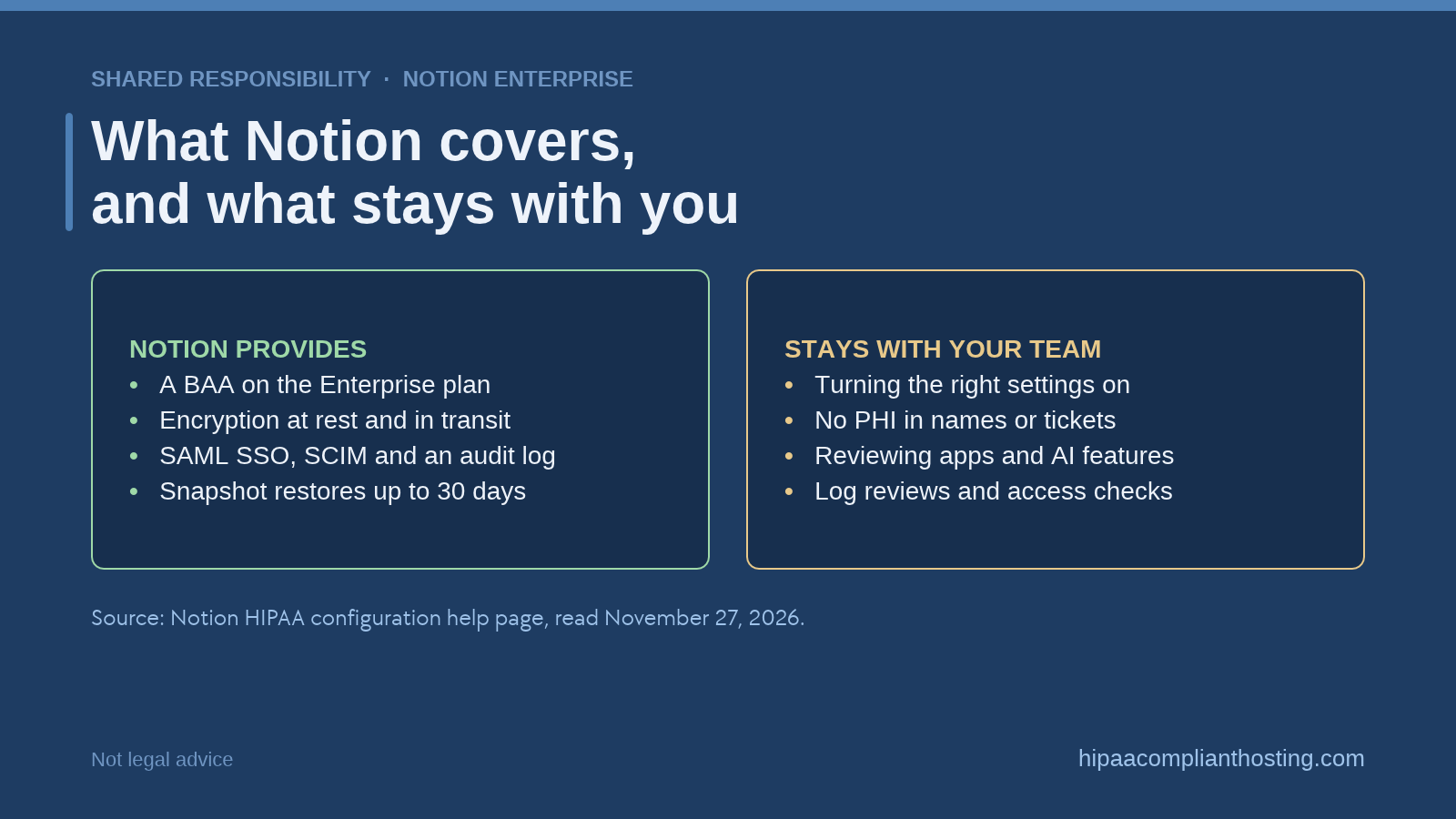
The BAA covers PHI stored in the Notion service. Notion also says that where its help page and the BAA conflict, the BAA controls. Read the signed agreement, not only the help article.
The help page names several limits. They are easy to miss, so they are collected here.
| Area | What Notion's HIPAA page says | What it means for you |
|---|---|---|
| Plan | Enterprise plan required to sign the BAA | No BAA on Free, Plus or Business |
| Beta services | Not covered by the BAA | Keep PHI out of any beta feature |
| Patient communication | Notion may not be used to communicate with patients or their families | Use it for internal work only |
| Restricted fields | No PHI in workspace, teamspace, group or file names, or user profiles | Name things by project, never by patient |
| Support tickets | Requests and attachments must not include PHI | Scrub screenshots before you send them |
| Notion Mail and Calendar | HIPAA compliance runs through Google Workspace | You need Google's BAA too |
Notion AI needs its own decision. Notion's AI security page says Enterprise workspaces use zero data retention with most AI providers. It also says a small number of models do not offer zero retention. The HIPAA help page does not say the BAA covers Notion AI or AI meeting notes. We could not confirm that coverage, so treat AI features as out of scope until Notion confirms it in writing.
How do you set up Notion for HIPAA?
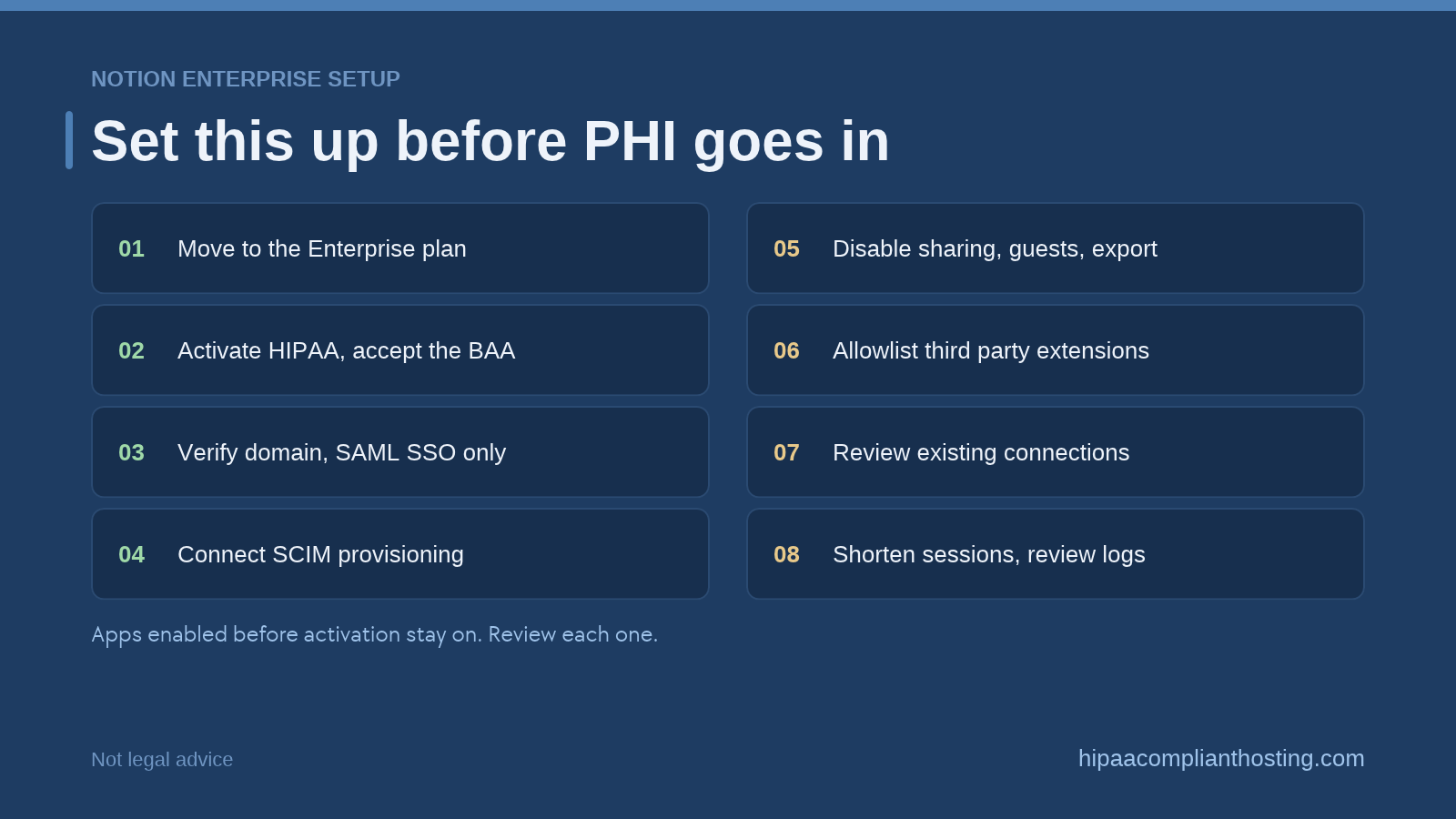
Notion lists the steps and the supporting settings on its HIPAA help page. Here is the order we would follow.
- Move the workspace to the Enterprise plan through Notion's sales team.
- Go to Settings, then Workspace settings, then HIPAA compliance, and select Activate.
- Read the full BAA in the window that opens, then select Accept. Keep the confirmation email.
- Verify your domain and set the login method to SAML SSO only.
- Connect SCIM so new hires get accounts and leavers lose them the same day.
- Disable public page sharing, guests, exports, workspace creation and moving pages to other workspaces.
- Disable or allowlist third party extensions, and review every connection that was already turned on.
- Shorten the session length. Enterprise owners can set it anywhere from one hour to 180 days.
- Export the audit log on a schedule and review it.
Step 7 is easy to miss. Notion says apps enabled before HIPAA activation stay enabled. Each one needs its own review, and often its own BAA.
What security controls does Notion give Enterprise admins?
Notion maps its Enterprise settings to the HIPAA technical safeguards on its help page. These are Notion's stated controls. We have not tested them ourselves.
- Encryption. Notion says data is encrypted at rest with AES 256 and in transit with TLS 1.2 or higher.
- Identity. SAML SSO and SCIM work with identity providers such as Okta, Azure, Google and OneLogin.
- Audit trail. Enterprise owners get an audit log they can export as CSV. Notion also supports DLP partner connections.
- Retention and recovery. Custom retention settings control when Trash is emptied. Notion says it can restore a snapshot from the past 30 days.
- Emergency access. Owners can view page access, change permissions and reassign pages left behind by departing staff.
These controls are a solid base, but they are not the whole job. Your team still owns the risk analysis, the access reviews and the training.
Where does PHI leak in a Notion workspace?
The weak spots below come from how people use the workspace, not from Notion's servers.
- File and workspace names. An upload named after a patient breaks Notion's field rules the moment it lands.
- Connected apps. Data that flows to a chat tool, form builder or AI service leaves the BAA. Our guide to Slack and HIPAA covers one common pairing.
- Long sessions. The managed user default is 180 days. Shorter sessions support automatic logoff on shared devices.
- Copy and paste into AI tools. Staff may paste notes into an outside chatbot. Our post on ChatGPT and the BAA explains that risk.
- Unreviewed logs. Notion gives Enterprise owners an audit log, but it does not review itself. Audit logging only helps when someone reviews it.
What changes for a health system and for a small clinic?
A health system should treat Notion like any other vendor. Run it through your vendor risk assessment, get the BAA reviewed by counsel, and tie it to your identity provider. Decide early whether Notion holds PHI at all, or only internal policies and project plans.
Some teams pick the second option. They keep clinical data in the EHR and use Notion for runbooks, policies and project tracking. That choice keeps the workspace simpler to audit.
A small clinic faces a different question. Enterprise pricing is custom, and the settings above take admin time. If you only need shared notes, a tool you already have a BAA for may be cheaper. If your Google Workspace is already covered, our Google Workspace BAA guide shows what it covers.
Either way, the rule is the same. No BAA means no PHI.
Where does our hosting fit, and where does it not?
We do not host Notion, and we cannot extend Notion's BAA. Notion runs its own service, so its BAA is the one that matters for your workspace.
We fit when your team builds its own patient portal, intake site or app instead of storing that data in Notion. Single-tenant AWS. Each plan is one server in one AWS availability zone.
We sign the BAA within 24 hours of signup, before patient data moves. Our BAA covers the servers and services we run. Email, SMS, EHR, form and AI model vendors need their own BAA.
Every plan includes CloudFront CDN, a web application firewall (WAF), encryption at rest and in transit, six-year audit logging and tested encrypted backups. Monthly plans have no long-term contract. Managed plans from $229 a month.
We do not fit if you only need a team wiki or a shared notes tool. In that case, Notion Enterprise or another vendor with a BAA is the right answer, not a server.
Frequently asked questions
Is Notion HIPAA compliant on the Business plan?
No. Notion requires the Enterprise plan to sign its BAA. A Business workspace should not store PHI.
Does Notion charge extra for HIPAA?
Notion says HIPAA compliance is free for Enterprise customers. The Enterprise plan itself has custom pricing through sales.
Can we use Notion AI with patient data?
We could not confirm that the BAA covers Notion AI. Notion describes zero data retention for most Enterprise AI providers, but not all. Ask Notion in writing before allowing it.
Can patients use a Notion page or form?
No. Notion's HIPAA page says the service may not be used to communicate with patients or their families. Use a patient portal or a form vendor with its own BAA.
What happens if we turn HIPAA compliance off?
Notion says you can then no longer store PHI in the workspace. Move or delete PHI first, and record the change.
Recap: is Notion HIPAA compliant for your team?
Only on Enterprise, with the BAA accepted and the settings locked down. Keep PHI out of names, tickets, beta features and unconfirmed AI tools. Review every connected app, since data sent to it can leave Notion's BAA.
If you are building the patient facing side yourself, we can help. Request a quote and we will tell you plainly whether we fit.
This article is general information, not legal advice. Vendor terms change, so confirm details in your own signed agreements. We read the Notion and HHS pages listed below on November 27, 2026.
Sources
- Notion: HIPAA configuration (read November 27, 2026)
- Notion: AI security and privacy practices (read November 27, 2026)
- Notion: Pricing plans (read November 27, 2026)
- HHS: Guidance on HIPAA and cloud computing (read November 27, 2026)