


The Best HIPAA Compliant Email Providers in 2026, Compared
HIPAA Compliant Hosting · https://hipaacomplianthosting.com/blog/best-hipaa-compliant-email
Last updated: August 4, 2026
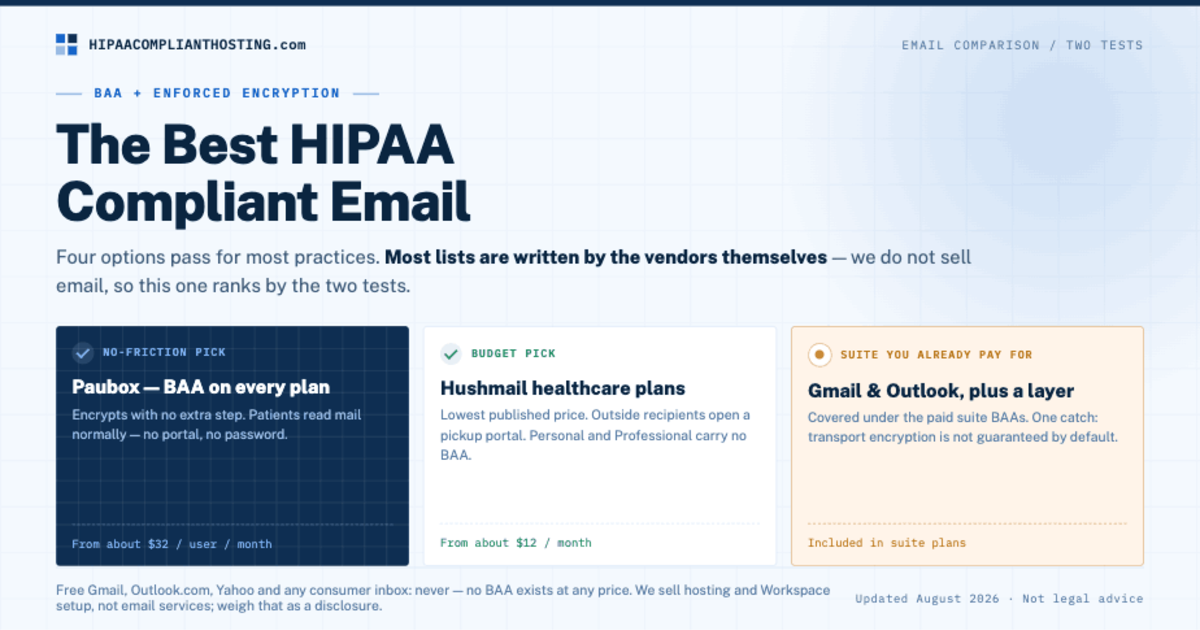
The best HIPAA compliant email is the service that passes two tests: the vendor signs a Business Associate Agreement (BAA), and every message to a patient is encrypted without anyone having to remember to do it. Four options pass for most practices. Paubox signs a BAA on every plan and encrypts with no extra step for the patient. Hushmail does it on a budget with a pickup portal. Gmail and Outlook can qualify under the suite BAAs you may already pay for, with one catch to fix. Most lists of the best HIPAA compliant email are written by the vendors themselves. We do not sell email, so this one ranks by the two tests instead. The catches are included.
TL;DR: Quick answer
Two tests decide the best HIPAA compliant email: a signed BAA and enforced encryption on every patient message.
Paubox: BAA on all plans, zero-step encryption, patients read mail normally. Published pricing starts near $32 per user per month.
Hushmail: BAA on its healthcare plans from about $12 per month. Outside recipients open mail through a secure portal. Personal and Professional tiers carry no BAA.
Gmail and Outlook: covered under the paid Workspace and Microsoft 365 BAAs. The catch is transport encryption, which is not guaranteed by default.
Free Gmail, Outlook.com, Yahoo, and any consumer inbox: never. No BAA exists at any price.
Vendor terms and prices checked August 2026. They change; confirm before you buy.
The two tests that pick the winner
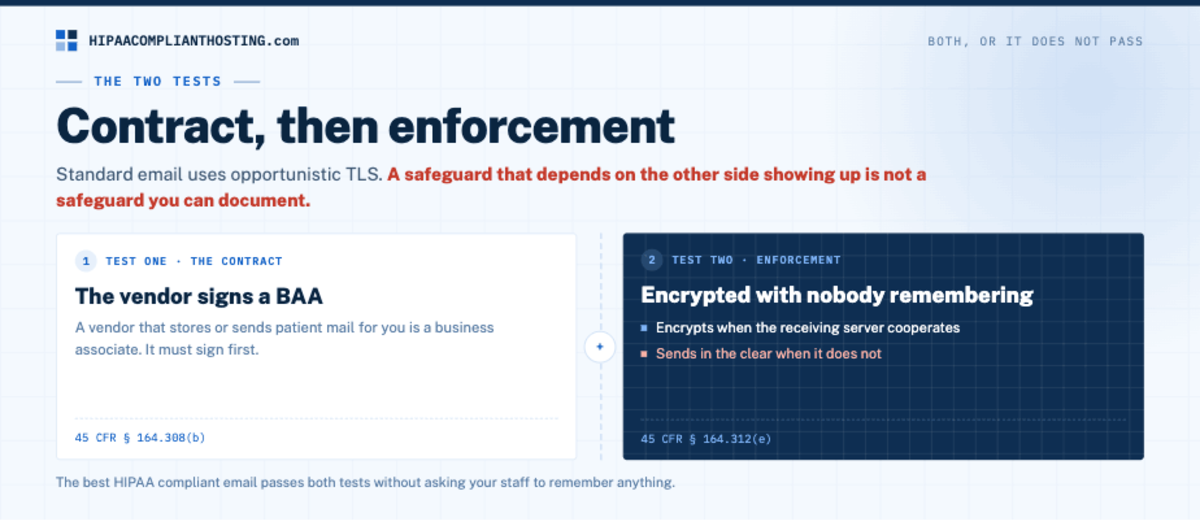
Test one is the contract. A vendor that stores or sends patient mail for you is a business associate. It must sign a BAA first (45 CFR § 164.308(b)). Test two is enforcement. Standard email uses opportunistic TLS. It encrypts when the receiving server cooperates. It sends in the clear when it does not. A safeguard that depends on the other side showing up is not a safeguard you can document (45 CFR § 164.312(e)). The best HIPAA compliant email passes both tests without asking your staff to remember anything. The wider verdict on email itself, including what counts as patient mail, is in our guide to HIPAA compliant email.
The providers, test by test
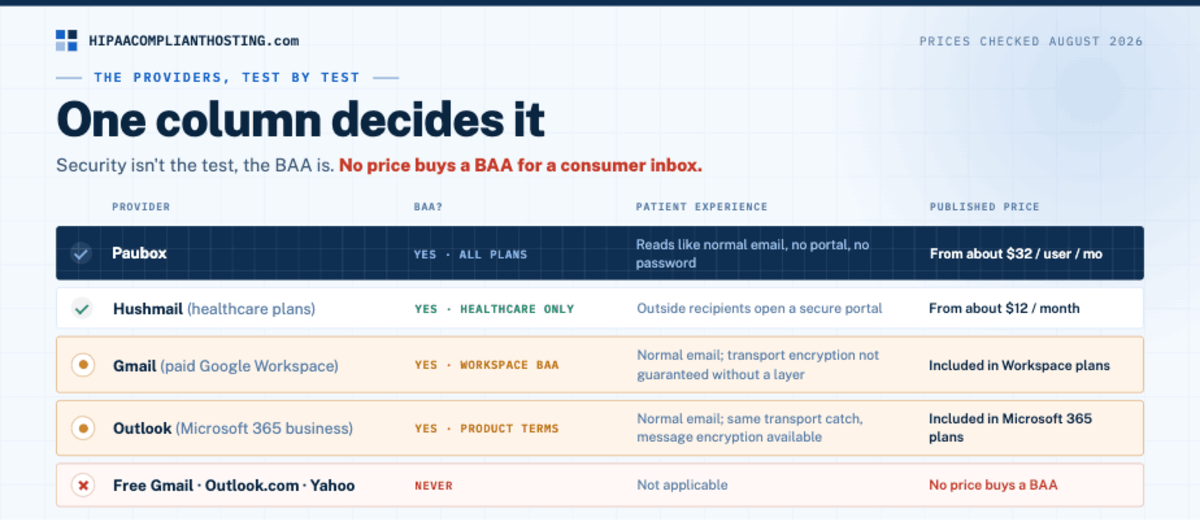
Here is how the real options for the best HIPAA compliant email compare in 2026.
Provider | BAA? | Patient experience | Published price (Aug 2026) |
|---|---|---|---|
Paubox | Yes, all plans | Reads like normal email, no portal, no password | From about $32 per user per month |
Hushmail (healthcare plans) | Yes, healthcare plans only | Outside recipients open a secure portal | From about $12 per month |
Gmail (paid Google Workspace) | Yes, under the Workspace BAA | Normal email; transport encryption not guaranteed without a layer | Included in Workspace plans |
Outlook (Microsoft 365 business) | Yes, in the Product Terms | Normal email; same transport catch, message encryption available | Included in Microsoft 365 plans |
Free Gmail, Outlook.com, Yahoo | Never | Not applicable | No price buys a BAA |
Paubox: the no-friction pick
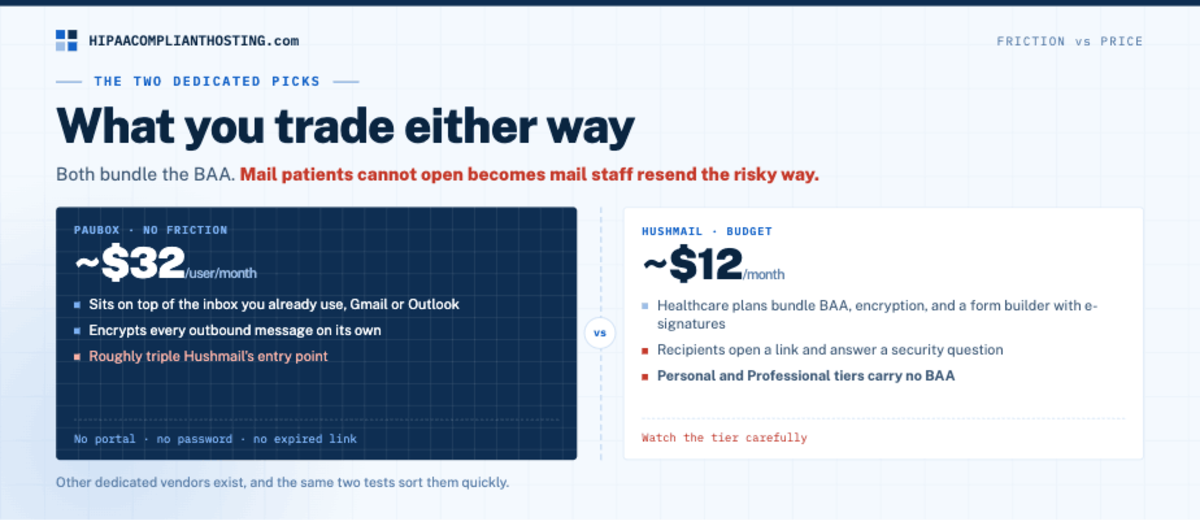
Paubox sits on top of the inbox you already use, including Gmail and Outlook. It encrypts every outbound message on its own. The patient just reads the email. No portal, no password, no expired link. That matters in practice. Mail patients cannot open becomes mail staff resend the risky way. The BAA comes with every plan. The tradeoff is price, at roughly triple Hushmail's entry point. Other dedicated vendors exist, and the same two tests sort them quickly. If patients reading their mail is the priority, this is the best HIPAA compliant email experience of the group.
Hushmail: the budget pick
Hushmail's healthcare plans bundle the BAA, encryption, and a web form builder with e-signatures. It is the lowest published price of the group. For cost-first practices, that makes it the best HIPAA compliant email value. The catch is the pickup portal. Recipients outside Hushmail open a link and answer a security question to read the message. Some patients handle that fine. Some never open it. Watch the tier carefully. The Personal and Professional plans carry no BAA. They are not for patient mail.
Gmail and Outlook: the suite you already pay for
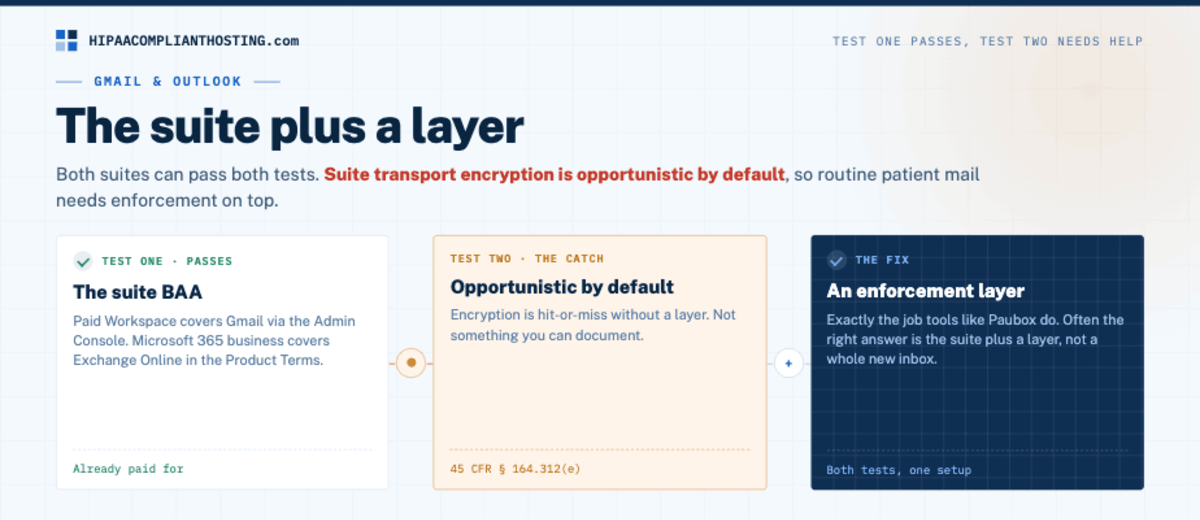
Both suites can pass the two tests. Paid Google Workspace covers Gmail under the BAA you accept in the Admin Console, detailed in Google Workspace HIPAA. Microsoft 365 business plans cover Exchange Online in the Product Terms, detailed in Microsoft 365 HIPAA. The catch is test two. Suite transport encryption is opportunistic by default, so routine patient mail needs an enforcement layer on top. That is exactly the job tools like Paubox do, and the options are compared in HIPAA compliant email encryption services. If you already pay for a suite, the best HIPAA compliant email setup is often the suite plus a layer, not a whole new inbox.
How to choose in one minute
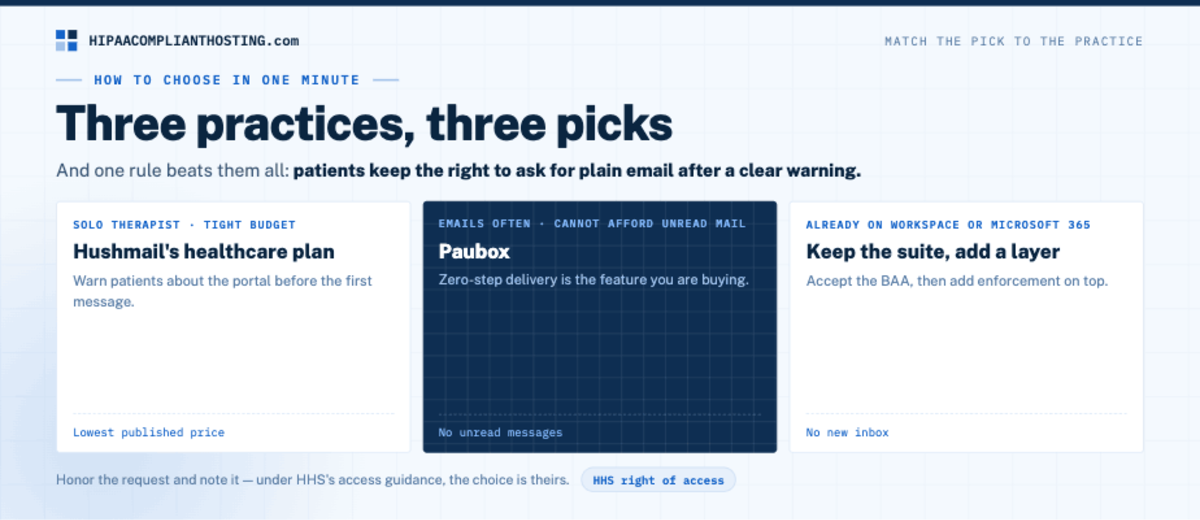
Match the pick to your practice. A solo therapist on a tight budget: Hushmail's healthcare plan, and warn patients about the portal. A practice that emails patients often and cannot afford unread messages: Paubox. Zero-step delivery is the feature you are buying. A clinic already on Workspace or Microsoft 365: keep the suite, accept the BAA, add an enforcement layer. And one more rule beats them all. Patients keep the right to ask for plain email after a clear warning, under HHS's access guidance. Honor the request and note it. The best HIPAA compliant email respects that choice too.
The email your website sends without asking you
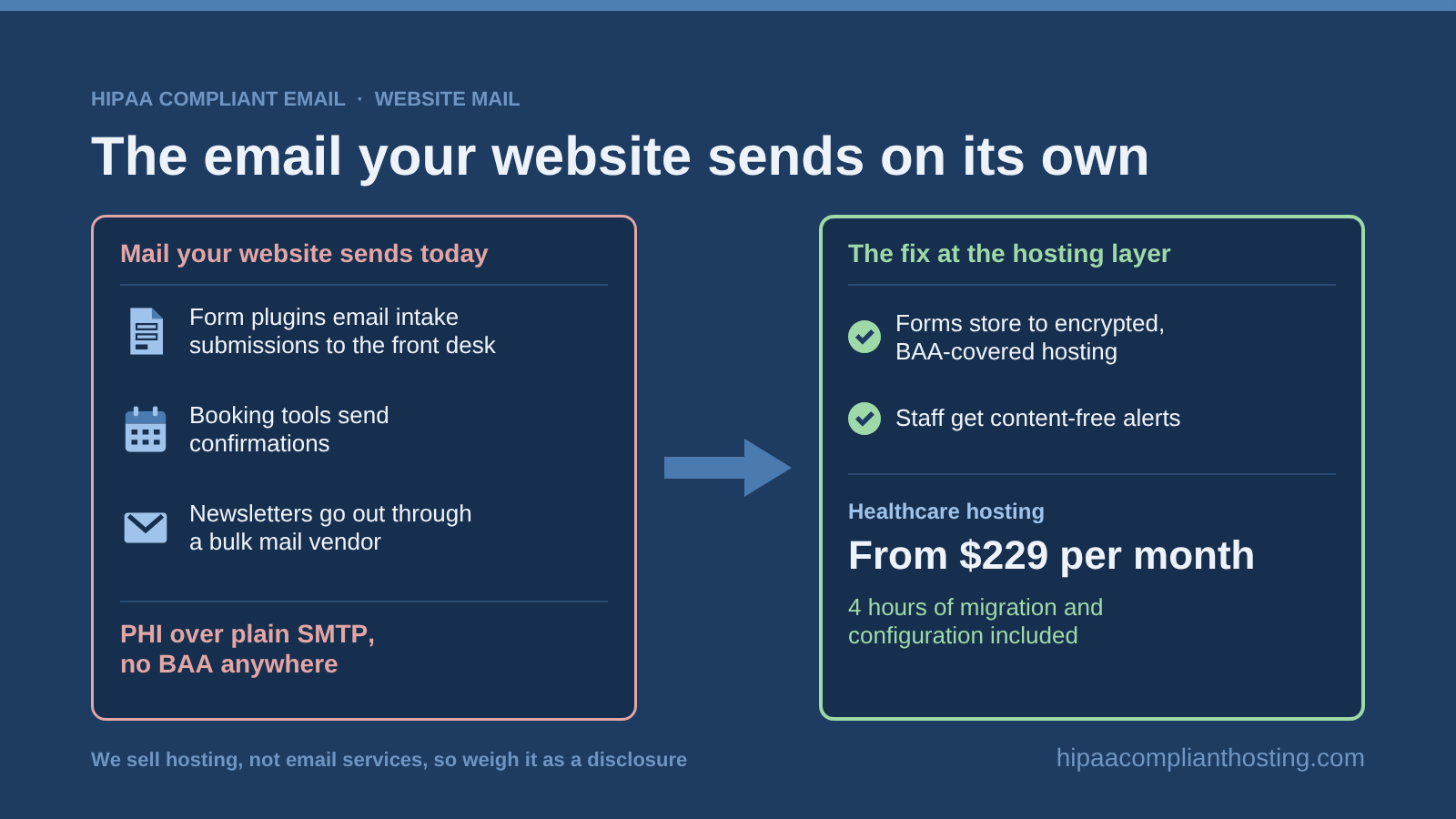
Picking an inbox does not close the email risk. Your website sends mail on its own. Form plugins email intake submissions to the front desk. Booking tools send confirmations. Newsletter platforms send through a bulk mail vendor, as our guide to whether Ghost CMS HIPAA compliant sites are possible shows for Ghost and Mailgun. Those messages carry PHI over whatever path the website uses. That is usually plain SMTP with no BAA anywhere. We see this leak more often than any inbox mistake, and we map it in HIPAA compliant WordPress forms. The fix lives at the hosting layer: forms that store to encrypted, BAA-covered hosting and send content-free alerts. That is the layer we build. Our healthcare hosting starts at $229 per month, with 4 hours of migration and configuration included. The full picture of our HIPAA compliant hosting lives on the main site. We sell hosting and Workspace setup, not email services, so weigh this guide with that disclosure. Tell us how your site sends mail today and you will get a straight answer.
Frequently asked questions
What is the best HIPAA compliant email service?
Paubox for practices that email patients often, because encryption is enforced and patients read mail normally. Hushmail's healthcare plans for the lowest cost with a BAA. A paid Google Workspace or Microsoft 365 suite plus an enforcement layer if you already pay for one.
Is free Gmail HIPAA compliant for a small practice?
No, never. Consumer Gmail, Outlook.com, and Yahoo offer no BAA at any price. Patient mail cannot go through them. A paid Google Workspace account with the BAA accepted is the compliant Gmail path.
Do I need Paubox if I already have Google Workspace?
Often yes, for one reason: enforcement. The Workspace BAA covers Gmail. But transport encryption is still hit-or-miss by default. A layer like Paubox encrypts every message with no extra step. Suite plus layer is a common setup that holds up.
Is Hushmail good enough for therapists?
Yes, on its healthcare plans, which include the BAA and a form builder with e-signatures. Warn clients about the pickup portal, and never use the Personal or Professional tiers for client mail, because those carry no BAA.
Can a patient ask me to use regular email?
Yes. Under HHS's access guidance, a patient can request plain email after you clearly warn them of the risk. Honor the request and document the warning. Your side of the system still needs the BAA and safeguards.
Recap: best HIPAA compliant email
To recap, the best HIPAA compliant email passes two tests: a signed BAA and encryption that happens on every message without anyone remembering it. Paubox passes with no patient friction. Hushmail passes at the lowest price, portal included. Gmail and Outlook pass under their suite BAAs once you add an enforcement layer. Consumer inboxes never pass. Then check the mail your website sends on its own, because that path leaks more PHI than any inbox choice.
This article is general information, not legal advice. Vendor BAA terms, features, and prices are as published in August 2026 and change; confirm current terms with each vendor, consult qualified counsel, and base your safeguards on a written risk analysis. We sell HIPAA compliant hosting, compliance reviews, and Google Workspace setup. We do not sell email services. Reviewed August 2026.
Sources
Paubox: Email Suite pricing and BAA
Hushmail: Hushmail for Healthcare
Google Workspace Help: HIPAA compliance with Google Workspace
Microsoft: HIPAA and the HITECH Act compliance offering
45 CFR § 164.308 (administrative safeguards, BAA requirement): ecfr.gov
45 CFR § 164.312 (technical safeguards, transmission security): ecfr.gov