


Microsoft 365 HIPAA Compliance: The BAA and Setup for 2026
HIPAA Compliant Hosting · https://hipaacomplianthosting.com/blog/microsoft-365-hipaa
Last updated: July 29, 2026
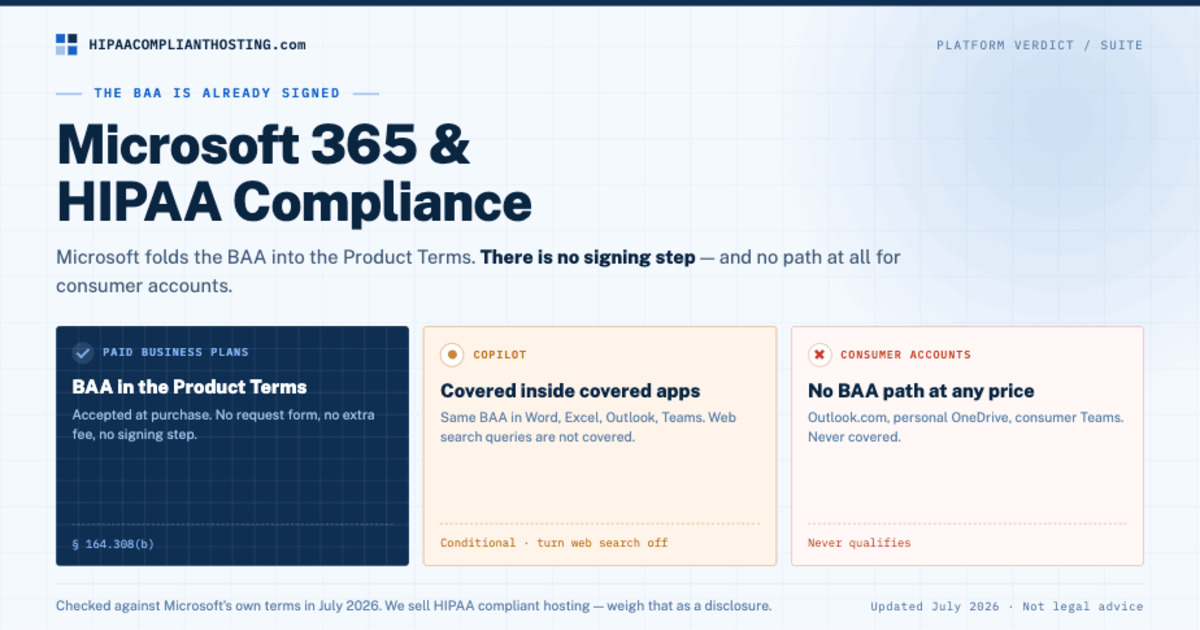
Microsoft 365 can support HIPAA compliance on paid business plans. The surprise is the Business Associate Agreement (BAA). Microsoft builds it into the standard Product Terms for its paid cloud plans. There is no signing step. Run a paid business or enterprise plan? Then the Microsoft 365 HIPAA base is already in your contract. Google makes admins accept the BAA in a console. Microsoft folds it into terms you have already agreed to. That trips up practices both ways. Some think they still need to sign. They do not. Others think consumer apps are covered. They never are. This guide maps the covered apps and the Copilot rules. Then it shows the setup that makes the contract real.
TL;DR: Quick answer
The Microsoft 365 HIPAA path starts with the BAA inside the Product Terms. Paid business plans include it from day one. Consumer accounts never do.
Covered core services: Exchange Online (Outlook), Teams, OneDrive for Business, SharePoint Online, Intune, Entra ID, and Purview.
Copilot sits under the same BAA inside covered apps. Web search queries are not covered.
The contract is the floor. You still enforce MFA and restrict sharing. You still review audit logs and write a risk analysis (45 CFR § 164.308(a)(1)(ii)(A)).
Free Outlook.com, personal OneDrive, and consumer Teams have no BAA path at any price.
Checked against Microsoft's own terms in July 2026. Terms change; check again before you rely on them.
The BAA is already in your contract
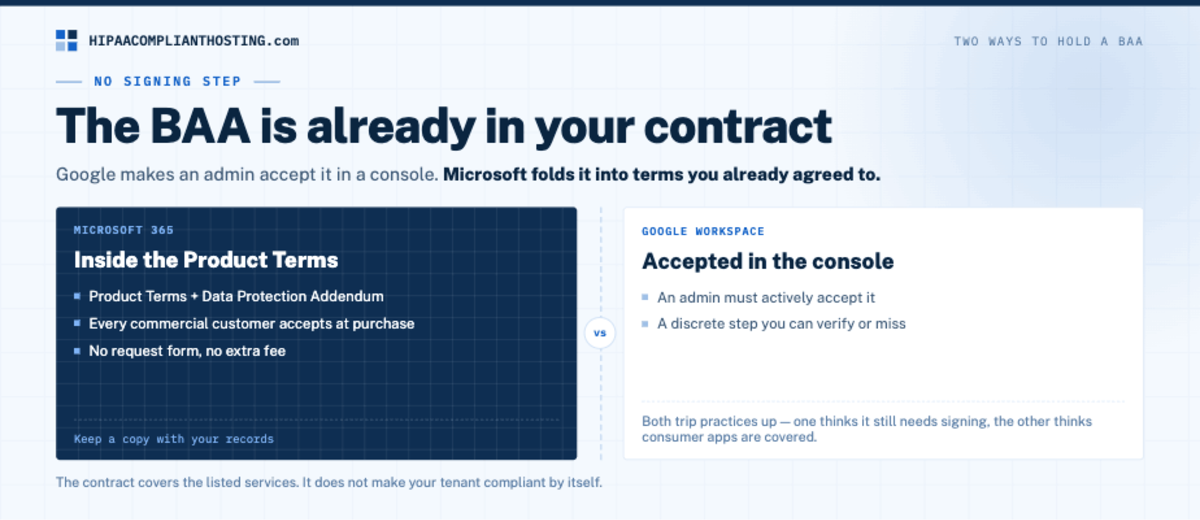
HIPAA requires a signed BAA before any vendor holds PHI for you (45 CFR § 164.308(b)). Microsoft handles this rule its own way. The BAA terms live inside the Product Terms and the Data Protection Addendum. Every commercial customer accepts them at purchase. No request form. No extra fee. That makes the Microsoft 365 HIPAA BAA one of the easiest to hold. It is also one of the easiest to get wrong. The contract covers the listed services for groups that HIPAA covers. It does not make your tenant compliant by itself. And it never reaches consumer accounts. Google does it another way. There, an admin must accept the BAA in the console. See Google Workspace HIPAA for Google's side.
Which Microsoft 365 apps are covered?
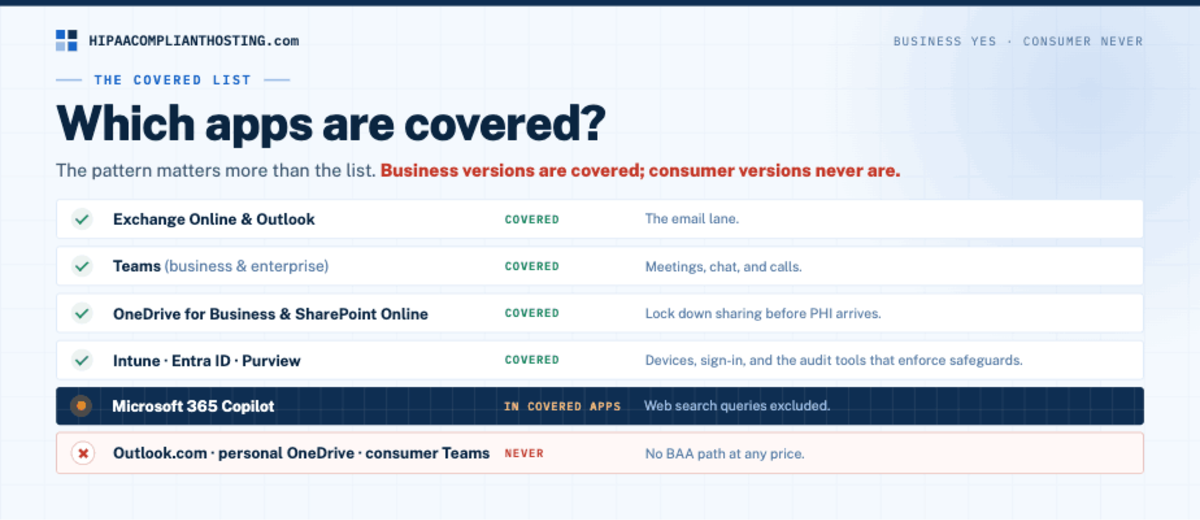
The pattern matters more than the list. Business versions are covered. Consumer versions never are. That pattern is the core of the Microsoft 365 HIPAA rules. For a side-by-side of the email options, see best HIPAA compliant email.
App or service | Covered? | Notes |
|---|---|---|
Exchange Online and Outlook | Yes | The email lane; setup detail in HIPAA compliant email |
Microsoft Teams (business and enterprise) | Yes | Meetings, chat, and calls; platforms compared in HIPAA compliant video conferencing |
OneDrive for Business and SharePoint Online | Yes | File storage and shared libraries; lock down sharing before PHI arrives |
Intune, Entra ID, Purview | Yes | Device management, sign-in, and audit tools that enforce the safeguards |
Microsoft 365 Copilot | Yes, inside covered apps | Web search queries excluded; see below |
Outlook.com, personal OneDrive, consumer Teams | Never | No BAA path at any price |
The Copilot question
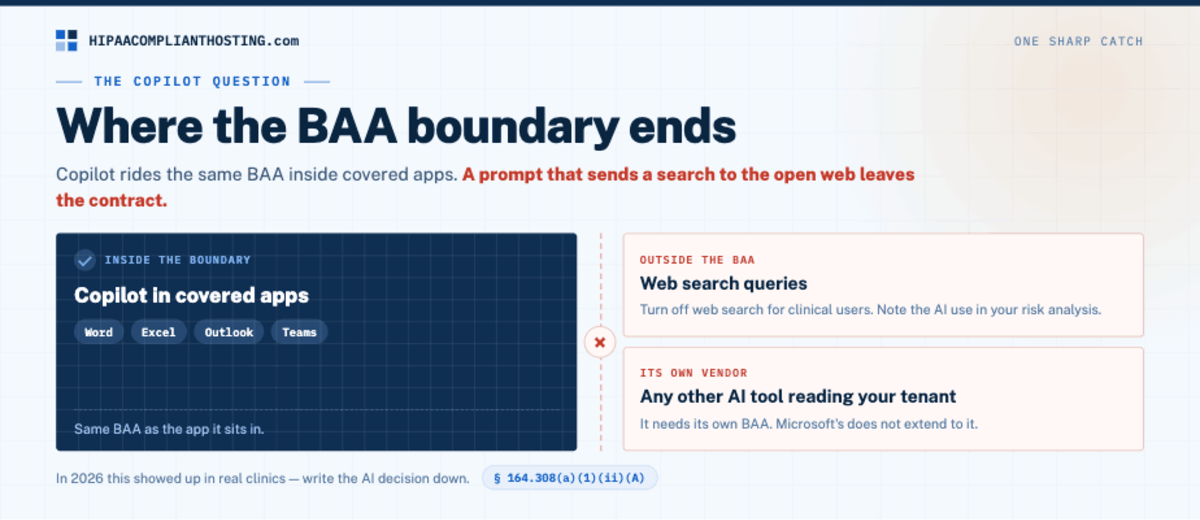
Copilot needs its own section. In 2026 it showed up in real clinics. Copilot sits under the same BAA inside covered apps. That means Word, Excel, Outlook, Teams, and the rest. It keeps Copilot inside the Microsoft 365 HIPAA boundary. There is one sharp catch. Web search queries sit outside the BAA. A prompt that sends a search to the open web leaves the contract. Turn off web search for clinical users. Note the AI use in your risk analysis. Any other AI tool that reads your tenant is its own vendor. It needs its own BAA. The same goes for automation tools that pull from your mailbox or files. Take n8n: its cloud service signs no BAA, so an n8n HIPAA compliant setup starts with self-hosting it on a BAA-covered server. Your own AI features that touch patient data need a BAA for the model service and one for the hosting around it.
What you still configure
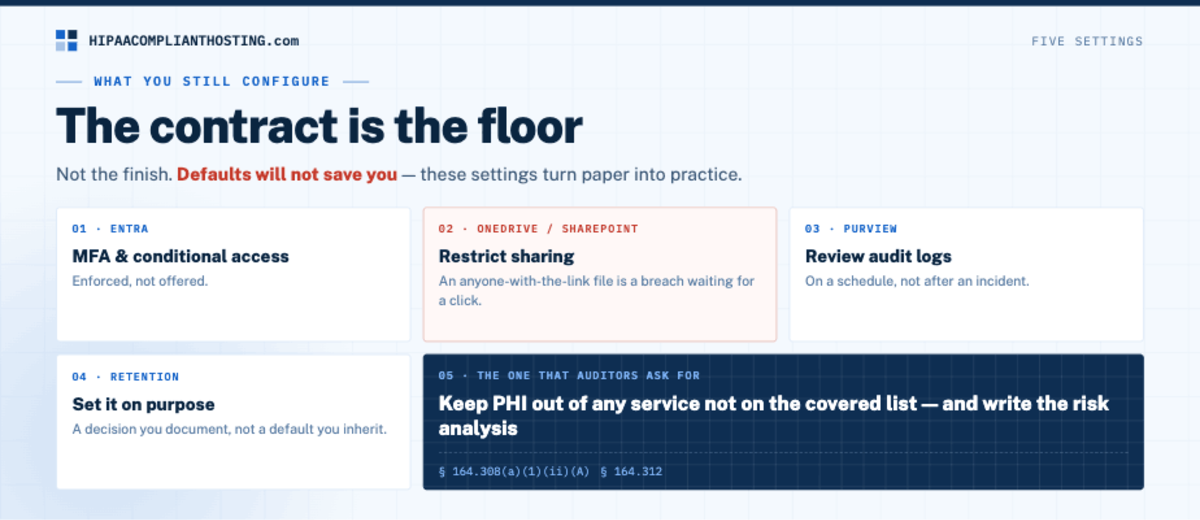
The contract is the floor, not the finish. These settings turn Microsoft 365 HIPAA from paper into practice. Enforce MFA and conditional access in Entra. Restrict sharing on OneDrive and SharePoint. An anyone-with-the-link file is a breach waiting for a click. Review audit logs in Purview on a schedule. Set retention on purpose. Keep PHI out of any service that is not on the covered list. Defaults will not save you. The same rule runs through every suite and cloud we review. See AWS HIPAA eligible services for the cloud side. Your website and patient apps need the same discipline on their own servers, which is what HIPAA compliant cloud hosting provides under its own BAA.
The traps are the usual drift
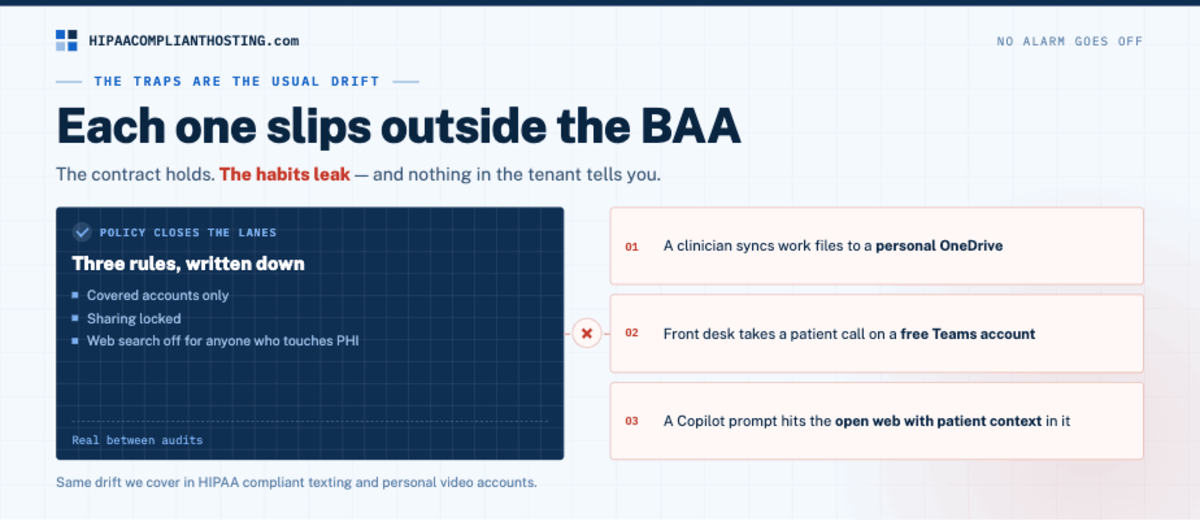
A clinician syncs work files to a personal OneDrive. A front desk takes a quick patient call on a free Teams account. A Copilot prompt hits the open web with patient context in it. Each one slips outside the BAA. No alarm goes off. Policy closes the lanes. Covered accounts only. Sharing locked. Web search off for anyone who touches PHI. That is how a Microsoft 365 HIPAA policy stays real between audits. It is the same drift we cover in HIPAA compliant texting and personal video accounts.
What the suite does not cover: your website
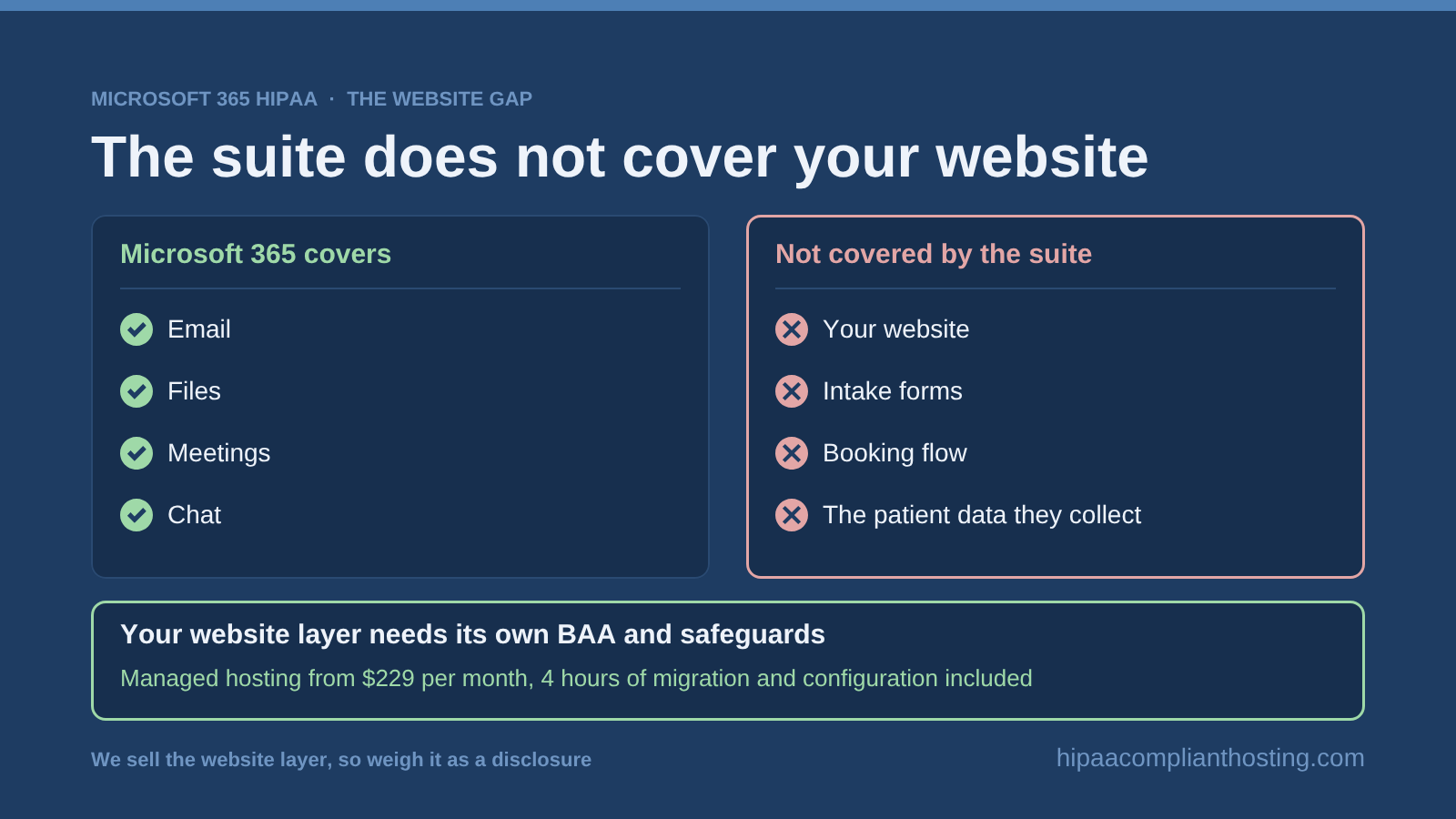
The suite covers email, files, meetings, and chat. It does not cover the public side of your practice. The website, intake forms, and booking flow live elsewhere. So does the patient data they collect. That layer needs its own BAA and safeguards. What the website layer must include is set out in our guide to HIPAA hosting requirements. That is the layer we build. Our HIPAA compliant hosting runs BAA-covered servers. Managed plans start at $229 per month, with 4 hours of migration and configuration included. We sell that layer, so weigh it as a disclosure. Our client-side compliance review can help too. It traces where your site sends patient data today. Tell us what your practice runs and you will get a straight answer. For the hosting side of the stack, HIPAA hosting cost shows current prices.
Frequently asked questions
Is Microsoft 365 HIPAA compliant?
It can be, on paid business plans. The BAA is built into the Product Terms. The core services are covered. Add MFA, sharing limits, audit review, and a written risk analysis. Then your tenant is a real Microsoft 365 HIPAA setup.
Does Microsoft sign a separate BAA?
No. The BAA terms sit inside the Product Terms and the Data Protection Addendum. Business customers accept those at purchase. No extra signing is needed. Keep a copy with your compliance records.
Is Microsoft Teams HIPAA compliant?
Business and enterprise Teams sits under the same BAA. It can carry patient calls and chat. First set your tenant up for Microsoft 365 HIPAA use. Free and consumer Teams accounts are never covered. They have no BAA path.
Is OneDrive HIPAA compliant?
OneDrive for Business is covered. Lock down sharing, enforce MFA, and keep audit logging on. A personal OneDrive is never covered. Syncing work files to one is a common silent breach.
Is Microsoft Copilot HIPAA compliant?
Copilot is covered by the BAA inside covered apps. Web search queries are not. Block web access for staff who touch PHI. Note the AI use in your risk analysis.
Recap: Microsoft 365 HIPAA compliance
To recap, Microsoft 365 HIPAA starts with the contract you already have. Paid business plans carry the BAA in the Product Terms. The core apps are covered: Outlook, Teams, OneDrive for Business, SharePoint. Copilot rides the same BAA inside covered apps, minus web search. Consumer accounts are never covered. Then do your side: MFA, sharing limits, audit review, retention, and a written risk analysis. The suite covers the office. Your website still needs its own covered home.
This article is general information, not legal advice. Microsoft's Product Terms, covered lists, and Copilot rules are as published in July 2026. They may change. Confirm current terms with Microsoft. Consult qualified counsel. Base your safeguards on a written risk analysis. We sell HIPAA compliant hosting and compliance reviews. Reviewed July 2026.
Sources
Microsoft: HIPAA and the HITECH Act compliance offering
Microsoft: Product Terms (incl. Data Protection Addendum and BAA terms)
HIPAA Journal: How to Make Microsoft 365 HIPAA Compliant (2026 update)
45 CFR § 164.308 (administrative safeguards, BAA requirement): ecfr.gov
45 CFR § 164.312 (technical safeguards): ecfr.gov