


Is Amazon RDS HIPAA Compliant? The BAA, the Engines, and 6 Settings (2026)
HIPAA Compliant Hosting · https://hipaacomplianthosting.com/blog/is-amazon-rds-hipaa-compliant
Last updated: September 5, 2026
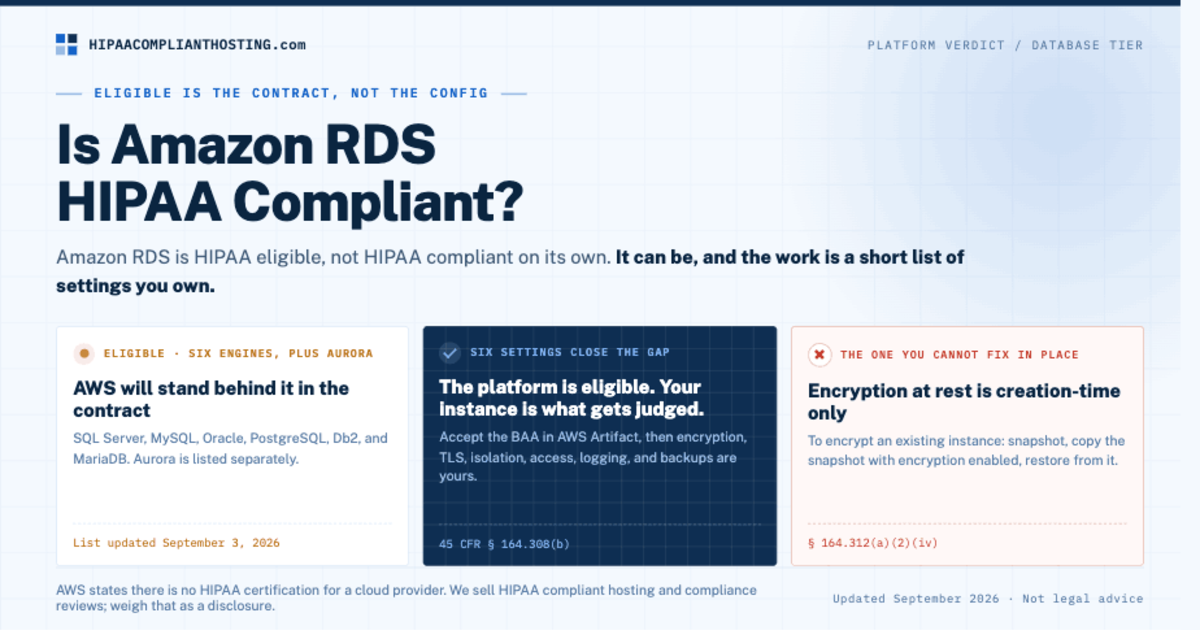
Amazon RDS is HIPAA eligible, not HIPAA compliant on its own. AWS covers RDS under its Business Associate Addendum (BAA) for six database engines. The database becomes compliant only after you accept that BAA and set encryption, TLS, network isolation, access, logging, and backups yourself. So the honest answer to "is Amazon RDS HIPAA compliant" is: it can be, and the work is a short list of settings. This guide names each one, maps it to the HIPAA Security Rule section it satisfies, and flags the two traps that catch teams most often. Every AWS fact below was checked against AWS's own documentation on September 5, 2026.
TL;DR: Quick answer
Amazon RDS is on the AWS HIPAA Eligible Services Reference, updated September 3, 2026, for the SQL Server, MySQL, Oracle, PostgreSQL, Db2, and MariaDB engines. Amazon Aurora is listed separately.
Eligible means AWS will cover the service under its BAA, which you accept in AWS Artifact. It does not mean your database is compliant. AWS states plainly that there is no HIPAA certification for a cloud provider.
Encryption at rest can only be turned on when the DB instance is created. To encrypt an existing unencrypted instance, copy a snapshot with encryption enabled and restore from it.
Force TLS on every connection. On RDS for PostgreSQL the rds.force_ssl parameter defaults to on from version 15; older versions default to off.
Automated backups run 0 to 35 days and are encrypted whenever the instance is. Set retention above the CLI default of one day and test a restore.
What does "HIPAA eligible" mean for Amazon RDS?
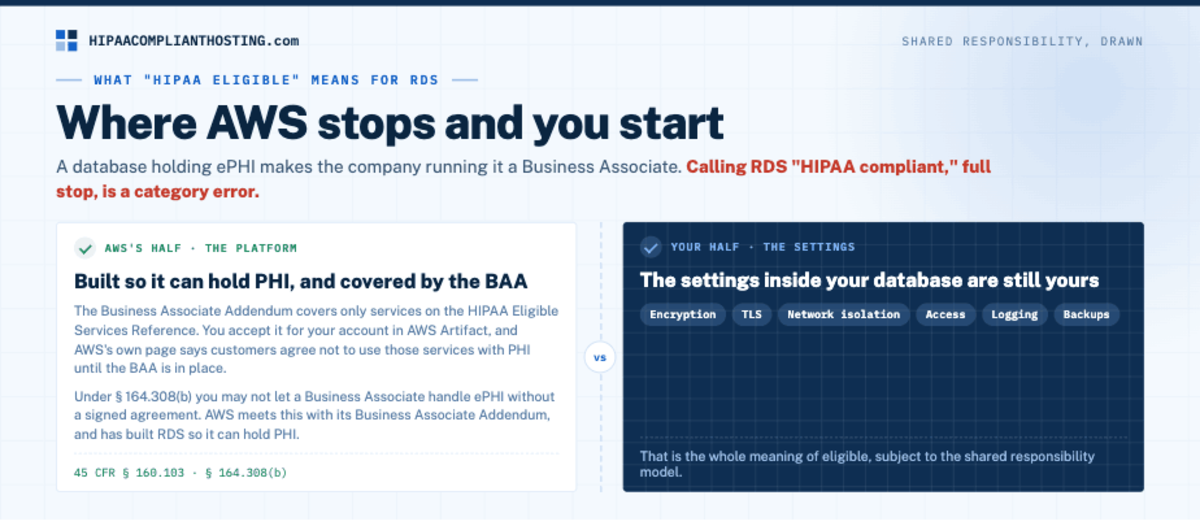
HIPAA regulates Covered Entities and their Business Associates, defined at 45 CFR § 160.103. When a database holds electronic protected health information (ePHI) for you, the company running that database is a Business Associate. Under 45 CFR § 164.308(b), you may not let a Business Associate handle ePHI without a signed agreement. AWS meets this with its Business Associate Addendum. You accept it for your account in AWS Artifact. The AWS BAA only covers services on the HIPAA Eligible Services Reference. AWS's own page says customers agree not to use those services with PHI until the BAA is in place. What the contract must contain is in our HIPAA business associate agreement guide.
That is the whole meaning of eligible. AWS has built RDS so it can hold PHI and will stand behind it in the contract, subject to the shared responsibility model. The settings inside your database are still yours. That split is why calling Amazon RDS HIPAA compliant, full stop, is a category error. The platform is eligible. Your configured instance is what gets judged. The wider verdict on the platform is in is AWS HIPAA compliant. This article zooms in on the database tier. If you would rather not run that tier yourself, ePHI hosting gives it a single-tenant server under our own BAA.
Which RDS engines does the AWS BAA cover?
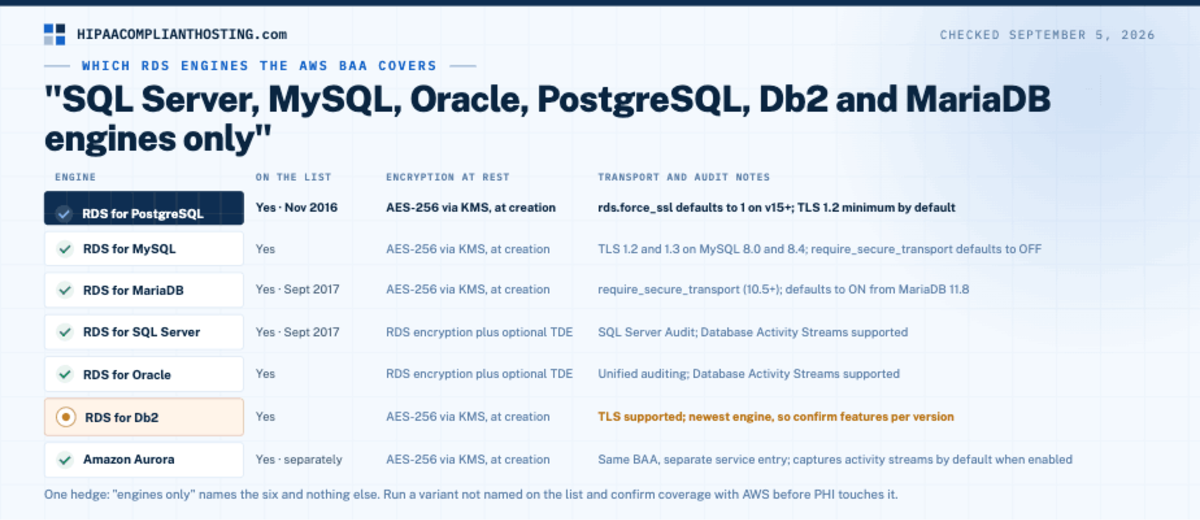
The eligible-services list names Amazon RDS with a qualifier: "SQL Server, MySQL, Oracle, PostgreSQL, Db2 and MariaDB engines only." Amazon Aurora appears as its own entry. Here is how the six engines line up on the controls that matter for an Amazon RDS HIPAA compliant build, checked September 5, 2026.
Engine | On the Sept 3, 2026 list | Encryption at rest | Transport and audit notes |
|---|---|---|---|
RDS for PostgreSQL | Yes (eligible since November 2016) | AES-256 via AWS KMS, set at creation | rds.force_ssl defaults to 1 on version 15 and later; TLS 1.2 minimum by default |
RDS for MySQL | Yes | AES-256 via AWS KMS, set at creation | TLS 1.2 and 1.3 on MySQL 8.0 and 8.4; require_secure_transport defaults to OFF |
RDS for MariaDB | Yes (eligible since September 2017) | AES-256 via AWS KMS, set at creation | require_secure_transport (MariaDB 10.5 and later); defaults to ON from MariaDB 11.8 |
RDS for SQL Server | Yes (eligible since September 2017) | RDS encryption plus optional Transparent Data Encryption (TDE) | SQL Server Audit; Database Activity Streams supported |
RDS for Oracle | Yes | RDS encryption plus optional TDE | Unified auditing; Database Activity Streams supported |
RDS for Db2 | Yes | AES-256 via AWS KMS, set at creation | TLS supported; newest engine, so confirm features per version |
Amazon Aurora (MySQL and PostgreSQL) | Yes, listed separately | AES-256 via AWS KMS, set at creation | Same BAA, separate service entry; captures activity streams by default when enabled |
One hedge, because the list wording matters. AWS says "engines only," which names the six engines and nothing else. If you run a variant that is not named on the list, confirm coverage with AWS before PHI touches it. Your application can narrow the choice too. Strapi's docs do not support Aurora, as our Strapi HIPAA compliant guide notes. The engine table is the first half of an Amazon RDS HIPAA compliant review, and the settings below are the second. The list changes often; our full read of it is in AWS HIPAA eligible services.
The six settings that make Amazon RDS HIPAA compliant
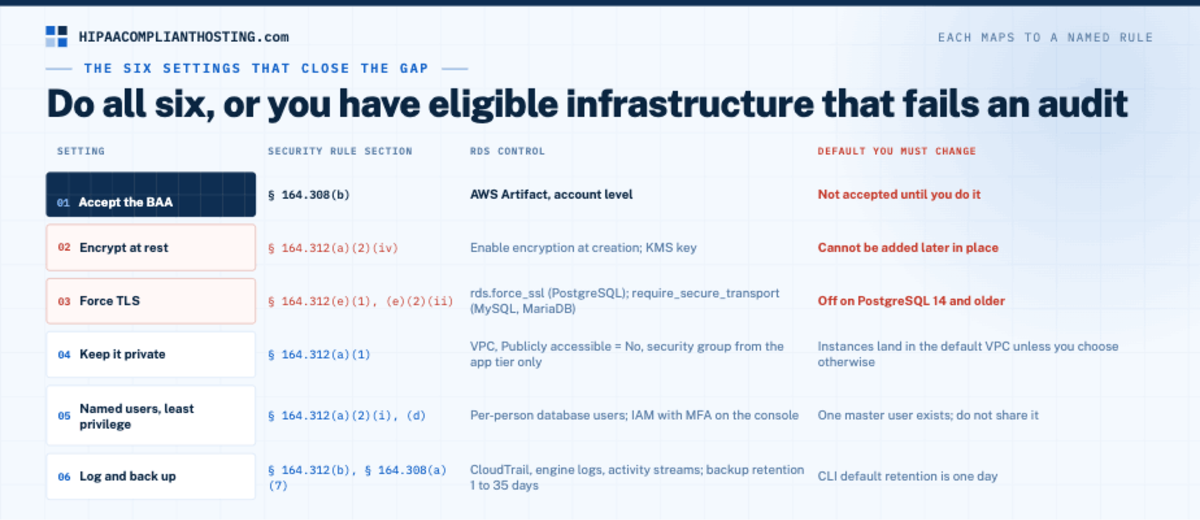
Each setting below maps to a Security Rule citation. Together they are the Amazon RDS HIPAA compliant checklist. Do all six and the database tier is in shape. Skip one and you have eligible infrastructure that still fails an audit.
Setting | Security Rule section | RDS control | Default you must change |
|---|---|---|---|
1. Accept the BAA | § 164.308(b) | AWS Artifact, account level | Not accepted until you do it |
2. Encrypt at rest | § 164.312(a)(2)(iv) | Enable encryption at creation; KMS key | Cannot be added later in place |
3. Force TLS | § 164.312(e)(1), (e)(2)(ii) | rds.force_ssl (PostgreSQL); require_secure_transport (MySQL, MariaDB) | Off on PostgreSQL 14 and older |
4. Keep it private | § 164.312(a)(1) | VPC, Publicly accessible = No, security group from the app tier only | Instances land in the default VPC unless you choose otherwise |
5. Named users, least privilege | § 164.312(a)(2)(i), § 164.312(d) | Per-person database users; IAM with MFA on the console | One master user exists; do not share it |
6. Log and back up | § 164.312(b), § 164.308(a)(7) | CloudTrail, engine logs, activity streams; backup retention 1 to 35 days | CLI default retention is one day |
1. Accept the BAA before any PHI moves
Sign in to AWS Artifact and accept the Business Associate Addendum for the account. Do this first. It is step one of every Amazon RDS HIPAA compliant deployment. A perfectly hardened database with no BAA is still a violation of § 164.308(b). Keep the acceptance record with your compliance documents, which § 164.316(b)(2)(i) says you retain for six years.
2. Turn on encryption when you create the instance
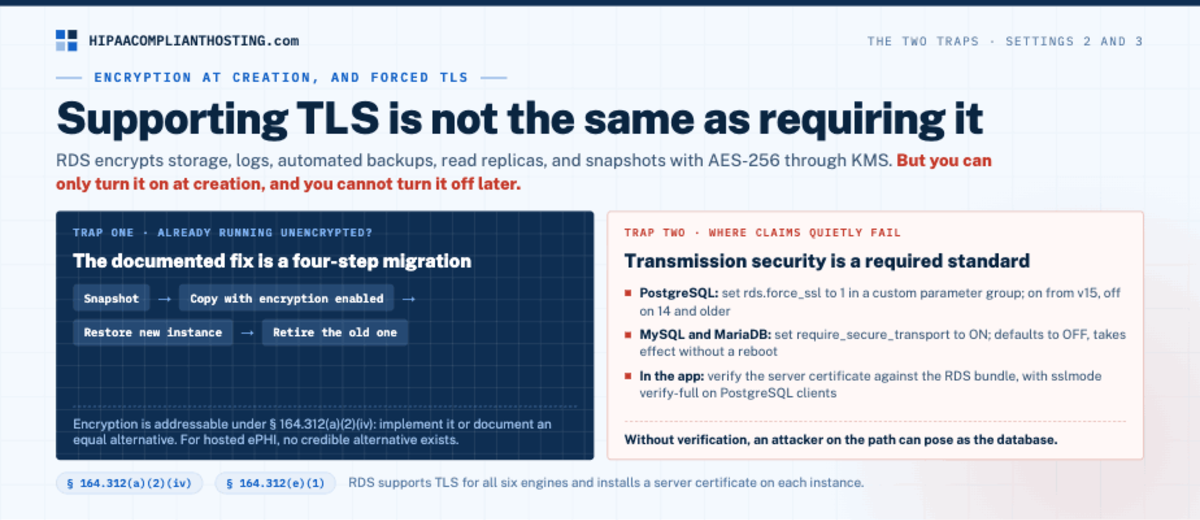
RDS encrypts storage, logs, automated backups, read replicas, and snapshots with AES-256 through AWS KMS. You can use the AWS managed key or your own customer managed key. Here is the trap. AWS's documentation states you can only encrypt a DB instance when you create it, not after. You also cannot turn encryption off later. This is the one Amazon RDS HIPAA compliant setting you cannot fix in place. If you already run an unencrypted instance with PHI, the fix is documented. Take a snapshot. Copy the snapshot with encryption enabled. Restore a new instance from the encrypted copy. Then retire the old one. Encryption is an addressable specification under § 164.312(a)(2)(iv), which means you implement it or document an equal alternative. For hosted ePHI, no credible alternative exists. Key handling is its own topic; see our glossary entry on key management.
3. Require TLS on every connection
Transmission security under § 164.312(e)(1) is a required standard. RDS supports TLS for all six engines and installs a server certificate on each instance. Supporting TLS is not the same as requiring it. Forced TLS is where many Amazon RDS HIPAA compliant claims quietly fail. On RDS for PostgreSQL, set rds.force_ssl to 1 in a custom parameter group; it defaults to on from version 15 and off on 14 and older. On RDS for MySQL, set require_secure_transport to ON in the parameter group. It defaults to OFF and takes effect without a reboot. RDS for MariaDB uses the same parameter. In your application, verify the server certificate against the RDS certificate bundle, with sslmode set to verify-full on PostgreSQL clients. Without verification, an attacker on the path can pose as the database.
4. Keep the database off the public internet
Every new DB instance lands in your account's default VPC unless you say otherwise. Put PHI databases in private subnets, set Publicly accessible to No, and allow inbound traffic only from the application's security group. The database should never answer a connection from the open internet. This is the access control standard at § 164.312(a)(1) applied to the network. A private subnet is also the cheapest Amazon RDS HIPAA compliant control on this list.
5. Named users and least privilege
Unique user identification at § 164.312(a)(2)(i) means one account per person or service. Create scoped database users for the application, for migrations, and for each administrator. Do not share the master user. Protect the AWS console and CLI with IAM roles and multi-factor authentication, which our HIPAA MFA requirements guide covers. Remove access the day someone leaves.
6. Logs you can review and backups you have restored
Audit controls at § 164.312(b) are required. Turn on AWS CloudTrail for API activity, publish engine logs to CloudWatch, and use Database Activity Streams where the engine supports it. RDS for Oracle and RDS for SQL Server support activity streams. AWS notes that RDS does not capture database activity by default. You create the audit policy yourself. Evidence is what separates an Amazon RDS HIPAA compliant claim from a real one. For backups, automated retention runs from 0 to 35 days. The console defaults to seven days and the CLI to one. Set a retention that fits your contingency plan under § 164.308(a)(7), keep manual snapshots for anything longer, and restore one on a schedule. Backups of an encrypted instance are encrypted. The plan around them is in HIPAA backup and disaster recovery.
Is RDS for PostgreSQL HIPAA eligible?
Yes. AWS announced HIPAA eligibility for Amazon Aurora and RDS for PostgreSQL in November 2016, and RDS for SQL Server and MariaDB followed in September 2017. Today all six engines and Aurora sit on the list. PostgreSQL teams get one extra gift: on version 15 and later, rds.force_ssl is on by default, so unencrypted connections are refused unless someone turns that off. The rest of the checklist still applies. An Amazon RDS HIPAA compliant PostgreSQL instance was created encrypted. It sits in a private subnet, uses named roles, and ships its logs somewhere you review them.
What RDS does not do for you
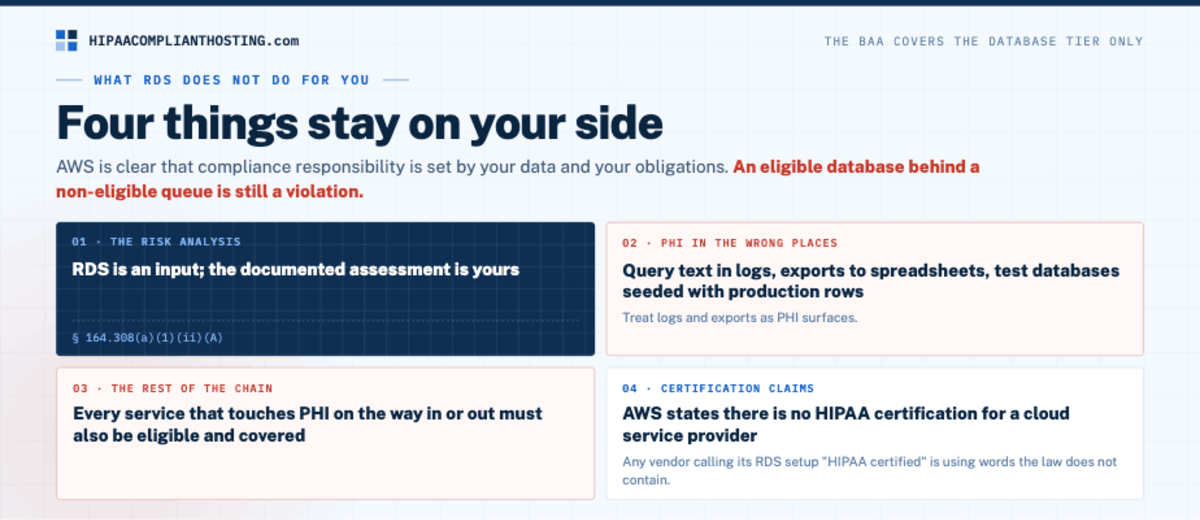
The BAA and the six settings cover the database tier. They do not cover the rest of the Security Rule. AWS is clear that compliance responsibility is set by your data and your obligations. Even an Amazon RDS HIPAA compliant instance leaves four things on your side.
The risk analysis. 45 CFR § 164.308(a)(1)(ii)(A) requires a documented assessment of risks to ePHI. RDS is an input; the analysis is yours. Our HIPAA risk analysis guide lists what OCR looks for.
PHI in the wrong places. Query text in logs, exports to spreadsheets, and test databases seeded with production rows all carry PHI outside the controls. Treat logs and exports as PHI surfaces.
The rest of the chain. Every service that touches PHI on the way to or from RDS must also be eligible and covered. An eligible database behind a non-eligible queue is still a violation. The serverless side of that chain is covered in is AWS Lambda HIPAA compliant.
Certification claims. AWS states that there is no HIPAA certification for a cloud service provider. Any vendor calling its RDS setup "HIPAA certified" is using words the law does not contain.
If you build software on this stack, the full set of downstream duties is in HIPAA compliant hosting for healthcare SaaS. Which application platforms sign a BAA for the tier that talks to RDS, and what their compliant plans cost, is compared in HIPAA compliant app hosting. If that application tier is a Laravel app, the framework settings and Laravel Cloud's BAA plans are in our guide to whether Laravel HIPAA compliant apps are possible. The data-tier rules in general are in HIPAA compliant database hosting.
If you would rather not run the database yourself
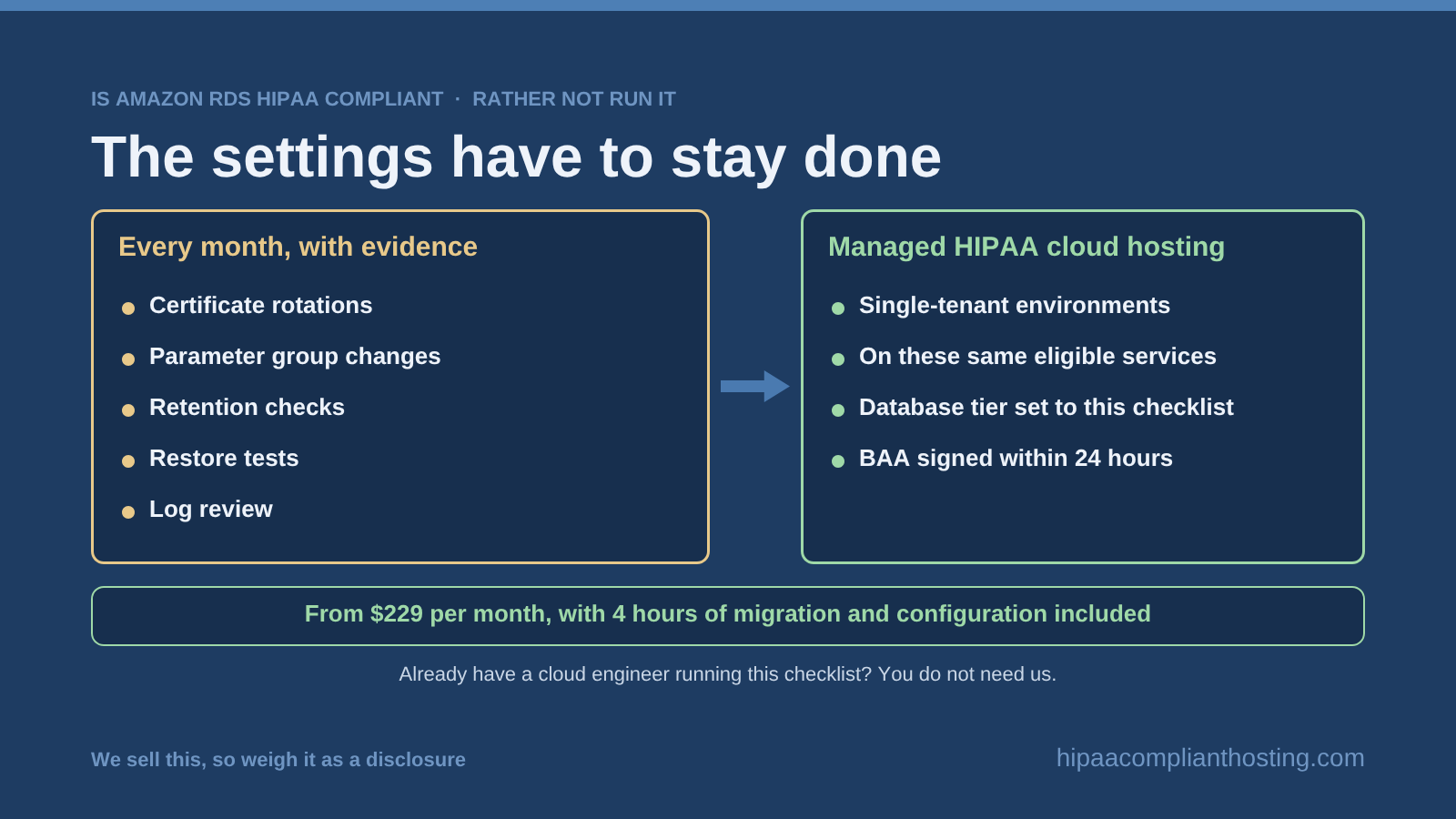
Every setting above is documented and doable. The catch is that they have to stay done: certificate rotations, parameter group changes, retention checks, restore tests, and log review, every month, with evidence. Our managed HIPAA cloud hosting runs single-tenant environments on these same eligible services. The database tier arrives set up the way this Amazon RDS HIPAA compliant checklist describes. The BAA is signed within 24 hours. Managed plans start from $229 per month, with 4 hours of migration and configuration included. We sell this, so weigh that as a disclosure. The honest inverse: if you have a cloud engineer who already runs this checklist and keeps the evidence, you do not need us. Keep your setup and use the tables above as an audit. Either way, the HIPAA compliant hosting plans are public, and you can tell us what you are running for a straight answer.
Frequently asked questions
Is Amazon RDS HIPAA compliant?
Amazon RDS is HIPAA eligible, not HIPAA compliant by itself. AWS covers six RDS engines under its BAA. Your instance becomes part of a compliant system after you accept the BAA and set encryption at rest, forced TLS, private networking, named users, logging, and tested backups.
Does AWS sign a BAA that covers RDS?
Yes. The AWS Business Associate Addendum covers every service on the HIPAA Eligible Services Reference. Amazon RDS is on it for the SQL Server, MySQL, Oracle, PostgreSQL, Db2, and MariaDB engines. You accept the BAA in AWS Artifact at the account level.
Can I encrypt an existing unencrypted RDS instance?
Not in place. AWS documents that encryption is set only at creation. Take a snapshot, copy it with encryption enabled, restore a new instance from the encrypted copy, then retire the old instance. Automated backups of the new instance are encrypted too.
Is Amazon Aurora HIPAA eligible?
Yes. Amazon Aurora is its own entry on the AWS HIPAA Eligible Services Reference, separate from Amazon RDS, and has been since AWS announced it in November 2016. The same BAA and the same configuration duties apply.
Is Amazon RDS HIPAA certified?
No, and nothing is. AWS states that there is no HIPAA certification for a cloud service provider, and HHS certifies no product. AWS shows its controls through audits such as SOC and FedRAMP alignment. Compliance is a state you maintain, not a badge.
Recap: Amazon RDS HIPAA compliant
To recap, is Amazon RDS HIPAA compliant? It is HIPAA eligible for six engines on the September 3, 2026 AWS list, plus Aurora on its own line. It becomes compliant when you do six things. Accept the BAA in AWS Artifact. Create the instance encrypted. Force TLS. Keep it in a private subnet. Give every person a named account. Log and back up with a retention you have tested. Encryption cannot be added in place, so start encrypted or migrate through an encrypted snapshot. Do the six, keep the evidence, and the database tier is ready for the rest of your risk analysis.
This article is general information, not legal advice. AWS facts reflect the AWS HIPAA Eligible Services Reference dated September 3, 2026 and the Amazon RDS documentation as read on September 5, 2026. AWS changes both, so confirm current details with AWS before relying on them. Regulatory citations reflect the HIPAA Security Rule at 45 CFR Part 164; the proposed Security Rule update is not final. Base your safeguards on a documented risk analysis and confirm obligations with qualified counsel. We sell HIPAA compliant hosting and compliance reviews. Reviewed September 2026.
Sources
AWS: HIPAA Eligible Services Reference (updated September 3, 2026)
AWS: Using SSL with a PostgreSQL DB instance (rds.force_ssl)
45 CFR § 164.308 (administrative safeguards, BAA requirement): ecfr.gov
45 CFR § 164.312 (technical safeguards): ecfr.gov