


Is HubSpot HIPAA compliant? The BAA, the Enterprise plans and the tools that must stay PHI free
HIPAA Compliant Hosting · https://hipaacomplianthosting.com/blog/is-hubspot-hipaa-compliant
Last updated: November 25, 2026
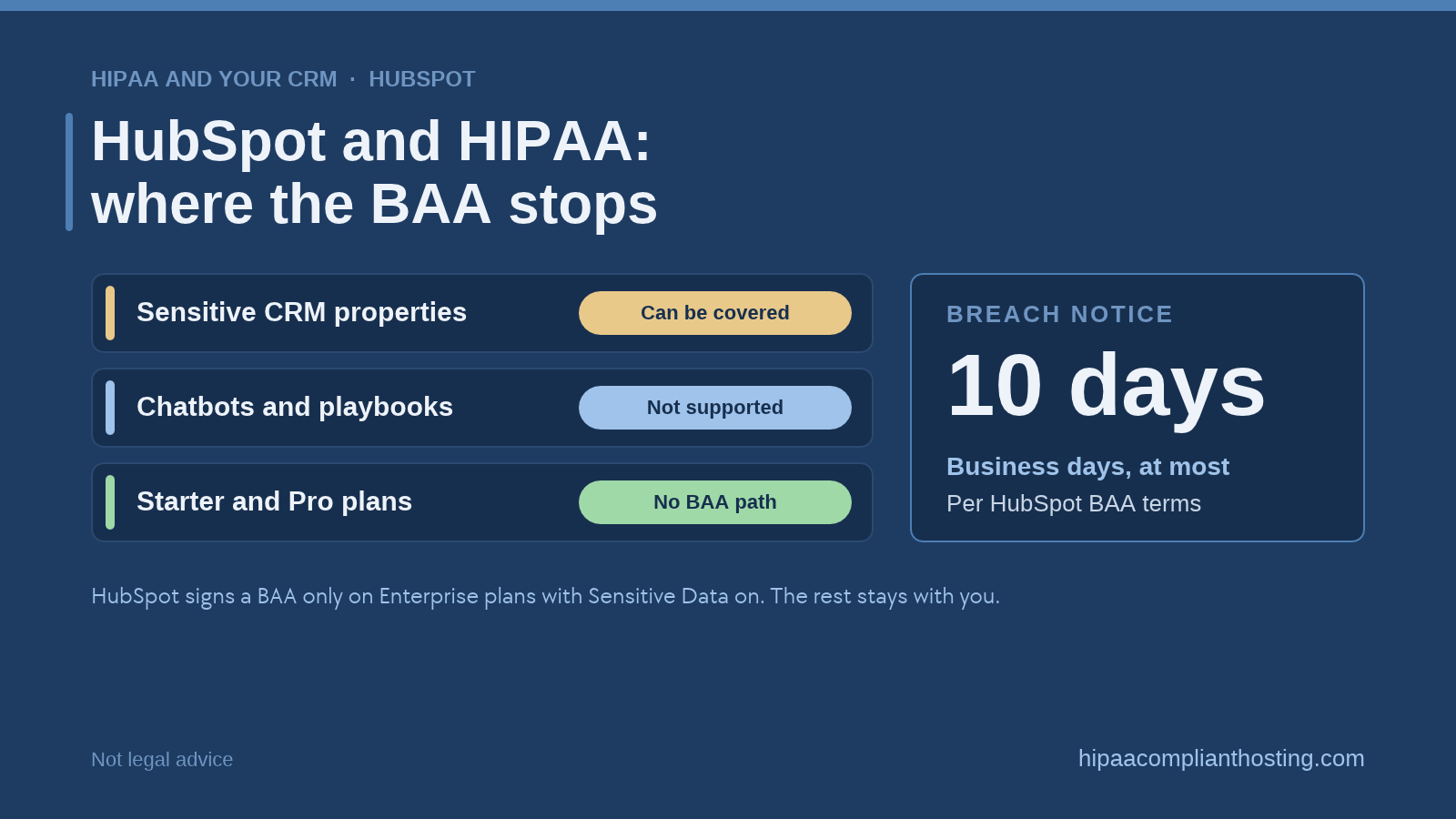
Is HubSpot HIPAA compliant? It can be, but only on an Enterprise subscription with Sensitive Data turned on and the HIPAA option selected. HubSpot's BAA is part of its Sensitive Data Terms. It covers only the features HubSpot authorizes for protected health information (PHI). Chatbots, personalization tokens, playbooks and sandboxes cannot use those properties.
A quick disclosure. We are HIPAA Compliant Hosting, and we sell managed hosting. We do not sell or resell HubSpot. One section below covers our own service, so weigh that section as a disclosure.
TL;DR: Quick answer
HubSpot offers a business associate agreement (BAA) through its Sensitive Data Terms.
Eligibility is Enterprise only: Marketing, Sales, Service, Data, Content, Smart CRM or Revenue Hub.
A Super Admin turns on Sensitive Data, picks Health/Medical Data and confirms you are a covered entity or business associate.
PHI belongs only in custom properties marked sensitive. Default properties cannot be converted.
Chatbots, personalization tokens, playbooks, sandboxes and the files tool are outside the protection.
Is HubSpot HIPAA compliant, and on which plans?
No software is compliant by itself. What HubSpot offers is a contract plus a set of controls. Under 45 CFR 164.308(b)(1), a covered entity may let a business associate handle ePHI only after getting satisfactory assurances. The BAA is that written assurance.
HubSpot's help article on storing sensitive data lists the eligible subscriptions. Every one is an Enterprise tier. Free, Starter and Professional accounts do not appear on that list, so treat them as having no BAA path.
The product page says the BAA is included by reference in the Sensitive Data Terms. You accept those terms inside the account when you turn the feature on. The BAA then applies to the extent you store PHI subject to HIPAA.
Question | What HubSpot's pages say |
|---|---|
Who signs a BAA? | Enterprise customers who turn on Sensitive Data and select the HIPAA option |
Which hubs? | Marketing, Sales, Service, Data, Content, Smart CRM and Revenue Hub, Enterprise tier |
Where PHI may live | Custom properties marked sensitive on contacts, companies, deals, tickets and custom objects |
Not supported | Chatbots, personalization tokens, playbooks and sandboxes |
Files | Record attachments are protected; the files tool and files uploaded before setup are not |
AI | Do not put sensitive data in prompts; avoid Breeze if it should not process that data |
Data center | Accounts storing HIPAA data cannot migrate to another data center |
What does the HubSpot BAA cover, and what does it leave out?
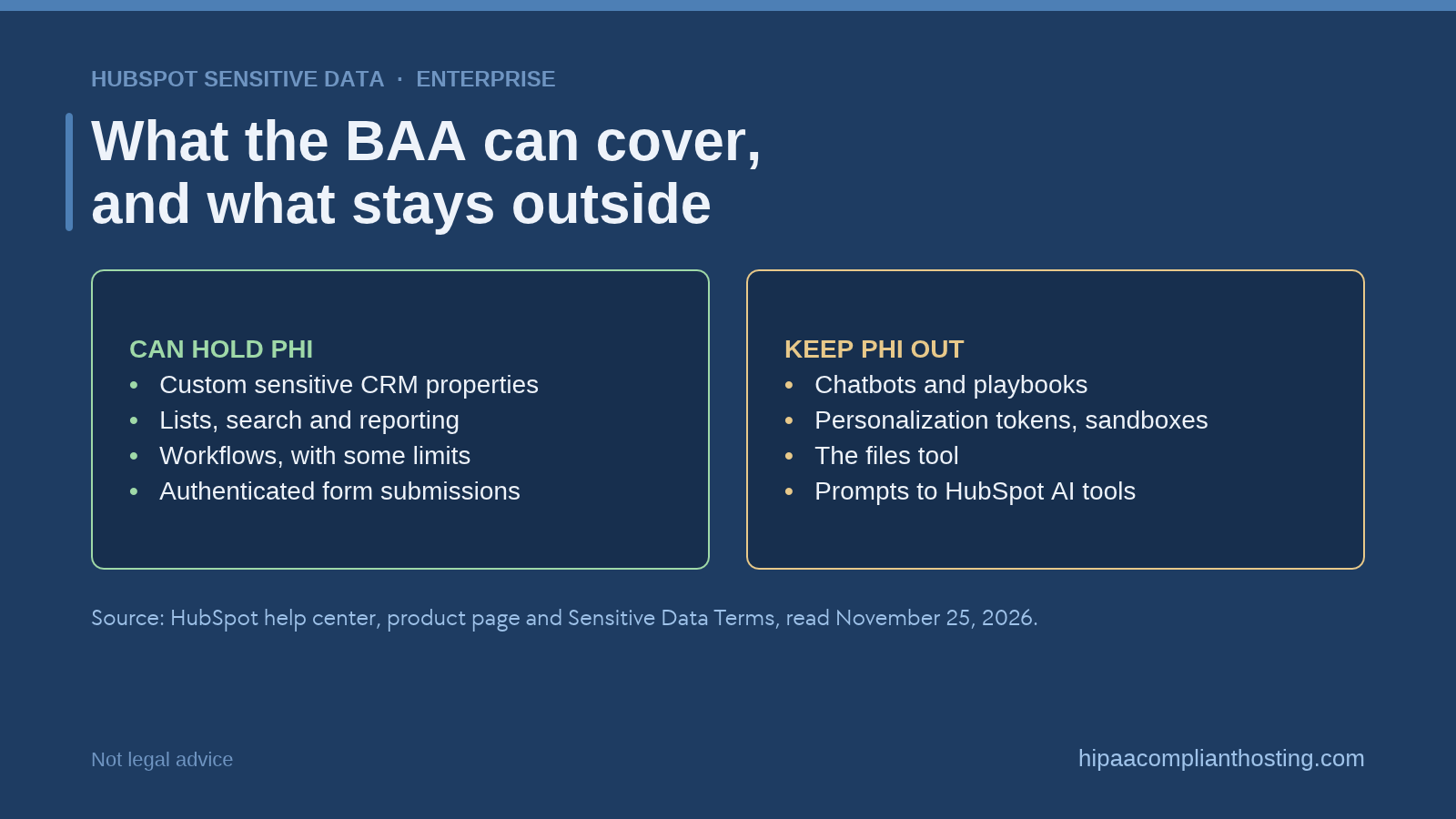
The terms limit coverage to services HubSpot has "explicitly authorised" for PHI. That makes the boundary narrower than the whole product. The product page lists supported areas such as CRM properties, activities, lists, search, reporting, workflows and authenticated form submissions.
Several tools sit outside that line. The help center says Sensitive Data is not supported in chatbots, personalization tokens, playbooks and sandboxes. Workflows have gaps too. Copy property actions and "When an event occurs" triggers cannot use sensitive values.
Marketing email is not named as a covered tool on the pages we read. Personalization tokens cannot pull sensitive properties, so health details cannot flow into bulk email that way. Our view (not HubSpot's wording) is to keep PHI out of marketing email entirely.
The terms also put the compliance call on you. They state that you are responsible for deciding whether your use meets your obligations. Data synced into third party integrations follows those products' own policies, not HubSpot's BAA.
Where does PHI leak in a HubSpot account?
Most leaks come from fields and tools, not from the platform. These are the common ones.
Default properties. Staff type a diagnosis into a standard field or a note title. Only custom sensitive properties get the extra application layer encryption.
The files tool. Files uploaded there are not protected. Neither are files uploaded before Sensitive Data was turned on.
Chat and bots. A website chatbot cannot use sensitive properties. Patients still type symptoms into it. Our guide to a HIPAA compliant chatbot covers that path.
AI prompts. HubSpot says not to share sensitive data in prompts to its AI products.
Website tracking. Tracking code on appointment or condition pages can send visit data with no BAA in place. The healthcare pixel lawsuits show what that costs.
Integrations. A two way sync can copy a sensitive value into a tool with no BAA.
How do you set up HubSpot for PHI?
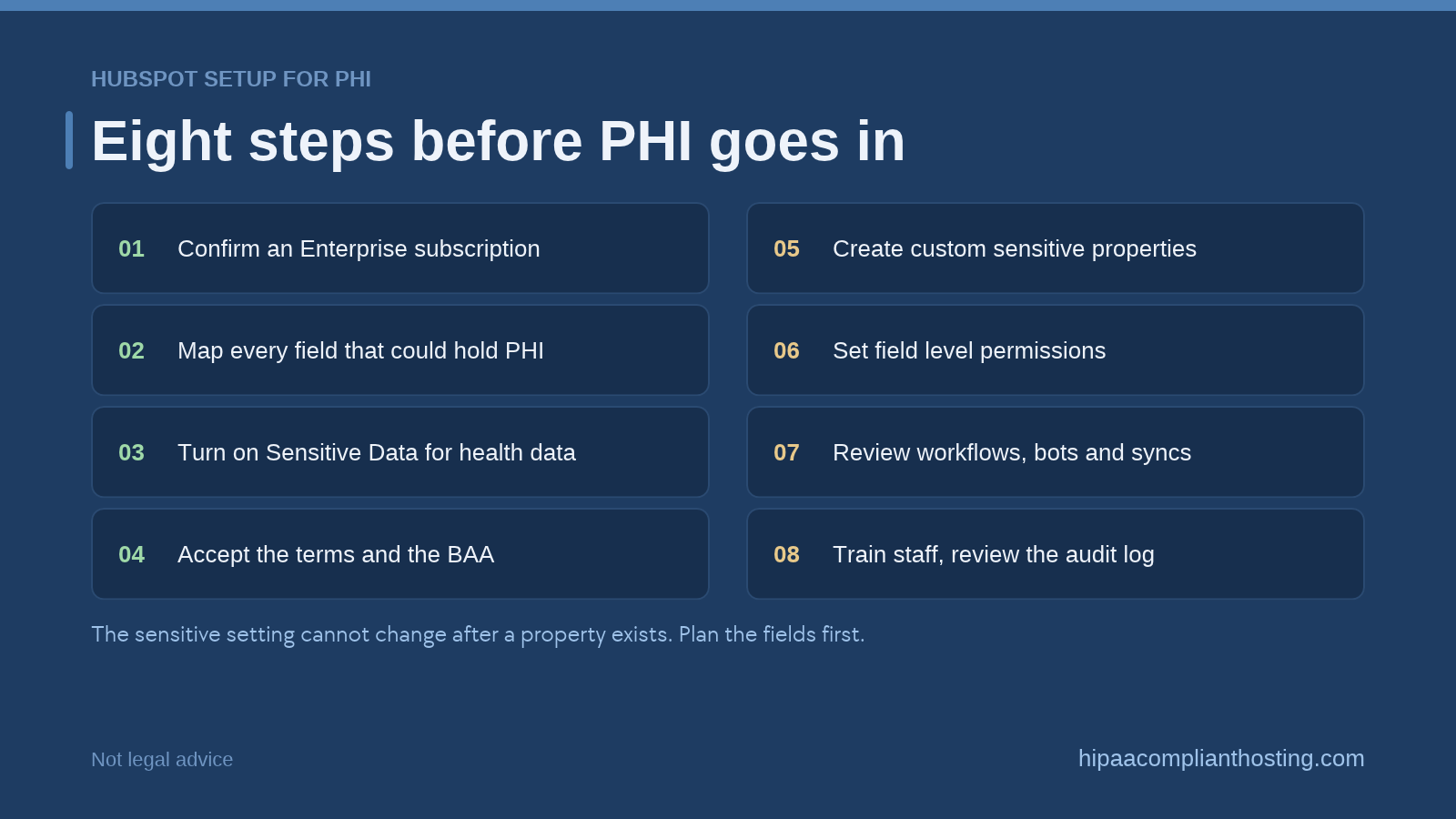
Plan the property model first. The sensitive setting cannot be changed after a property is created.
Confirm you hold an eligible Enterprise subscription and name a Super Admin owner.
Map every field that could hold PHI. Decide which ones truly need to live in the CRM.
Turn on Sensitive Data in security settings. Select Health/Medical Data and the covered entity or business associate box.
Read and accept the Sensitive Data Terms and the BAA in the account. Save a copy with the date.
Create new custom properties marked sensitive. Move PHI out of default fields and notes.
Set field level permissions so only the right teams can view or edit sensitive values.
Review workflows, chatbots, playbooks, tokens and integrations. Remove any that touch sensitive values.
Train staff on where PHI may go. Review the audit log and user access on a schedule.
Step 6 is your access control safeguard. Write down who reviewed it and when.
What changes for a health system and for a small clinic?
A health system usually runs HubSpot next to an EHR and a data warehouse. The hard part is integration scope. Every sync, warehouse share and AI feature needs its own review. Add HubSpot to your vendor risk assessment and record which features you approved.
Region matters for larger groups too. HubSpot says accounts storing HIPAA data cannot move to another data center. Check your data residency needs before you turn the feature on.
A small clinic often uses HubSpot for marketing and referrals. Enterprise pricing may not fit. The safer plan is to keep PHI out of HubSpot. Store intake and clinical details in systems that carry a BAA, and keep HubSpot to names and marketing consent.
Where does our hosting fit, and where does it not?
HubSpot is a CRM. Your website, patient forms and custom portals often run somewhere else. That is where we fit.
Single-tenant AWS. Each plan is one server in one AWS availability zone. We sign the BAA within 24 hours of signup, before patient data moves. Our BAA covers the servers and services we run. Email, SMS, EHR, form and AI model vendors need their own BAA.
Every plan includes CloudFront CDN, a web application firewall (WAF), encryption at rest and in transit, six-year audit logging and tested encrypted backups. Monthly plans have no long-term contract. Managed plans from $229 a month.
A common pattern is intake forms stored on hosting covered by a BAA, with only a contact record sent to HubSpot. Our guide to HIPAA compliant WordPress forms shows that setup.
Where we do not fit: we do not host HubSpot, configure your portal or sign anything on HubSpot's behalf. We do not support software you buy elsewhere or do marketing work. If you need a multi zone, high availability design, ask us about it before you buy.
Frequently asked questions
Does HubSpot sign a BAA?
Yes, for eligible Enterprise accounts. The BAA is included by reference in the Sensitive Data Terms. You accept it in the account when you turn on Sensitive Data and select the HIPAA option.
Is HubSpot HIPAA compliant on the free or Professional plan?
Not for PHI. HubSpot's help article lists only Enterprise subscriptions as eligible for Sensitive Data. Without that feature and its terms, there is no BAA to rely on.
Can we send PHI in HubSpot marketing emails?
We would not. Personalization tokens cannot use sensitive properties, and marketing email is not named as a covered tool. Keep bulk email free of health details. For patient messages, see our guide to the best HIPAA compliant email.
Can HubSpot AI tools see sensitive data?
Some can. HubSpot lists AI features that may process sensitive data, such as conversation and call summaries. It says not to share sensitive data in prompts. Its help center suggests avoiding Breeze if you do not want it to process that data.
How fast must HubSpot report a breach?
The BAA in the Sensitive Data Terms says no later than ten business days after discovery. Build that window into your own incident plan.
Recap: is HubSpot HIPAA compliant?
Yes, within limits. HubSpot offers a BAA for Enterprise accounts that turn on Sensitive Data and choose the HIPAA option. PHI belongs only in custom sensitive properties and approved features. Chatbots, tokens, playbooks, sandboxes, the files tool and AI prompts stay PHI free. The compliance decision and the configuration stay with you.
Want your forms, portal or website on hosting with a signed BAA before you connect them to a CRM? Request a quote and we will map what stays with us and what stays with HubSpot.
This article is general information, not legal advice. HubSpot's help center, product, security and legal pages were read on November 25, 2026. The help articles showed updates dated September 24 and November 12, 2026, and the Sensitive Data Terms were last modified April 14, 2026. Vendor terms change, so confirm current terms with HubSpot and your counsel.
Sources
HubSpot Knowledge Base: Store Sensitive Data in HubSpot (read November 25, 2026)
HubSpot Knowledge Base: Understand how Sensitive Data is used in HubSpot tools (read November 25, 2026)
HubSpot Legal: Sensitive Data Additional Terms (read November 25, 2026)
HubSpot: Sensitive Data Management for CRM (read November 25, 2026)
HubSpot: Security and Compliance (read November 25, 2026)
45 CFR 164.308 (business associate contracts): Cornell LII