


HIPAA Compliant Telehealth Platforms: The 2026 Comparison
HIPAA Compliant Hosting · https://hipaacomplianthosting.com/blog/hipaa-compliant-telehealth-platforms
Last updated: October 20, 2026
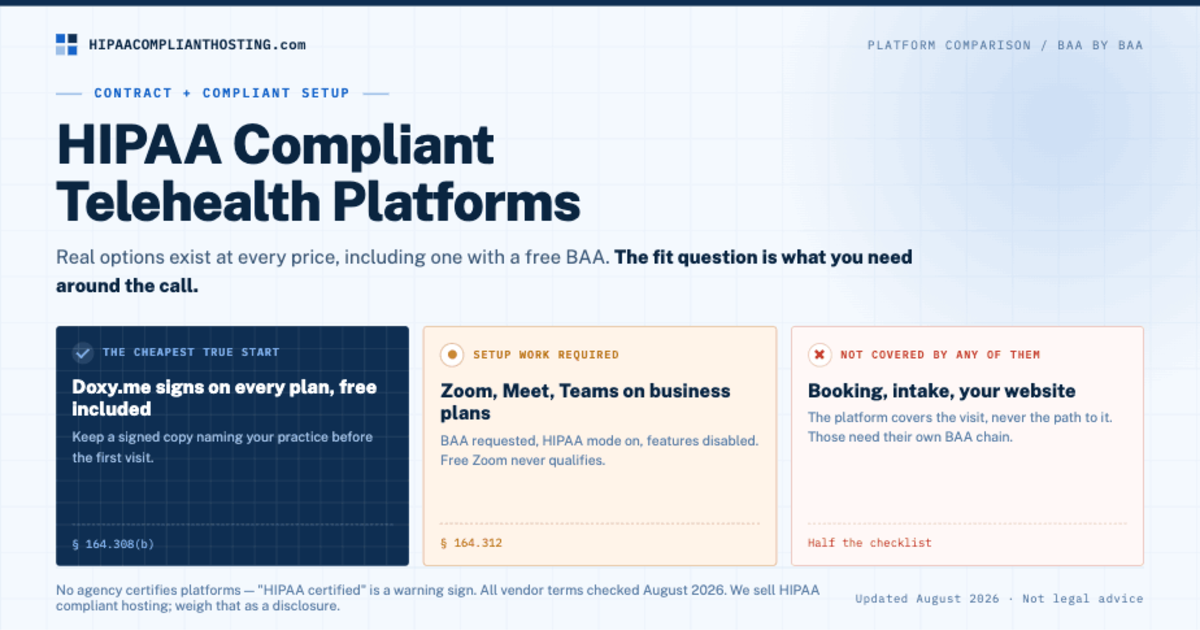
A telehealth platform is HIPAA compliant when the vendor signs a Business Associate Agreement (BAA) and you run the platform in its compliant setup. Several real options exist at every price, including one with a free BAA. So which HIPAA compliant telehealth platform fits your practice? That depends on what you need around the video call. Doxy.me signs a BAA on every plan, even free. SimplePractice bundles the BAA with a full practice system. Zoom, Google Meet, and Microsoft Teams can qualify on the right paid plans. This guide compares them BAA by BAA. It also covers the half of telehealth the platform does not protect: the booking, the intake, and your website.
TL;DR: Quick answer
Doxy.me includes a BAA on every plan, even Free. That makes it a $0 way to start on a HIPAA compliant telehealth platform. The free BAA covers one provider and their own room.
SimplePractice's BAA takes effect when you create your account, and telehealth is built into every plan. Plans start at $49 a month.
Zoom signs a BAA on paid plans. Pro buyers accept it at checkout; larger plans sign through sales. Free Basic accounts do not qualify.
Google Meet is on Google's list of services its Workspace BAA covers. Microsoft Teams is on Microsoft's in-scope list for the BAA in its Data Protection Addendum.
The platform covers the visit. It does not cover your booking flow, intake forms, or website. Those need their own BAA chain.
All vendor terms and prices checked October 20, 2026. Terms change; confirm before you rely on them.
What makes a telehealth platform HIPAA compliant?
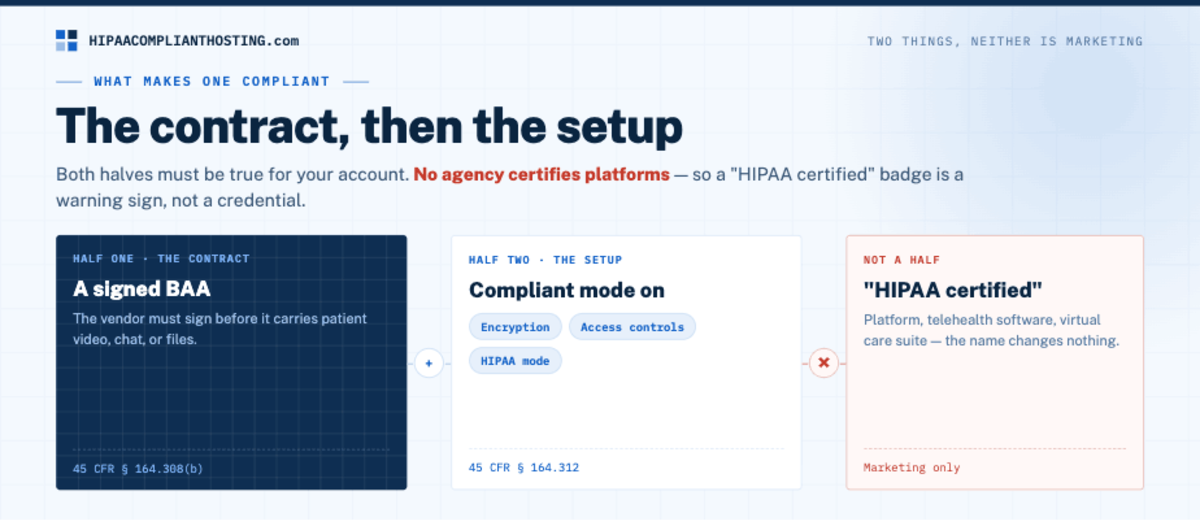
Two things, and marketing is neither. First, the contract: the vendor must sign a BAA before it carries patient video, chat, or files (45 CFR § 164.308(b)). Second, the setup: encryption, access controls, and the platform's security settings actually in use (45 CFR § 164.312). No agency certifies platforms, so "HIPAA certified" on a sales page is a warning sign, not a credential. Vendors sell these as platforms, telehealth software, or virtual care suites. The name changes nothing. A HIPAA compliant telehealth platform is simply one where both halves are true for your account. The wider rules for virtual care sit in our guide to telehealth HIPAA compliance.
HIPAA compliant telehealth platforms, BAA by BAA
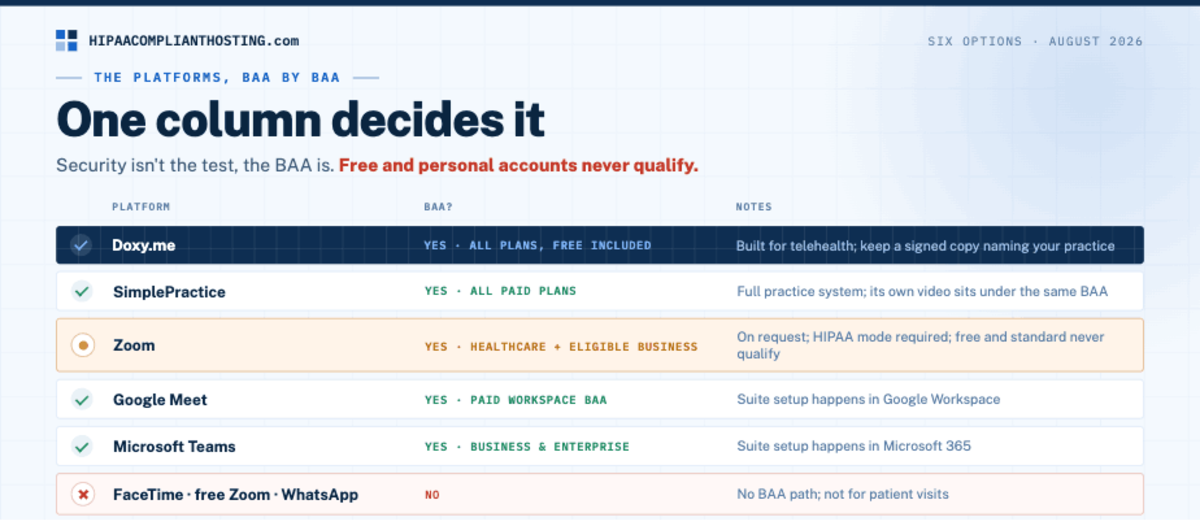
We checked each HIPAA compliant telehealth platform on its vendor's own pages on October 20, 2026. Prices are the lowest list price we found for a plan that can carry a BAA, in US dollars, before tax and promotions.
Platform | BAA path | Plans covered | Lowest published price with a BAA | What the BAA leaves out | Checked |
|---|---|---|---|---|---|
Doxy.me | Generate it yourself on the BAA page in Settings | Free plan: individual BAA. Paid plans: clinic-level BAA | $0 (Free plan) | The free BAA covers one provider and their personal room; other providers need their own BAA or a paid clinic BAA | Oct 20, 2026 |
SimplePractice | Automatic: part of the Terms of Service from the moment you create your account | Every plan; telehealth is a core feature of all of them | $49 a month (Starter, billed monthly) | Anything outside SimplePractice's own services, such as your separate website | Oct 20, 2026 |
Zoom | Pro: accept it at checkout. Business, Business Plus, Enterprise: sign through sales | Pro, Business, Business Plus, Enterprise, and other paid plans | $14.16 a user a month (Pro, billed annually; $16.99 billed monthly) | Free Basic accounts; Zoom says some AI features may be unavailable under a BAA | Oct 20, 2026 |
Google Meet | An administrator reviews and accepts the BAA in the Admin console | Google Workspace accounts; Meet is on Google's covered services list | $7 a user a month (Business Starter, annual plan; $8.40 on the flexible plan) | Third-party apps and add-ons, and Google services not on the covered list | Oct 20, 2026 |
Microsoft Teams | Included by default in Microsoft's Data Protection Addendum for covered entities and business associates | Commercial Microsoft 365 plans with Teams; Teams is on the in-scope list | $7 a user a month (Microsoft 365 Business Basic, paid yearly) | Services that are not on Microsoft's in-scope list | Oct 20, 2026 |
Consumer video (FaceTime, free Zoom, WhatsApp) | No BAA path | None | Not applicable | Everything; not for patient visits | Oct 20, 2026; WhatsApp terms Oct 21, 2026 |
Prices and plan names change often, so confirm both on the vendor's page before you buy. We left out Cisco Webex because we could not confirm its current BAA terms on Cisco's own pages. For setup steps, see is Zoom HIPAA compliant, Google Workspace HIPAA, and Microsoft 365 HIPAA.
Which platform fits which practice?
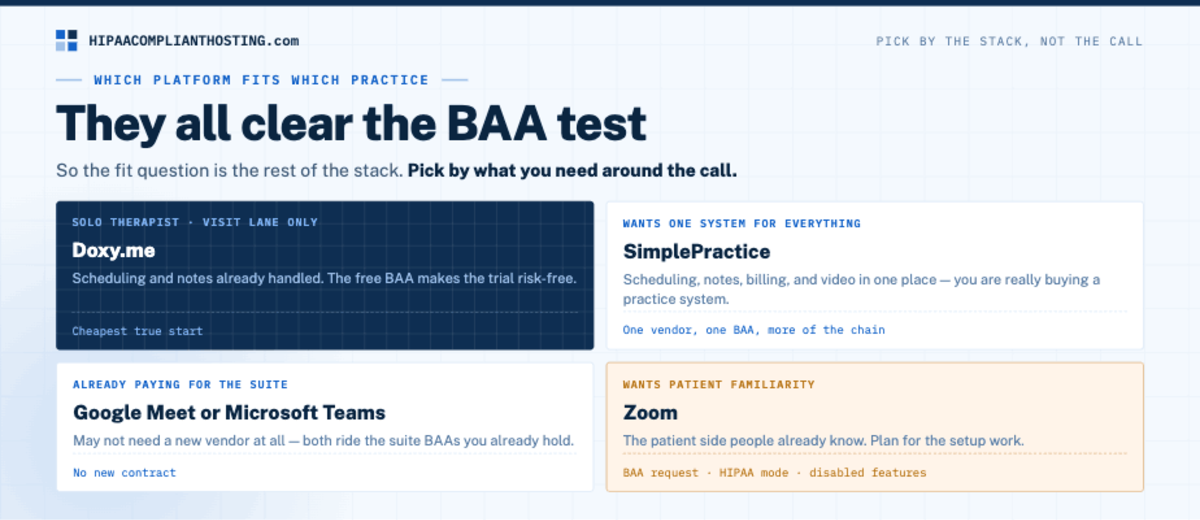
Every HIPAA compliant telehealth platform in the table clears the BAA test. The fit question is the rest of the stack. Pick by what you need around the call, not by the call itself. A solo therapist who already has scheduling and notes handled needs only the visit lane. Doxy.me fits, and its Free plan includes an individual BAA, so you can start at no cost. A practice that wants scheduling, notes, billing, and video in one place is really buying a practice system. SimplePractice fits that shape, and one vendor means one BAA covering more of the chain.
A clinic already paying for Google Workspace or Microsoft 365 may not need a new vendor at all. Meet and Teams fall under each suite's BAA once it is in place for the account. Zoom fits teams that want an app many patients already know. Plan for the BAA step: Pro buyers accept it at checkout, and larger plans sign through sales. The tool-by-tool video comparison, including the settings each one needs, is in HIPAA compliant video conferencing.
AI note takers add one more vendor question. Doxy.me and SimplePractice both offer AI notes, and Zoom says some AI features may be unavailable under its BAA. Before an AI feature hears a visit, confirm in writing that the platform's BAA covers it. If you build your own AI workflow, check which AI model vendors sign a BAA.
The half a HIPAA compliant telehealth platform does not cover
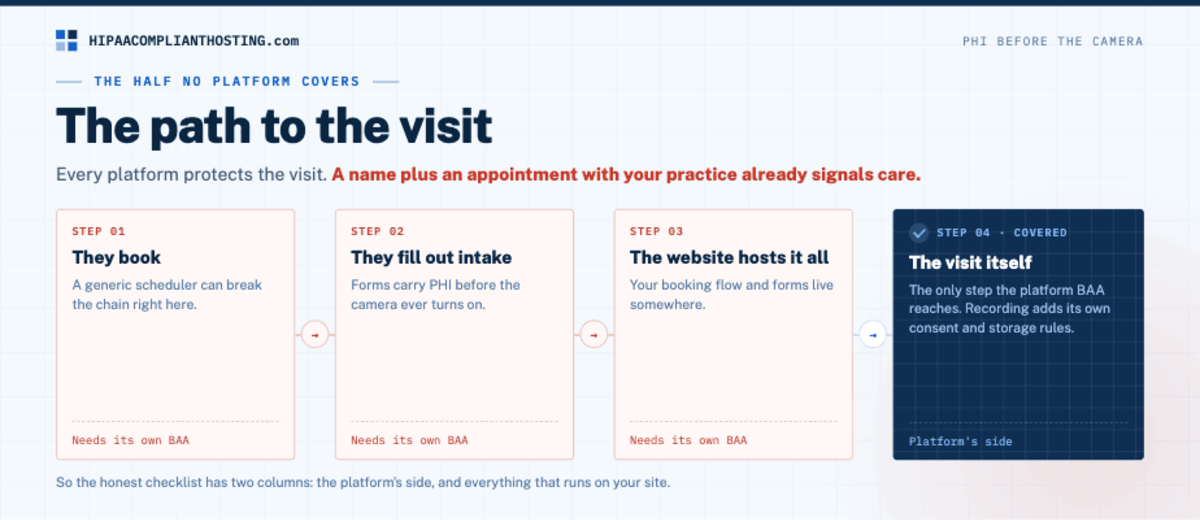
Every platform above protects the visit. None of them protects the path to it. A patient books the visit somewhere. They fill out intake forms somewhere. Those steps carry PHI before the camera ever turns on. A name plus an appointment with your practice already signals care. That is why a generic scheduler can break the chain, as we show in is Calendly HIPAA compliant. Appointment reminders around those visits follow the rules of HIPAA compliant texting. Recording adds its own rules on consent and storage, covered in HIPAA compliant video recording. And the website that hosts your booking flow and forms needs its own BAA. So the honest checklist for a HIPAA compliant telehealth platform has two columns: the platform's side, and everything that runs on your site.
If the website half is the part you have not solved
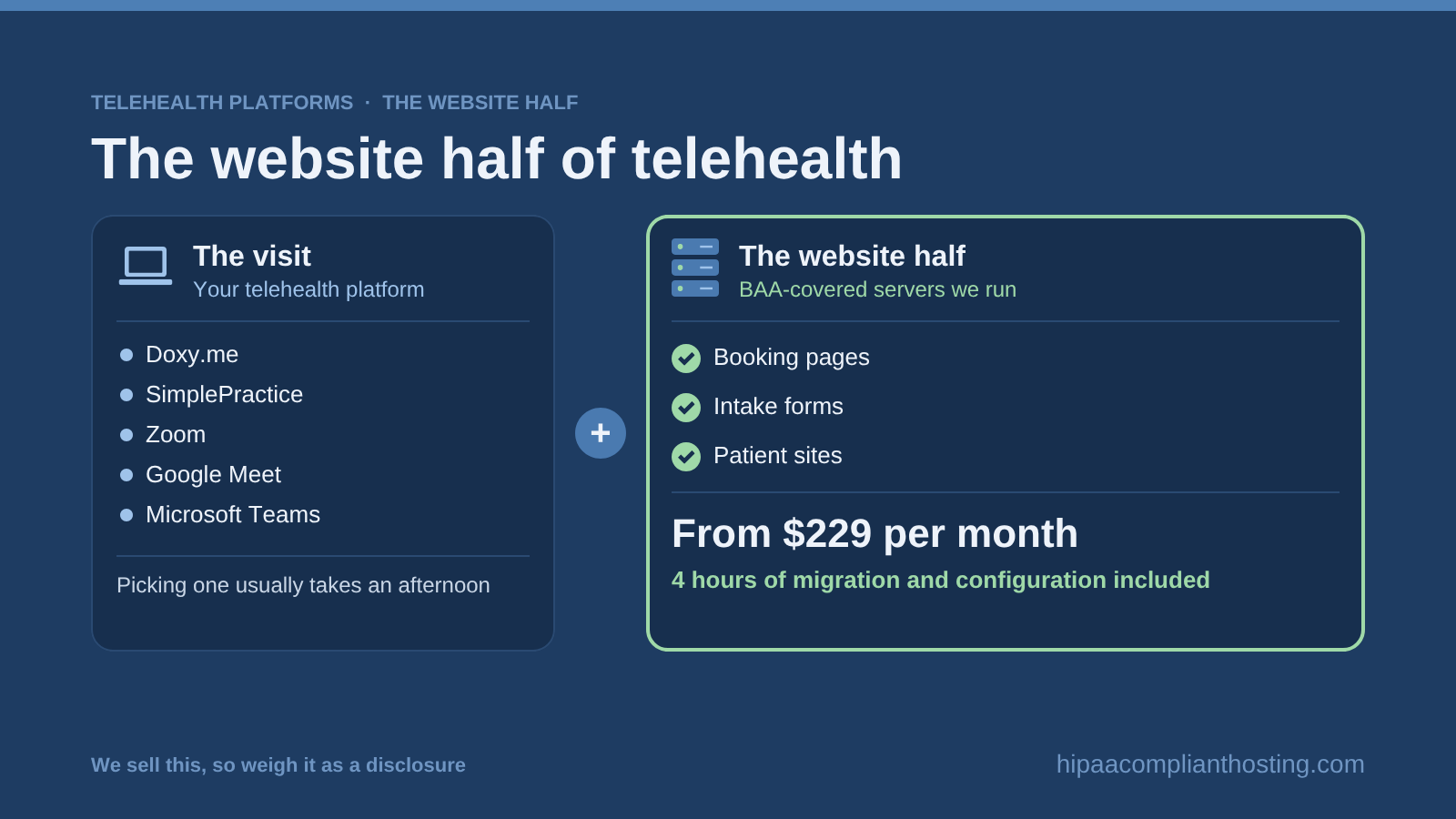
We do not sell a telehealth platform, so pick any HIPAA compliant telehealth platform from the table for the visit. We host the layer around it: booking pages, intake forms, and the practice website. Our healthcare hosting runs on single-tenant AWS, and our BAA covers the servers and services we run. We sign it within 24 hours of signup, before patient data moves. That is the core of our HIPAA compliant hosting.
Every plan includes encryption at rest and in transit, a web application firewall, six-year audit logging, and tested encrypted backups. Managed plans start at $229 a month, on monthly plans with no long-term contract. The first month includes 4 hours of migration and configuration. After that, work is $175 an hour, quoted before work starts. We sell this, so weigh it as a disclosure.
Building a telehealth product instead of running a practice? Start with our hosting for healthtech teams. To see who signs each BAA across your practice systems, read our guide to healthcare IT hosting. Or tell us what the rest of your stack runs and you will get a straight answer on the website half.
Frequently asked questions
What is the best HIPAA compliant telehealth platform?
The one whose BAA and shape fit your practice. Doxy.me for visit-only needs on any budget. SimplePractice for an all-in-one practice system. Meet or Teams if you already pay for the suite. Zoom if you want its patient familiarity and will sign its BAA on a paid plan.
Which HIPAA compliant telehealth platforms have a free BAA?
Among HIPAA compliant telehealth platforms, Doxy.me is the clearest case. Its Free plan includes an individual BAA covering one provider and their personal room. Zoom requires a paid plan for its BAA. SimplePractice offers a free trial, and its paid plans start at $49 a month.
Is Doxy.me free plan HIPAA compliant?
Yes, for a solo provider. Doxy.me's Free plan includes an individual BAA that covers one user and their personal room. Generate it under Settings before the first visit, and keep a copy with your compliance records. Group practices need a paid plan for the clinic-level BAA.
Is Zoom a HIPAA compliant telehealth platform?
It can be. You need a paid plan and a signed BAA. US Pro buyers accept the BAA at checkout, while Business, Business Plus, and Enterprise customers sign through Zoom sales. Zoom says no extra configuration is needed after signing. Free Basic accounts do not qualify for patient visits.
Can I use FaceTime or WhatsApp for patient visits?
No. These are consumer apps, and HHS's pandemic notice did not list them among vendors that offer a BAA. Meta's WhatsApp Business Platform terms say Meta is not a HIPAA business associate. HHS allowed apps like FaceTime only under that temporary enforcement break. The break ended in 2023, and the telehealth grace period closed on August 9, 2023. Use a HIPAA compliant telehealth platform with a signed BAA.
Does the platform BAA cover my booking page and intake forms?
No. The platform BAA covers the platform. Your booking flow, intake forms, and website carry PHI too, and they need their own BAA-covered home. Each business associate agreement covers only the vendor that signs it, so check both halves before your first visit.
Recap: HIPAA compliant telehealth platform
To recap, a HIPAA compliant telehealth platform needs a signed BAA and the right security settings in use. Doxy.me includes a BAA on every plan, free included, though the free one covers a single provider. SimplePractice covers video inside every plan. Zoom qualifies on paid plans once its BAA is signed. Meet and Teams ride the suite BAAs you may already hold. Consumer video apps never qualify. Then finish the other half: booking, intake, and the website need their own covered home.
This article is general information, not legal advice. Vendor BAA terms, plans, and prices are as published on October 20, 2026, and they change. Confirm current terms with each vendor and consult qualified counsel. Base your safeguards on a written risk analysis. We sell HIPAA compliant hosting. Reviewed October 2026.
Sources
All sources checked October 20, 2026, unless another date is shown.
Doxy.me Help Center: How do I know if I need a BAA?
Doxy.me Help Center: How do I get a BAA with doxy.me?
Doxy.me: Pricing
SimplePractice: Business Associate Agreement
SimplePractice: Pricing and plans
Zoom Support: HIPAA Business Associate Agreement (BAA)
Zoom: Healthcare pricing
Google Workspace Help: HIPAA compliance with Google Workspace
Google Cloud: HIPAA compliance, including Google Workspace supported services
Google Workspace: Pricing
Microsoft: HIPAA and the HITECH Act compliance offering
Microsoft: Microsoft 365 business plans and pricing
HHS OCR: Notification of Enforcement Discretion for Telehealth Remote Communications
HHS OCR, 88 FR 22380 (expiration of COVID-19 enforcement discretion): federalregister.gov
Meta: Meta Terms for WhatsApp Business Platform (section 4.2, checked October 21, 2026)
45 CFR § 164.308 (administrative safeguards, BAA requirement): law.cornell.edu
45 CFR § 164.312 (technical safeguards): law.cornell.edu