


Is DocuSign HIPAA compliant? The BAA, the plans that include it and what stays with you
HIPAA Compliant Hosting · https://hipaacomplianthosting.com/blog/is-docusign-hipaa-compliant
Last updated: November 24, 2026
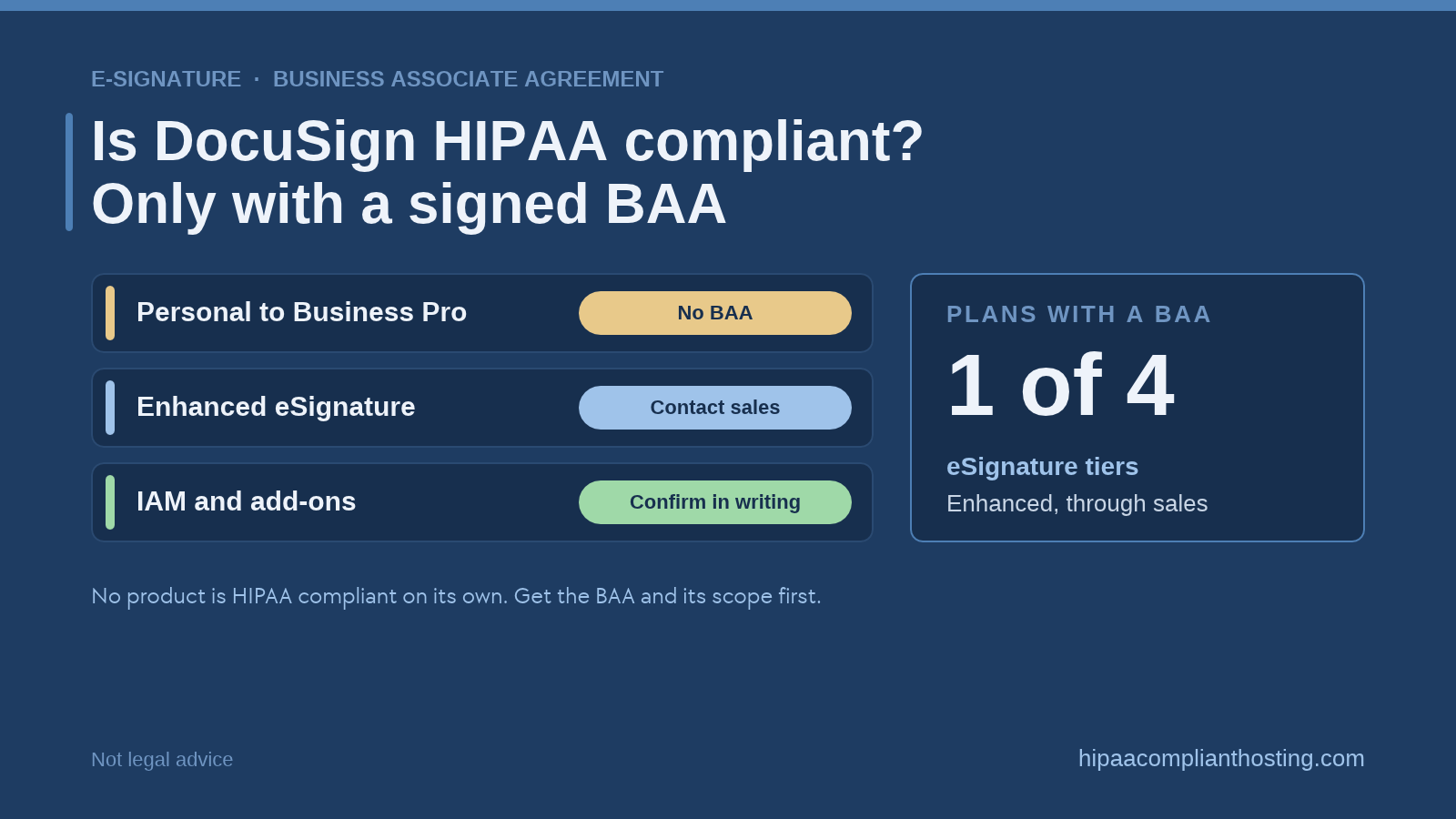
Is DocuSign HIPAA compliant? DocuSign says it may sign a Business Associate Agreement (BAA) with a HIPAA covered entity. Its eSignature pricing page shows "HIPAA support through BAA" only on the Enhanced plan, through sales. Personal, Standard and Business Pro are marked "Does Not Include." DocuSign also says no product can be HIPAA compliant on its own, so the setup stays with you.
A quick disclosure. We are HIPAA Compliant Hosting, and we sell managed hosting. We do not sell or resell DocuSign. One section below covers where our hosting fits, so weigh that section as a disclosure.
TL;DR: Quick answer
- Is DocuSign HIPAA compliant? It can support HIPAA work under a signed BAA. DocuSign states that no product, including its own, is HIPAA compliant by itself.
- On the eSignature pricing page, the BAA row reads "Contact sales" for Enhanced and "Does Not Include" for Personal, Standard and Business Pro.
- DocuSign's public pages do not list BAA exclusions. Get the covered products in writing before any patient data goes in.
- HHS says a cloud vendor that stores encrypted PHI is still a business associate, even without the key.
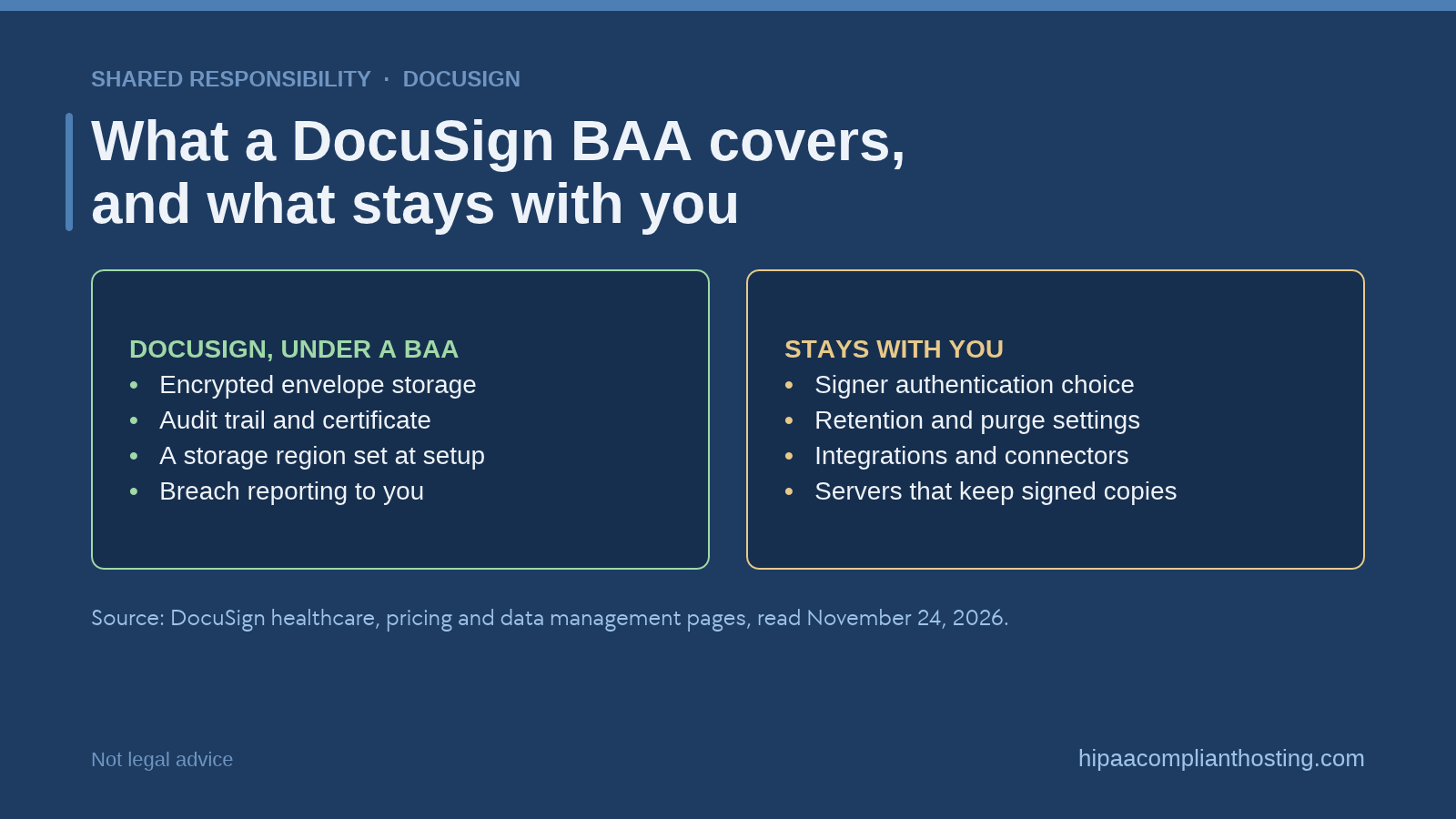
- You own signer authentication, retention and purge settings, templates, integrations and your risk analysis.
Does DocuSign sign a BAA?
Yes, with conditions. DocuSign's healthcare page says, "Docusign may enter into a Business Associate Agreement (BAA) with a HIPAA Covered Entity." A second answer on the same page says, "Docusign offers a BAA." Its blog on eSignature and HIPAA adds that "Docusign is a Business Associate for HIPAA purposes" when a provider sends documents with PHI.
The word "may" matters. None of these pages say the BAA is automatic or give its price. So the honest answer to is DocuSign HIPAA compliant for your team starts with one question: has DocuSign signed a BAA with you yet?
A Business Associate Agreement is the written assurance 45 CFR 164.502(e) requires before a vendor holds PHI for you. Under 164.504(e), it must limit how the vendor uses PHI, require safeguards and require breach reporting.
Which DocuSign plans include the BAA?
DocuSign's eSignature pricing page, read November 24, 2026, has a comparison row named "HIPAA support through BAA." Here is what it shows, with list prices on annual billing.
| eSignature plan | List price | HIPAA support through BAA |
|---|---|---|
| Personal | $11 a month | Does Not Include |
| Standard | $30 per user a month | Does Not Include |
| Business Pro | $45 per user a month | Does Not Include |
| Enhanced | Contact sales | Contact sales |
So is DocuSign HIPAA compliant on a self-serve plan bought online? Based on that table, no. Data residency and DocuSign Monitor follow the same pattern, sales only at Enhanced.
DocuSign also sells IAM plans. Its healthcare page says IAM "is designed to help you meet HIPAA requirements" and lists "support for Business Associate Agreements." The IAM pricing page has no BAA row at all. We could not confirm which IAM plans a BAA covers, so ask sales in writing.
What do DocuSign's pages leave unclear?
Is DocuSign HIPAA compliant across every add-on? The public pages do not say. We found no statement either way for SMS delivery, SMS authentication, ID verification, Notary or Web Forms. ID verification "with CLEAR" is listed as "By CLEAR," which points to a third party. We have not verified CLEAR's role, so treat it as unconfirmed.
Some of these features are add-ons. "Send with SMS" starts at $0.36 per delivery, and ID verification starts at $2.40 per attempt. Ask DocuSign whether each one is in scope of your BAA. If a feature passes data to another company, that company is a subcontractor under HIPAA and needs its own agreement.
Is DocuSign HIPAA compliant if it cannot read your documents?
DocuSign says, "Docusign personnel cannot view or access the contents of your Agreement Data." Its blog says it "may hold PHI in encrypted form on its servers." That still makes it a business associate.
HHS guidance on cloud computing is direct on this point. A cloud provider is a business associate "even if the CSP processes or stores only encrypted ePHI and lacks an encryption key." HHS adds that lacking a key "does not exempt a CSP from business associate status." So a no-view design does not replace the BAA.
DocuSign's data management page, last updated April 14, 2026, lists AES 256-bit encryption at rest and TLS 1.2 in transit. It names five storage regions: the US, Canada, Europe, Australia and Japan. If your contracts need US-only storage, ask about data residency at setup.
How do you set up DocuSign for HIPAA?
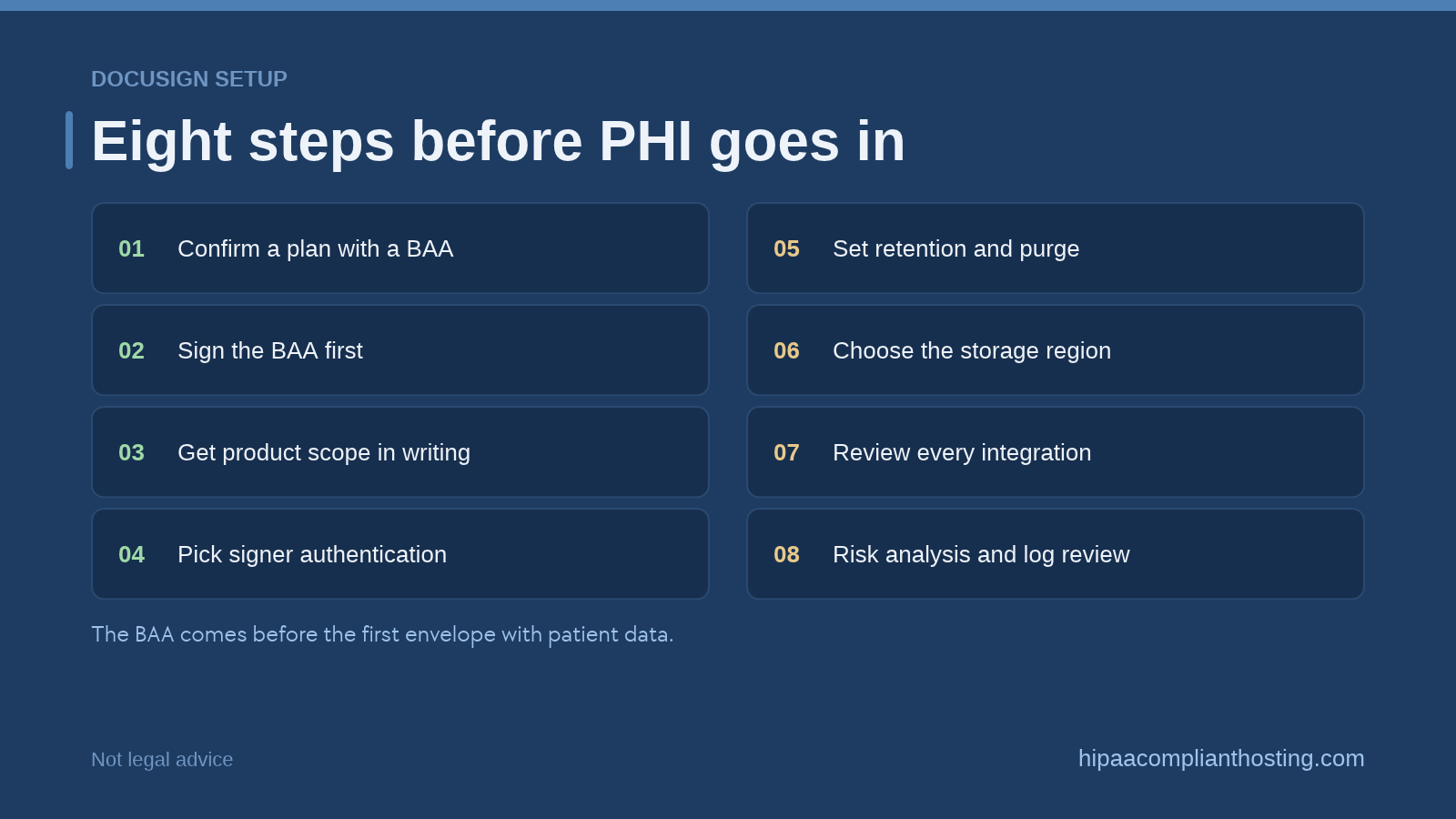
Getting from is DocuSign HIPAA compliant to a real yes takes setup. These steps follow DocuSign's own pages, read November 24, 2026.
- Contact DocuSign sales and confirm your plan includes HIPAA support through a BAA.
- Sign the BAA before any envelope with PHI goes out.
- Get the covered products and add-ons listed in writing, including SMS, ID verification and Notary.
- Pick a signer authentication method, such as an access code, for envelopes with PHI.
- Set envelope retention, and decide when to purge completed documents.
- Choose your storage region with your DocuSign representative at setup.
- Review every integration that copies completed envelopes into another system.
- Add the workflow to your risk analysis, and review audit trails on a schedule.
Under 45 CFR 164.312(d), you must verify that a person seeking access "is the one claimed." That is person or entity authentication. DocuSign offers access codes on every eSignature plan, plus SMS, phone, knowledge based and ID checks. It does not tell you which one to use.
Where does PHI leak in a DocuSign workflow?
Is DocuSign HIPAA compliant once the BAA is signed? Only if the workflow around it is covered too. Most leaks happen at the edges.
The first edge is email. When envelopes go out by email, keep PHI out of subject lines and message fields. Our guide to HIPAA compliant email covers the inbox side. The second edge is integrations. A connector that saves completed PDFs to cloud storage moves PHI to a new vendor.
The third edge is your own server. Many teams fill DocuSign templates from an intake form or a portal, then store the signed copy back in their app. Those servers hold PHI too. Our guide to HIPAA compliant forms covers the form side, and HIPAA compliant patient portal covers the portal.
The fourth edge is retention. DocuSign says customers "determine their accounts' retention policies," and you can purge agreements at any time. HIPAA documentation rules in 45 CFR 164.316(b)(2) use a six-year period. Our log retention entry explains the difference between records and logs.
Is DocuSign HIPAA compliant compared with Dropbox Sign?
Both follow the same pattern: a BAA on specific plans, signed before PHI goes in. Dropbox Sign has its own BAA terms, covered in is Dropbox HIPAA compliant. DocuSign's eSignature table points to Enhanced and a sales contract.
Is DocuSign HIPAA compliant on a cheap plan? Not per its pricing table, so budget for a sales conversation.
What changes for a health system and for a small clinic?
For a health system, is DocuSign HIPAA compliant at scale? It can be, under an Enhanced contract with a BAA. The work is governance: written product scope, a standard authentication rule, retention settings and integration review. Treat DocuSign like any other vendor in a HIPAA vendor risk assessment, and keep its BAA on file.
For a small clinic, is DocuSign HIPAA compliant on a budget? The catch is price. Based on the pricing table, the $11, $30 and $45 plans do not include the BAA. If a sales contract is out of reach, keep PHI out of DocuSign. Use it only for documents with no health details, such as staff or vendor contracts.
Where does our hosting fit, and where does it not?
DocuSign's BAA covers DocuSign. Our role starts when your own app sends envelopes or stores signed copies. A Laravel or WordPress app that sends envelopes or keeps signed PDFs runs on a server. That server needs its own BAA.
Single-tenant AWS. Each plan is one server in one AWS availability zone. We sign the BAA within 24 hours of signup, before patient data moves. Our BAA covers the servers and services we run. Email, SMS, EHR, form and AI model vendors need their own BAA. Every plan includes CloudFront CDN, a web application firewall (WAF), encryption at rest and in transit, six-year audit logging and tested encrypted backups. Monthly plans have no long-term contract. Managed plans from $229 a month.
If your intake runs on WordPress, see our HIPAA compliant WordPress hosting. Our guide to HIPAA audit logs covers proving who touched a signed file.
Where we do not fit: we do not sell DocuSign, sign DocuSign's BAA or manage your DocuSign account. If staff only send forms from the DocuSign web app, you may not need a server at all. Our standard plans run on one server, with a 99.5% instance-level uptime commitment from AWS.
Frequently asked questions
Is DocuSign HIPAA compliant on the Personal or Standard plan?
No. The eSignature pricing page marks the BAA "Does Not Include" for Personal, Standard and Business Pro. Keep PHI out of those plans.
Does DocuSign sign a BAA?
DocuSign says it "may enter into" a BAA with a covered entity. The pricing page routes that through sales on the Enhanced plan.
Is DocuSign HIPAA certified?
No vendor is. HHS does not certify HIPAA compliance. DocuSign itself says no product can be HIPAA compliant on its own.
Is DocuSign HIPAA compliant for SMS or ID verification?
DocuSign's public pages do not say. Ask DocuSign to confirm in writing that each add-on is in scope of your BAA.
Do I need a BAA if DocuSign cannot read my documents?
Yes. HHS says a cloud provider storing encrypted PHI is still a business associate, even without the key.
Can I store signed PDFs in my own app?
Yes, if the server is covered by a BAA and secured. That server is a separate system from DocuSign.
Recap: is DocuSign HIPAA compliant?
So, is DocuSign HIPAA compliant? It can support HIPAA work once DocuSign signs a BAA with you. The eSignature pricing page shows that BAA only on Enhanced, through sales. Product scope for IAM and add-ons is not public, so get it in writing. You still own authentication, retention, integrations and the risk analysis. Any server that sends envelopes or stores signed copies needs a BAA of its own.
Connecting DocuSign to a portal or intake app that handles patient data? Request a quote and tell us how your signed documents flow.
This article is general information, not legal advice. We read DocuSign's healthcare page, eSignature HIPAA blog, eSignature and IAM pricing pages and data management page on November 24, 2026. The HHS guidance and 45 CFR sections were read the same day. Terms change, so confirm current terms with DocuSign and your counsel.
Sources
- DocuSign: eSignature and contract management for healthcare (read November 24, 2026)
- DocuSign blog: Is Docusign eSignature HIPAA compliant? (read November 24, 2026)
- DocuSign: eSignature plans and pricing (read November 24, 2026)
- DocuSign: IAM plans and pricing (read November 24, 2026)
- DocuSign Trust Center: Data management and privacy (updated April 14, 2026; read November 24, 2026)
- HHS: Guidance on HIPAA and cloud computing (read November 24, 2026)
- 45 CFR 164.502 (disclosures to business associates): law.cornell.edu
- 45 CFR 164.504 (business associate contracts): ecfr.gov
- 45 CFR 164.312 (person or entity authentication): ecfr.gov
- 45 CFR 164.316 (documentation retention): ecfr.gov