


Is Dropbox HIPAA compliant? The BAA, the eligible plans and what it leaves out
HIPAA Compliant Hosting · https://hipaacomplianthosting.com/blog/is-dropbox-hipaa-compliant
Last updated: November 23, 2026
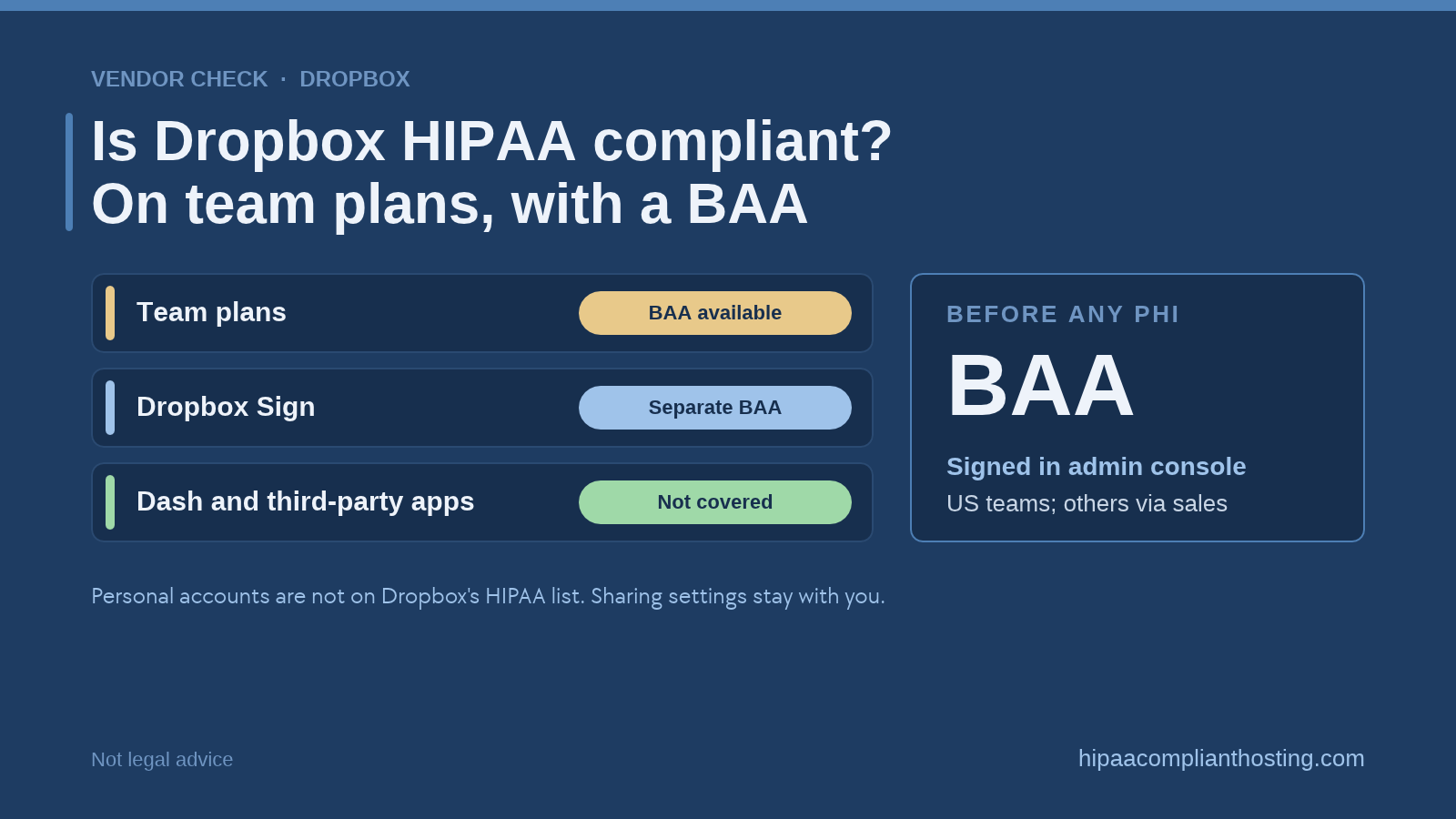
Is Dropbox HIPAA compliant? Dropbox signs a Business Associate Agreement (BAA) for eligible team accounts, and an admin can sign it in the admin console. Personal accounts are not on Dropbox's list. The BAA must be in place before PHI goes in. Dash is excluded, third-party apps are excluded, and Dropbox Sign has its own separate terms. The settings, the sharing rules and the risk analysis stay with you.
A quick disclosure. We are HIPAA Compliant Hosting, and we sell managed hosting. We do not sell or host Dropbox. One section below covers where our hosting fits, so weigh that section as a disclosure.
TL;DR: Quick answer
Is Dropbox HIPAA compliant? It can be, on a team plan with a signed BAA. Dropbox says there is no official HIPAA certification.
Team admins in the US can sign the BAA from the Account page in the admin console. Others go through Dropbox sales.
Dash is not supported for HIPAA, and third-party apps are not covered by the Dropbox BAA.
Dropbox Sign needs its own BAA, an annual Standard or Premium plan, and a minimum contract value.
You still own sharing permissions, deletion settings, activity monitoring and app review.
Is Dropbox HIPAA compliant on every plan?
No. Dropbox's help article "Dropbox and HIPAA/HITECH", updated September 16, 2025, says its guidance applies to "certain teams". It names Dropbox Standard, Advanced, Enterprise, Education, Business, Business Plus and Dropbox Sign. Personal plans are not on that list. So is Dropbox HIPAA compliant on a personal account? Treat the answer as no.
Dropbox's plan comparison page, read November 23, 2026, lists three team plans. Standard is $15 and Advanced is $24 per user per month, and Enterprise is contact sales. The page has a monthly and yearly toggle, and we could not confirm which cycle those prices use. The comparison page has an "Enable HIPAA compliance" row, but we could not read which plans it marks. Confirm your exact plan with Dropbox before you sign.
Dropbox product | HIPAA path | What to know |
|---|---|---|
Team plans (Standard, Advanced, Enterprise and named legacy plans) | Yes, for certain teams | Admin signs the BAA in the admin console, US customers only; others contact sales |
Personal accounts | Not listed | Keep PHI out |
Dropbox Sign | Yes, with conditions | Annual Standard or Premium plan, its own BAA, a minimum contract value |
Dash, including Dash in Dropbox | No | Dropbox says Dash does not support HIPAA compliance |
Third-party apps and integrations | No | Not covered by your Dropbox terms or BAA |
A HIPAA Business Associate Agreement is what makes a storage vendor accountable for PHI. Under 45 CFR 164.308(b), you need satisfactory assurances, in a written contract, before a vendor holds ePHI for you.
How do you sign the Dropbox BAA?
Dropbox says a team admin can sign the BAA electronically from the Account page in the admin console. That self-serve path is only for US-based customers. Everyone else contacts Dropbox sales. Two more conditions apply. The BAA must be in place before you move PHI into Dropbox. And once you sign it, you cannot enable reseller support.
That last point matters for groups that buy Dropbox through an IT partner. Check with your reseller before an admin signs. The answer to is Dropbox HIPAA compliant for your team starts with who holds the contract.
What does the Dropbox BAA leave out?
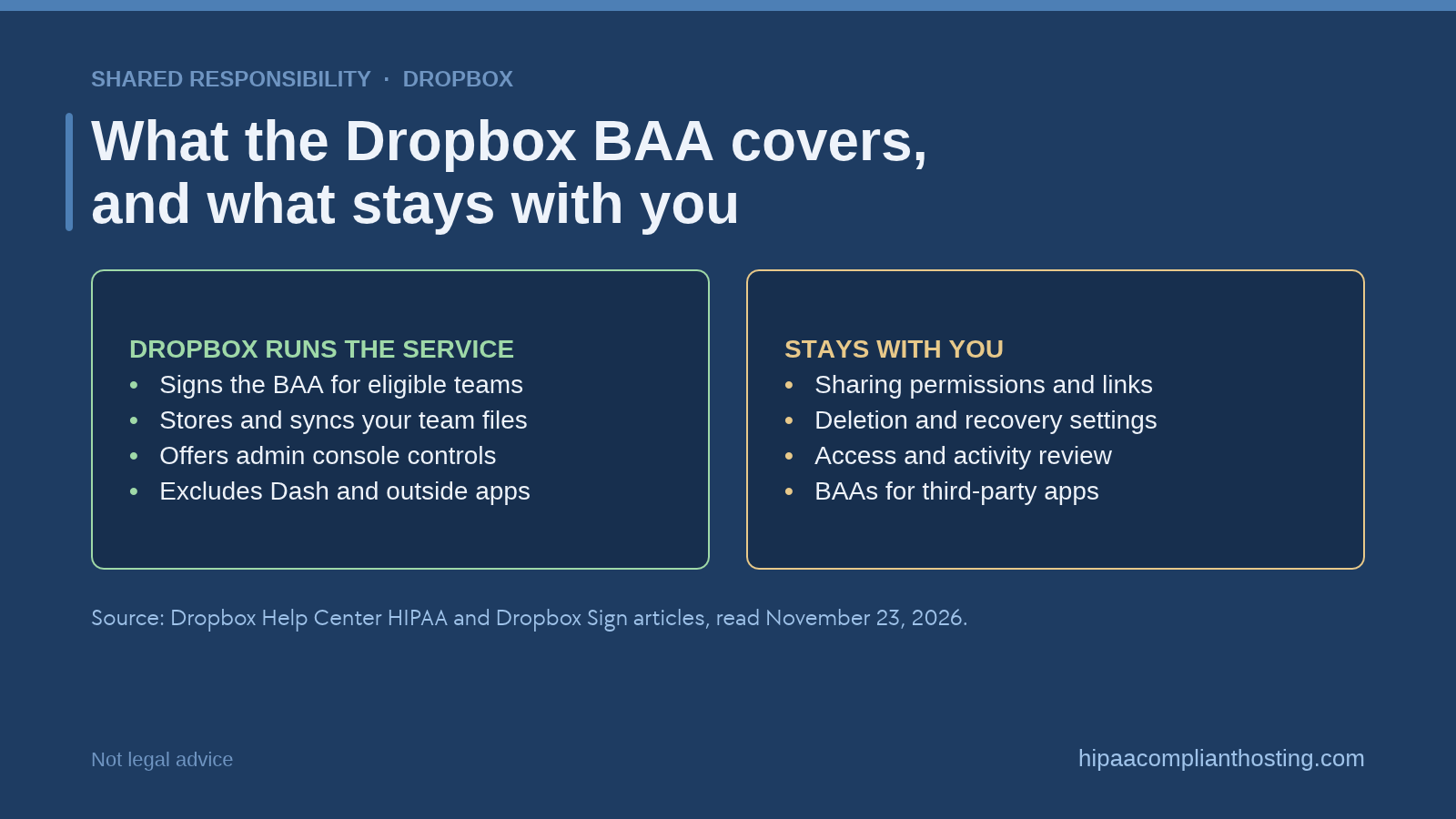
Is Dropbox HIPAA compliant across every product? No. Dropbox names two clear exclusions. First, Dash, including Dash in Dropbox, does not support HIPAA compliance. Second, third-party apps and integrations are not covered by your Dropbox terms or your BAA. You must review each app that can read your files.
Dropbox's HIPAA article does not address DocSend, Replay, Paper, Capture, Passwords or AI features. We could not confirm their status, so keep PHI out of them until Dropbox confirms coverage in writing. This is the same pattern we see with other suites, covered in what the Google Workspace BAA does not cover.
Is Dropbox Sign HIPAA compliant?
It can be, under its own terms. Dropbox's Sign article, updated August 12, 2026, says Sign supports HIPAA compliance for customers on an annual Standard or Premium plan. They also need a signed BAA and must meet a minimum contract value. Dropbox does not publish that minimum. You get the Sign BAA through your account manager or the sales contact form.
Turning on HIPAA mode changes how Sign works. Users can no longer CC people on signature requests. They stop receiving PDF copies of signed documents by email. And they cannot edit a document's title or message unless an admin turns that back on. So is Dropbox HIPAA compliant for e-signatures? Only on those Sign plans, with that separate BAA.
How do you set up Dropbox for HIPAA?
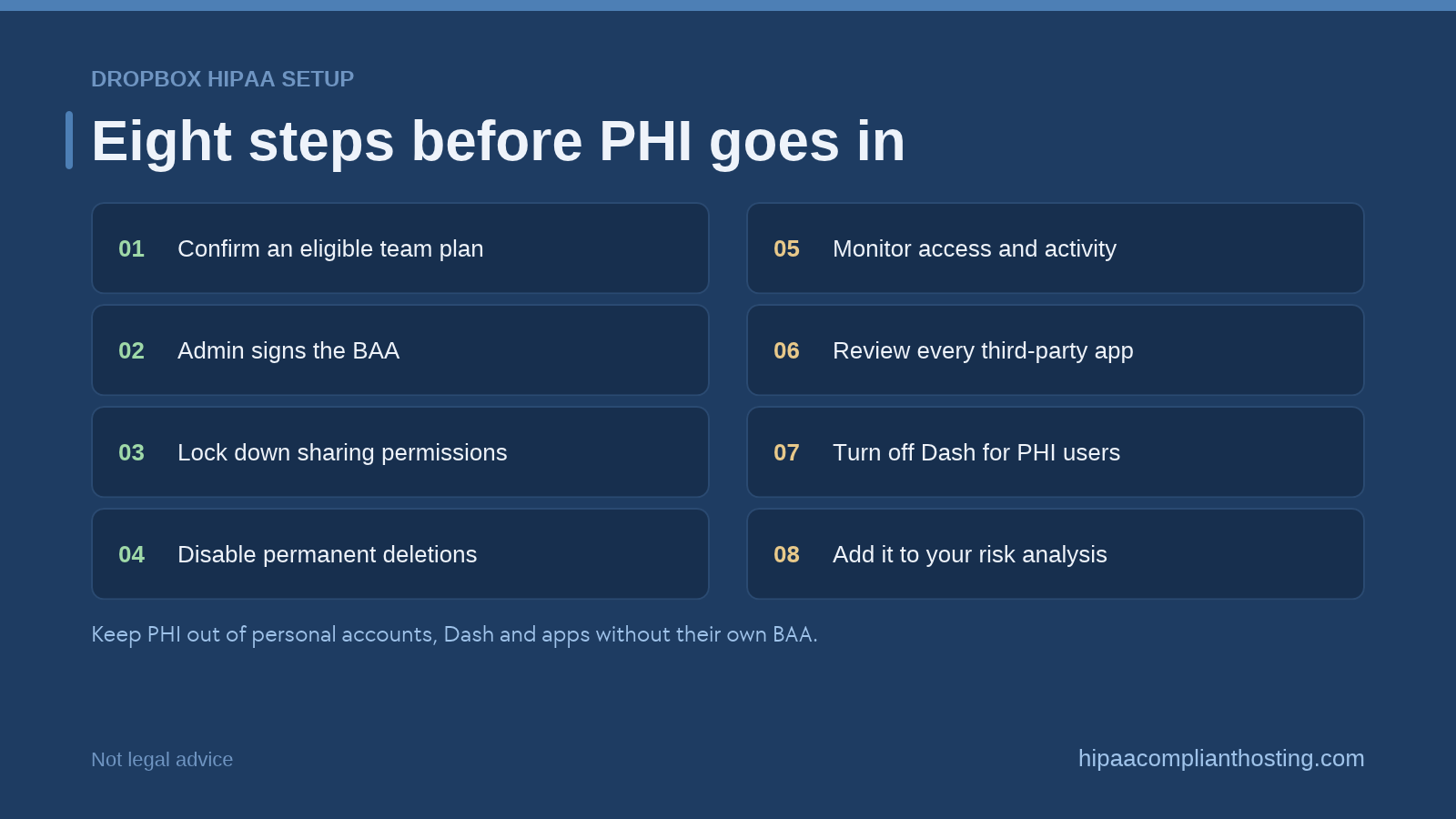
Getting from is Dropbox HIPAA compliant to a real yes takes setup. Dropbox's HIPAA article lists the areas you must handle, and its Trust Center holds the detail. These steps follow that article, read November 23, 2026.
Move to a team plan and confirm with Dropbox that it is eligible.
Have a team admin sign the BAA in the admin console, or through sales.
Set sharing permissions so links and folders stay inside your team by default.
Disable permanent deletions, so files stay recoverable.
Monitor account access and activity, and review it on a schedule.
Review every third-party app, and remove any without its own BAA.
Turn off Dash for users who handle PHI.
Add the whole workflow to your risk analysis, including devices that sync files.
Pair Dropbox with strong sign-in. Unique user IDs are required under 45 CFR 164.312(a)(2)(i), and authentication under 164.312(d). Our guide to HIPAA MFA requirements covers what applies now. Use access control to limit who can open each folder.
Where does PHI leak in Dropbox?
Is Dropbox HIPAA compliant once the BAA is signed? Only if sharing stays tight. Most Dropbox leaks are sharing, not storage. A link set to anyone with the link. A folder shared with a personal email. A file synced to a laptop with no disk encryption. Each one moves PHI outside your control, even with the BAA signed.
Apps are the next leak. A scanner app, an e-signature add-on or an automation tool may read every file it can reach. Dropbox says those apps sit outside its BAA. Review them the way you would any vendor in a HIPAA vendor risk assessment.
Activity logs are your evidence. HIPAA audit controls under 45 CFR 164.312(b) require you to record and examine activity. Our guide to HIPAA audit logs covers what to keep and for how long.
Is Dropbox HIPAA compliant compared with Google Drive and OneDrive?
All three follow the same rule. A business account plus a signed BAA can hold PHI, and a personal account cannot. The difference is how you get the BAA. Dropbox uses a signature in the admin console. Google has an admin accept its BAA, covered in is Google Drive HIPAA compliant. Microsoft builds it into its product terms, covered in Microsoft 365 HIPAA.
If you already pay for Google Workspace or Microsoft 365 under a BAA, a second file platform adds a second set of settings to govern. Pick one storage home for PHI where you can.
What changes for a health system and for a small clinic?
For a health system, is Dropbox HIPAA compliant enough for shared files? It can be, on a team plan with the BAA and tight controls. The work is governance: sharing policy, app review, activity review and Dash turned off. If your system already runs another suite, check whether Dropbox duplicates storage you already govern.
For a small clinic, the answer to is Dropbox HIPAA compliant is yes on a team plan, with less setup than an enterprise rollout. Dropbox lists Standard for one person or more. The risk is drift: a staff member saving PHI to a personal Dropbox at home. Write a short policy that names the one account where PHI may live.
Where does our hosting fit, and where does it not?
Dropbox is a file service, so Dropbox's BAA covers Dropbox. Our role starts when files flow into a web app, a portal or a server. An intake form that saves uploads, a patient portal or a file transfer process all run on a server. That server needs its own BAA.
Single-tenant AWS. Each plan is one server in one AWS availability zone. We sign the BAA within 24 hours of signup, before patient data moves. Our BAA covers the servers and services we run. Email, SMS, EHR, form and AI model vendors need their own BAA. Every plan includes CloudFront CDN, a web application firewall (WAF), encryption at rest and in transit, six-year audit logging and tested encrypted backups. Monthly plans have no long-term contract. Managed plans from $229 a month.
For partners who push files by SFTP, we offer a dedicated SFTP add-on at $479 a month. An isolated backup vault with 500 GB in your own AWS account is $89 a month. Both are listed on our scope of support page.
Where we do not fit: we do not host Dropbox, sign Dropbox's BAA, or manage your Dropbox settings. If all you need is shared folders for staff, a Dropbox team plan with its BAA may be enough. Our standard plans run on one server, with a 99.5% instance-level uptime commitment from AWS.
Frequently asked questions
Is Dropbox HIPAA compliant for free or personal accounts?
No. Dropbox's HIPAA article lists team plans only. Keep PHI out of personal accounts, including staff accounts at home.
Does Dropbox sign a BAA?
Yes, for eligible team accounts. A US team admin signs it in the admin console. Other customers contact Dropbox sales.
Is Dropbox HIPAA certified?
No. Dropbox says there is no official HIPAA/HITECH certification. No vendor can be HIPAA certified, because HHS does not certify anyone.
Is Dropbox HIPAA compliant with Dash or third-party apps?
No. Dropbox says Dash does not support HIPAA compliance. Third-party apps are not covered by the Dropbox BAA.
Is Dropbox HIPAA compliant for Transfer or Paper?
Dropbox's HIPAA article does not say. Ask Dropbox in writing before PHI goes into any product the article does not name.
Do I need a BAA before I upload PHI?
Yes. Dropbox says the BAA must be in place before you transfer PHI into your account. HIPAA requires it under 45 CFR 164.308(b).
Recap: is Dropbox HIPAA compliant?
So, is Dropbox HIPAA compliant? Yes, on an eligible team plan with a signed BAA, set up before PHI goes in. Personal accounts, Dash and third-party apps sit outside it. Dropbox Sign needs its own BAA on specific plans. You run the sharing rules, deletion settings, activity review and risk analysis. Any server that receives those files needs a BAA of its own.
Moving patient files between Dropbox and a web app or portal? Request a quote and tell us how the files flow.
This article is general information, not legal advice. Dropbox's HIPAA/HITECH article was updated September 16, 2025, and its Dropbox Sign HIPAA article August 12, 2026. We read both, and the plan comparison page, on November 23, 2026. The 45 CFR sections were read the same day. Terms change, so confirm current terms with Dropbox and your counsel.
Sources
Dropbox Help Center: Dropbox and HIPAA/HITECH (updated September 16, 2025; read November 23, 2026)
Dropbox Help Center: Is Dropbox Sign HIPAA compliant? (updated August 12, 2026; read November 23, 2026)
Dropbox: Compare team plans (read November 23, 2026)
45 CFR 164.308 (business associate contracts): law.cornell.edu
45 CFR 164.312 (access control, audit controls, authentication): law.cornell.edu