


Is Jotform HIPAA compliant? The plans, the BAA and what stays with you
HIPAA Compliant Hosting · https://hipaacomplianthosting.com/blog/is-jotform-hipaa-compliant
Last updated: November 26, 2026
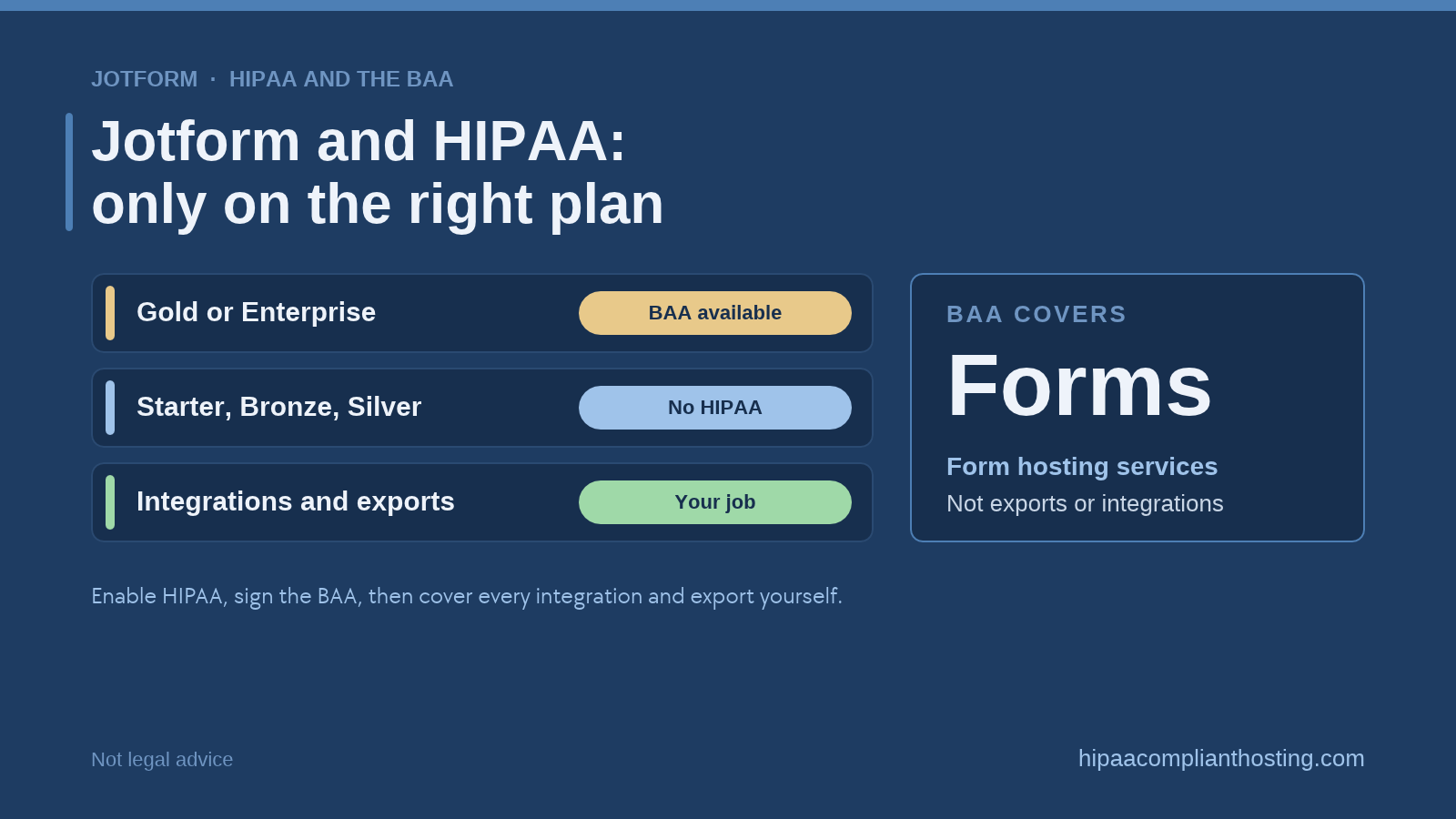
Is Jotform HIPAA compliant? Yes, on a Gold or Enterprise plan, once you switch on its HIPAA environment and sign its BAA. On Starter, Bronze and Silver, Jotform says HIPAA features are unavailable, so those accounts should never collect patient data. Even on the right plan, the BAA covers Jotform's form hosting. It does not cover the integrations, exports and website around your forms.
A quick disclosure: we are HIPAA Compliant Hosting, and we sell managed hosting for healthcare websites and apps. One section below describes where our hosting fits. Weigh that section as a disclosure, not a neutral verdict.
TL;DR: Quick answer
- Jotform signs a BAA only for accounts with HIPAA compliance features enabled, and its pricing page limits those features to the Gold and Enterprise plans.
- Enabling HIPAA moves your existing forms and data into a dedicated environment, and only certain widgets and integrations are allowed.
- The BAA covers "Form Hosting Services." Jotform says it is not responsible for data after you export it.
- Integrations such as Google Drive, Google Sheets and Dropbox need their own BAA with that vendor.
- The page that embeds your form, and the server that runs it, sit outside Jotform's BAA.
Does Jotform sign a BAA, and on which plans?
Yes. Jotform's help center says a covered entity customer that has enabled HIPAA compliance features can request a business associate agreement signed by Jotform. You start it from the Data page in your account, and the signed copy arrives by email. After that, the button changes to View BAA so you can download it later.
The plan matters. Jotform's HIPAA pricing page says "HIPAA compliance features are only available with our Gold and Enterprise plans." Its setup guide, updated October 22, 2026, says the same. Jotform's FAQ adds that HIPAA is included in the Gold price with no extra fee.
| Jotform plan | HIPAA features | BAA available |
|---|---|---|
| Starter (free) | Unavailable | No |
| Bronze | Unavailable | No |
| Silver | Unavailable | No |
| Gold | Available as an upgrade | Yes, after HIPAA is enabled |
| Enterprise | Available | Yes, after HIPAA is enabled |
One caution: one answer in Jotform's FAQ says HIPAA is "available only with Gold plan," while others name Gold or Enterprise. If you plan to use Enterprise, confirm the terms in writing during the sales process.
What does the Jotform BAA cover, and what does it leave out?
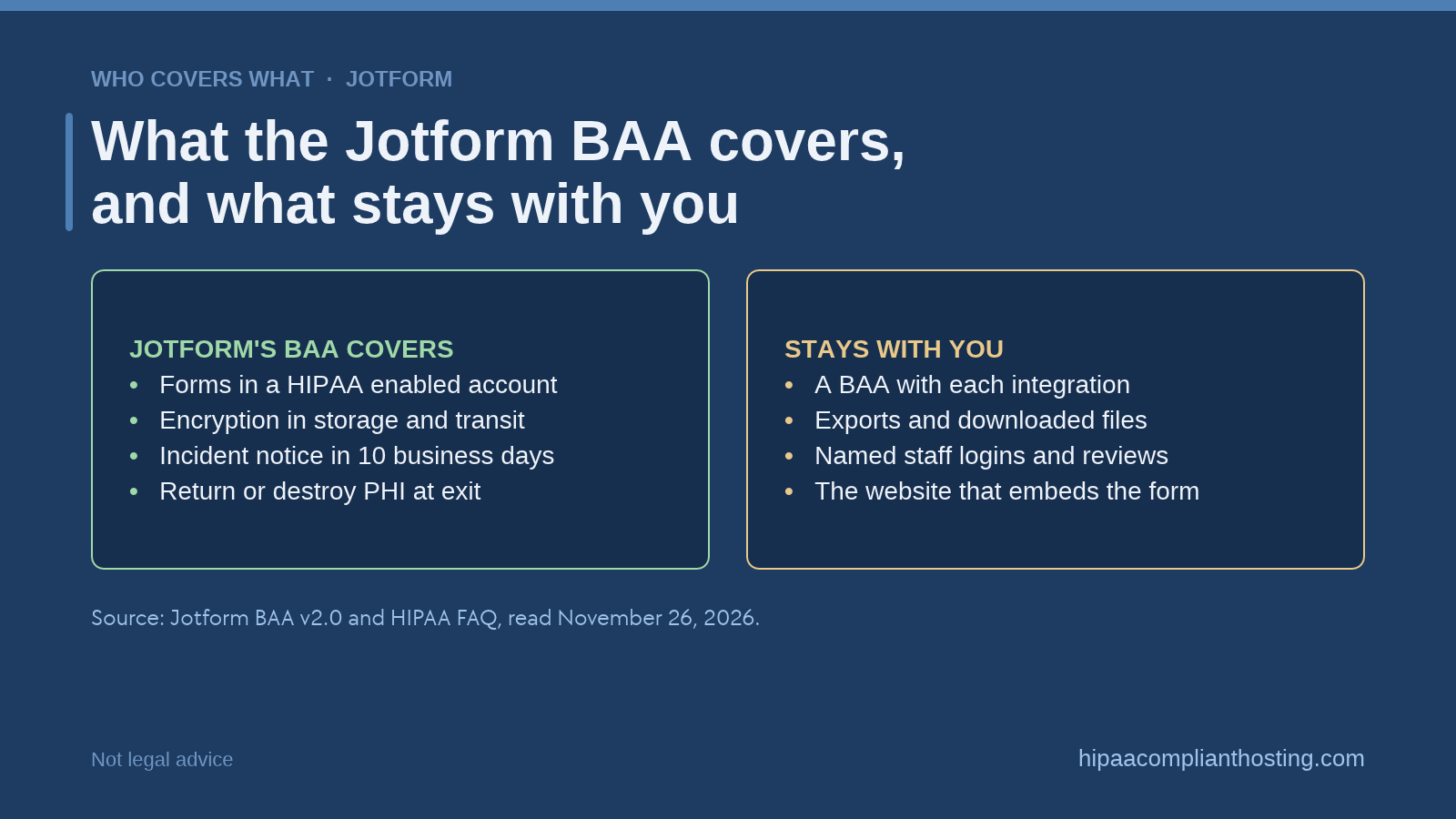
We read version 2.0 of the Jotform BAA. It defines the covered work as "Form Hosting Services," meaning forms that collect user data, including protected health information (PHI), stored by Jotform. It says PHI may only be managed or transferred through a HIPAA enabled account.
Several terms are worth flagging for your compliance file:
- Exports. Jotform "shall not be responsible for PHI after It is exported." A CSV on a laptop is your problem.
- Not a record system. The BAA says Jotform is not an electronic health record or other medical record system.
- Incident reports. Jotform will report security incidents affecting electronic PHI in writing within ten business days. Breach notice follows 45 CFR 164.410.
- Subcontractors. Jotform says it uses a small list of subprocessors for storage, bound by written contracts on similar terms.
- Termination. Jotform will return or destroy PHI and document the destruction.
The BAA does not name Jotform's other products, such as Tables, Sign, Apps or AI Agents. We could not confirm from Jotform's pages whether those are covered. Treat them as outside the BAA until Jotform tells you otherwise in writing.
Is Jotform HIPAA compliant for every feature and integration?
No. During setup, the wizard reviews your forms and flags unsuitable elements, because Jotform "will only allow certain widgets and integrations." Plan for a few forms to change.
Integrations are the bigger gap. Jotform's FAQ names Google Sheets, Google Drive, Dropbox and Infusionsoft as products that can support HIPAA. It also says you must sign a BAA with each of those companies yourself. Our guides to Google Drive and Dropbox cover those BAAs. The same rule applies to a CRM, and our HubSpot guide shows how narrow that coverage can be.
Payments need care too. The FAQ lists payment processors such as Stripe, Square and PayPal, but does not say they fall under the BAA. Keep health details out of payment fields.
How do you set up Jotform for patient data?
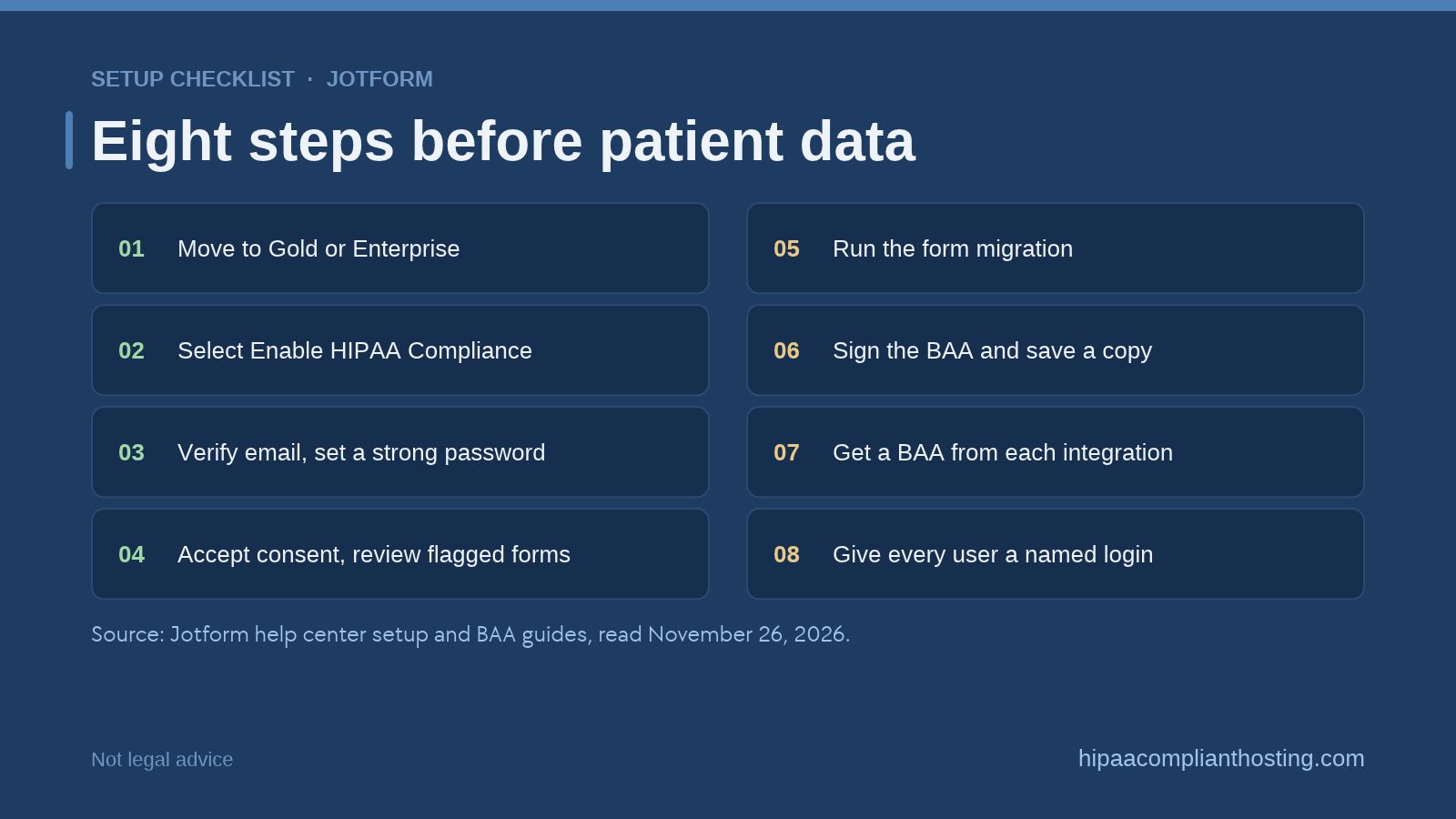
- Move to a Gold or Enterprise plan. Lower plans cannot enable HIPAA.
- Open the Data page in your account and select Enable HIPAA Compliance.
- Verify your email address and set a strong password that meets Jotform's rules.
- Accept the data transfer consent, then review the forms the wizard flags.
- Start the migration. Your forms and data move into the dedicated environment.
- Select Sign BAA, submit your details and save the signed copy from your inbox.
- Sign a separate BAA with every integration that will receive submissions, or turn that integration off.
- Give each staff member a named login, and remove access the day someone leaves.
Those last two steps map to the HIPAA Security Rule's technical safeguards in 45 CFR 164.312, including access control and audit controls. Jotform's setup does not do them for you.
Where do Jotform setups usually leak?
Most problems sit next to the form, not inside it. These are the common ones:
- Old accounts. A second Jotform account on a lower plan keeps collecting intake data after the main one is upgraded.
- Exports. Staff download submissions to spreadsheets and email them around.
- Integrations without a BAA. A Zapier step, a mailing list or a CRM receives the full submission.
- The host page. The form is embedded on a site that runs ad pixels or analytics scripts.
- Shared logins. One password for the whole front desk means no useful audit trail.
Email is less of a risk than many teams expect. Jotform's FAQ says notification emails in a HIPAA account carry no submission data, only an alert. Staff log in to read the entry. If other systems still email PHI, our guide to HIPAA compliant email covers the fixes.
What changes for a health system and for a small clinic?
A health system will likely buy Enterprise and route the BAA through legal and vendor risk review. The questions are about scale. Who owns form approval? Which integrations are allowed? How are exports controlled across many departments and sites?
A small clinic can often run on Gold, which lists one user, 100 forms and 10,000 monthly submissions. That single user limit matters. Staff who share one login lose the named access that a clean audit trail needs. Check the user count before you commit.
Both should keep a simple data map: each form, where its submissions go, and which BAA covers each stop. Our broader guide to HIPAA compliant forms walks through that chain.
Where does our hosting fit, and where does it not?
Jotform stores the submissions. Your website still needs a home, and that page is where tracking scripts and plugins can leak what a patient types. That is the layer we run.
Single-tenant AWS. Each plan is one server in one AWS availability zone.
We sign the BAA within 24 hours of signup, before patient data moves. Our BAA covers the servers and services we run. Email, SMS, EHR, form and AI model vendors need their own BAA.
Every plan includes CloudFront CDN, a web application firewall (WAF), encryption at rest and in transit, six-year audit logging and tested encrypted backups.
Monthly plans have no long-term contract. Managed plans from $229 a month.
Some teams prefer to keep form data on their own server instead. For a WordPress site on our HIPAA compliant WordPress hosting, our WordPress forms guide covers that option.
Where we do not fit: we do not host Jotform, and our BAA does not cover your Jotform account. We do not build or review your forms. If all you need is a few intake forms and no website, Jotform's own BAA may be all you need.
Frequently asked questions
Is Jotform HIPAA compliant on the free plan?
No. Jotform's pricing page lists HIPAA features as unavailable on Starter, Bronze and Silver. Only Gold and Enterprise accounts can enable HIPAA and request a BAA.
Does Jotform charge extra for HIPAA?
Jotform's FAQ says HIPAA is included in the Gold plan price, with no additional fee. Enterprise pricing is quoted, so confirm terms with Jotform sales.
Does Jotform send submission data by email in a HIPAA account?
No, according to Jotform's FAQ. Notification emails carry an alert that a new submission arrived, not the submission itself. Staff log in to view it.
Do Jotform integrations fall under its BAA?
No. Jotform says you must sign a BAA with each third party, such as Google or Dropbox, before submissions flow there.
What happens to my existing forms when I enable HIPAA?
Jotform migrates your forms and data into its dedicated HIPAA environment. Its FAQ says you will not need to change existing forms, though the setup wizard may flag unsuitable widgets.
Recap: is Jotform HIPAA compliant?
Jotform works for patient data when four things are true. You are on Gold or Enterprise, you have enabled the HIPAA environment, you have signed its BAA, and every integration has its own BAA. Exports, payment fields and the website around the form remain your responsibility. Map each stop, then close the gaps before the first patient fills in a form.
If you want the website side covered by a host that signs a BAA, Request a quote and tell us how your forms are set up.
This article is general information, not legal advice. We read Jotform's pricing page, HIPAA FAQ, setup guides, checker page and BAA v2.0 on November 26, 2026. The HHS and eCFR pages were read the same day. Vendor terms change, so confirm current terms with Jotform before you rely on them.
Sources
- Jotform: HIPAA features and pricing
- Jotform: HIPAA FAQ
- Jotform: How to enable the HIPAA environment
- Jotform: How to receive a BAA for your HIPAA account
- Jotform: HIPAA Business Associate Agreement, v2.0 (PDF)
- Jotform: Does Jotform enable HIPAA compliance?
- HHS: Business associates guidance
- eCFR: 45 CFR 164.312, technical safeguards