


HIPAA Compliance Checklist for Websites: The 12 Items That Matter in 2026
HIPAA Compliant Hosting · https://hipaacomplianthosting.com/blog/hipaa-compliance-checklist
Last updated: October 20, 2026
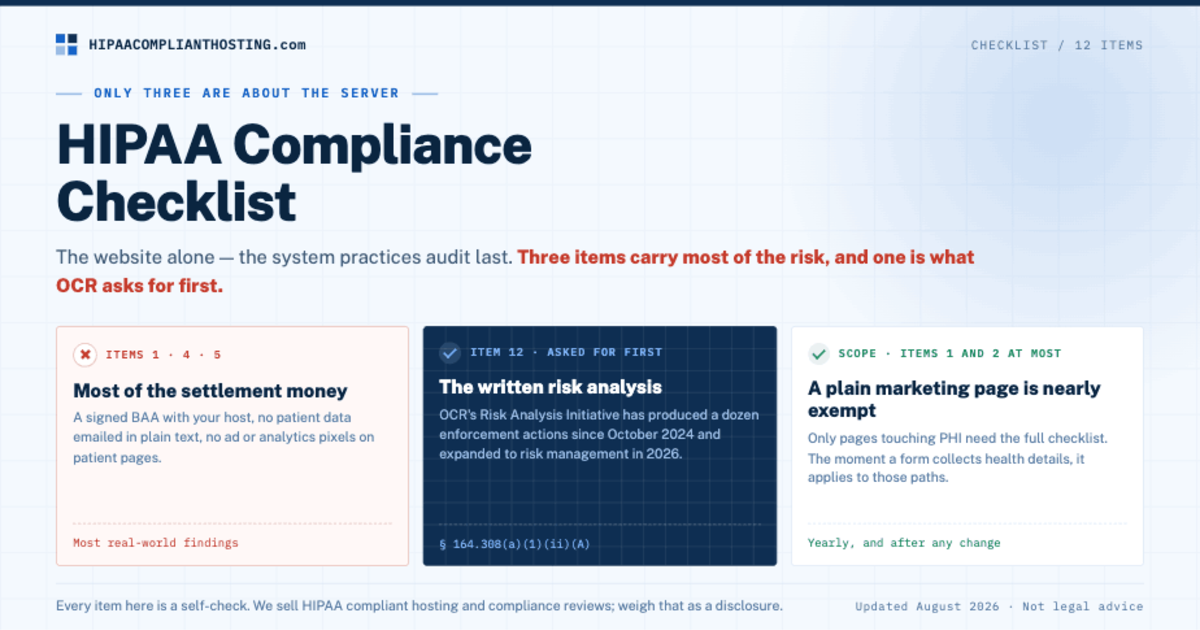
A HIPAA compliance checklist for a healthcare website has 12 items, and only three of them are about the server. The rest are the forms, trackers, logins, vendors, and documents that turn a normal website into a system that handles patient data safely. Most checklists cover the whole practice: officers, training, notice of privacy practices. This HIPAA compliance checklist covers the website alone. Unlike most practice systems, it faces the public, so anyone with a browser can inspect it. Work down the list. Each item on the HIPAA compliance checklist names the rule behind it, the two-minute check, and the fix. If you reach the bottom with every box ticked, write down what you checked and when. That record can support your risk analysis.
TL;DR: Quick answer
The 12-item HIPAA compliance checklist below covers hosting, forms, trackers, access, vendors, and documentation, with the rule and the fix for each.
Three items carry most of the risk. They are a signed BAA with your host, no ad or analytics pixels on patient pages, and no patient data emailed in plain text.
Item 12, the written risk analysis, has its own OCR enforcement program: the Risk Analysis Initiative. OCR announced the initiative's 14th enforcement action in June 2026.
Only the pages that touch protected health information (PHI) need the full checklist. A plain marketing page needs items 1 and 2 at most.
Every item here is a self-check. For the hosting items, our managed plans start at $229 a month, with a BAA signed within 24 hours of signup.
Who this checklist is for
Any covered entity or business associate that runs a website touching PHI: practices, clinics, therapists, billing companies, health SaaS. If your site only lists services and a phone number, you may need almost none of this, and who needs HIPAA-compliant hosting settles that question first. If your site has an intake form, a booking flow, a portal, or a contact form that invites health details, this HIPAA compliance checklist is yours. If you are starting from zero rather than auditing, work the build order in make your website HIPAA compliant first.
The 12-item HIPAA compliance checklist for websites
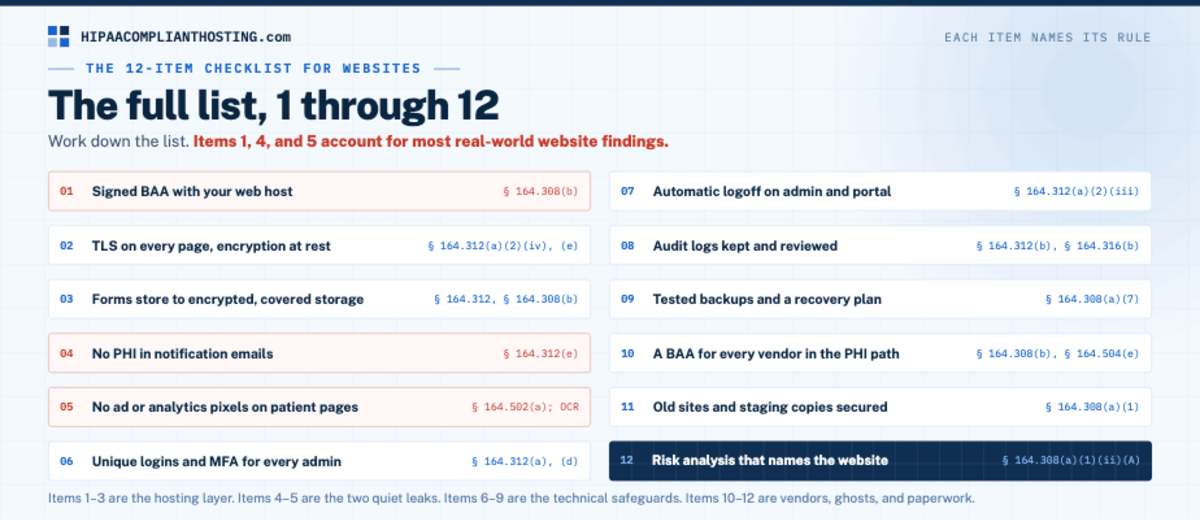
# | Item | The rule behind it |
|---|---|---|
1 | Signed BAA with your web host | 45 CFR § 164.308(b) |
2 | TLS on every page, encryption at rest | § 164.312(a)(2)(iv), (e) |
3 | Forms store to encrypted, covered storage | § 164.312, § 164.308(b) |
4 | No PHI in notification emails | § 164.312(e) |
5 | No ad or analytics pixels on patient pages | § 164.502(a); OCR guidance |
6 | Unique logins and MFA for every admin | § 164.312(a), (d) |
7 | Automatic logoff on admin and portal sessions | § 164.312(a)(2)(iii) |
8 | Audit logs kept and reviewed | § 164.312(b), § 164.316(b) |
9 | Tested backups and a recovery plan | § 164.308(a)(7) |
10 | A BAA for every vendor in the PHI path | § 164.308(b), § 164.504(e) |
11 | Old sites and staging copies found and secured | § 164.308(a)(1) |
12 | Written risk analysis that names the website | § 164.308(a)(1)(ii)(A) |
Items 1 to 3: the hosting layer
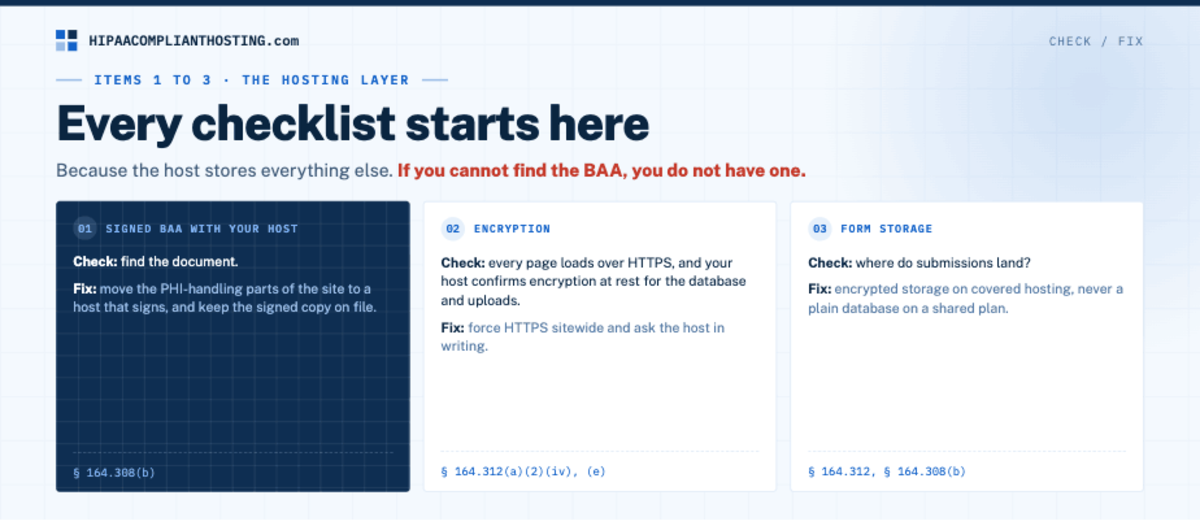
Every HIPAA compliance checklist starts here, because the host stores everything else. 1. Signed BAA with your host. Check: find the document. If you cannot, you do not have one. Fix: move the PHI-handling parts of the site to a host that signs, and keep the signed copy on file. What the contract must contain is in our HIPAA business associate agreement guide. 2. Encryption. Check: every page loads over HTTPS, and your host confirms encryption at rest for the database and uploads. Fix: force HTTPS sitewide and ask the host in writing. 3. Form storage. Check: where do submissions land? Fix: encrypted storage on covered hosting, never a plain database on a shared plan. The architecture is in HIPAA compliant WordPress forms.
Items 4 and 5: the two quiet leaks
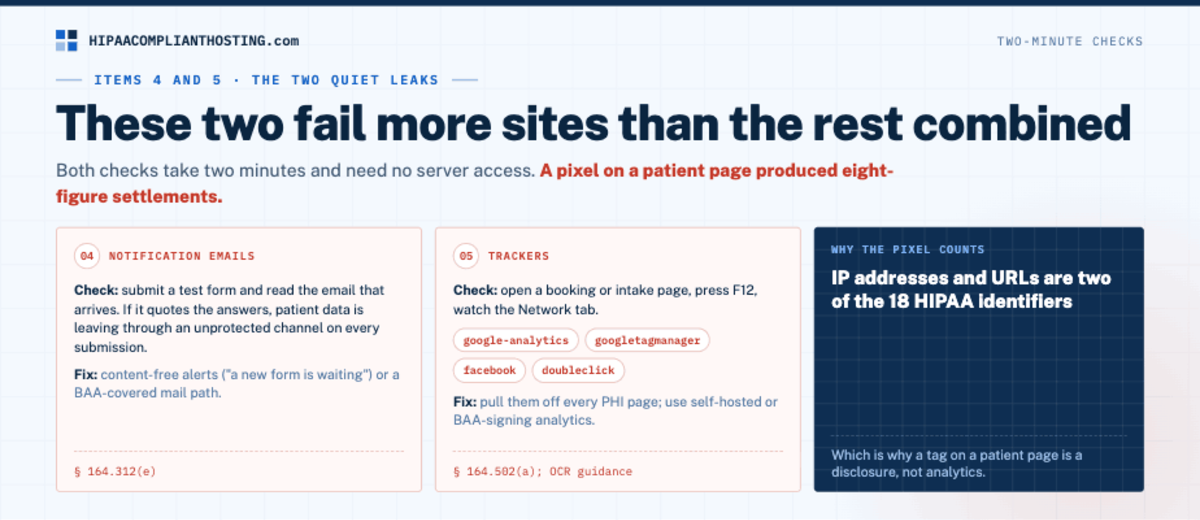
These two are the quiet leaks on the HIPAA compliance checklist: they repeat on every submission or page view, and they are easy to miss. 4. Notification emails. Check: submit a test form and read the email that arrives. If it quotes the answers, patient data is leaving through an unprotected channel on every submission. Fix: content-free alerts ("a new form is waiting") or a BAA-covered mail path, covered in HIPAA compliant email. 5. Trackers. Check: open a booking or intake page, press F12, watch the Network tab for google-analytics, googletagmanager, facebook, or doubleclick. Fix: pull them off every PHI page and use self-hosted or BAA-signing analytics instead. IP addresses and URLs are two of the 18 HIPAA identifiers. Tracking code on patient pages can pass them to ad platforms, and that has drawn class actions. Allina Health System's class settlement over tracking technologies on its web properties won final approval on September 24, 2026. The full picture is in HIPAA tracking technologies.
Items 6 to 9: access, logs, and recovery
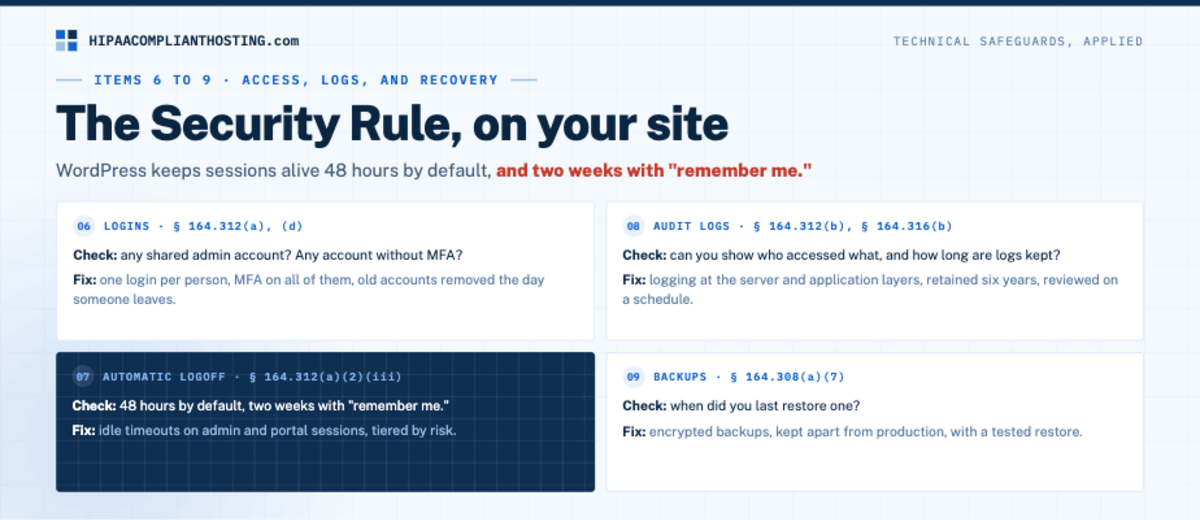
The middle of the HIPAA compliance checklist applies the Security Rule's technical safeguards, plus its contingency plan, to your site. 6. Logins. Check: any shared admin account? Any account without MFA? Fix: one login per person, MFA on all of them, old accounts removed the day someone leaves. HIPAA requires a unique name or number for each user, for identifying and tracking user identity (45 CFR 164.312(a)(2)(i)). That trail matters when staff misuse records, as the cases in HIPAA violation consequences for employees show. How MFA fits today's rule, and what the January 2025 proposal (not law yet) would change, is in HIPAA MFA requirements. 7. Automatic logoff. Check: a WordPress login lasts up to 48 hours by default, and two weeks with "remember me." Fix: idle timeouts on admin and portal sessions, tiered by risk, per HIPAA automatic logoff requirements.
8. Audit logs. Check: can you show who accessed what, and how long are logs kept? Fix: logging at the server and application layers, reviewed on a schedule. HIPAA's audit controls standard (45 CFR 164.312(b)) requires systems that record and examine activity, but it sets no retention period for the logs themselves. Many organizations keep logs for six years to line up with the documentation rule (45 CFR 164.316(b)(2)(i)). What to record, and who holds the logs, is in our guide to HIPAA audit logs. 9. Backups. Check: when did you last restore one? Fix: encrypted backups, kept apart from production, with a tested restore, per HIPAA backup and disaster recovery.
Items 10 to 12: vendors, ghosts, and paperwork
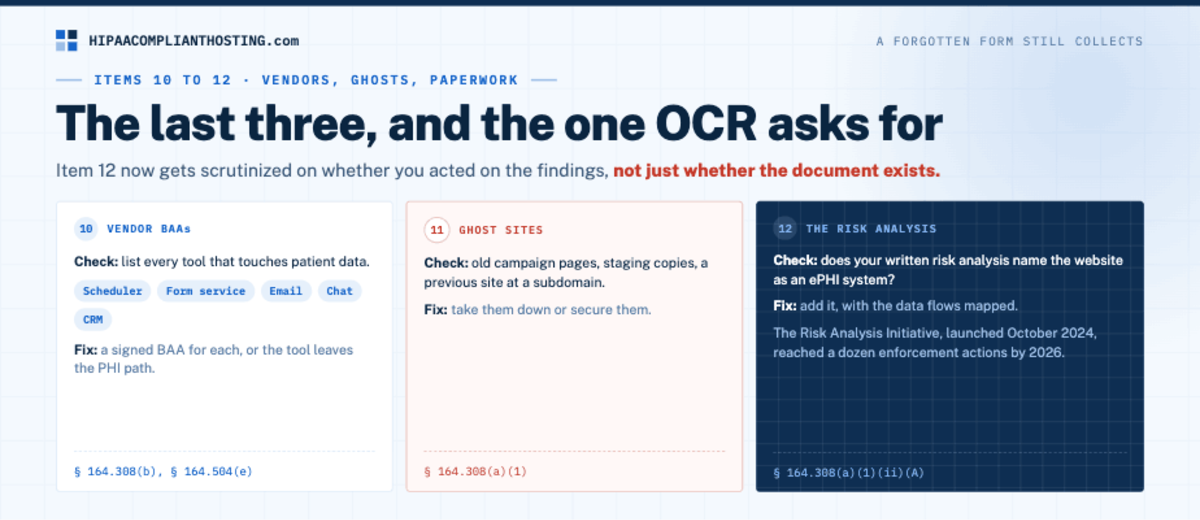
10. Vendor BAAs. Check: list every tool that touches patient data: scheduler, form service, email, chat, CRM. Fix: a signed BAA for each, or the tool leaves the PHI path. Our vendor verdicts, from Calendly to WordPress, answer the common ones. 11. Ghost sites. Check: old campaign pages, staging copies, a previous site at a subdomain. Fix: take them down or secure them; a forgotten form still collects. 12. The risk analysis. Check: does your written risk analysis name the website as an ePHI system? Fix: add it, with the data flows mapped. OCR targets this item with its own Risk Analysis Initiative. The 14th action under it, announced June 18, 2026, was a $450,000 settlement with a group health plan. The Security Rule also requires risk management, which means putting security measures in place to reduce the risks the analysis finds (45 CFR 164.308(a)(1)(ii)(B)). What the document must contain, element by element, is in our HIPAA risk analysis guide.
How to actually get through the list
Here is the honest pain point. A HIPAA compliance checklist is simple to read and slow to finish. Many items need server access, vendor answers, or a developer. The office manager holding the list often has none of those. Two paths can help with most of it, and three items stay with you either way.
If you want the hosting items handled as a unit, look at our healthcare hosting. It covers the hosting side of items 1, 2, 8, and 9 on this HIPAA compliance checklist. We sign a BAA within 24 hours of signup, before patient data moves. Every plan runs on single-tenant AWS and includes encryption at rest and in transit, six-year audit logging, and tested encrypted backups. Managed plans start at $229 a month, with 4 hours of migration and configuration included, used in the first month. Plans are monthly, with no long-term contract. Our BAA covers the servers and services we run, so your form, email, and scheduling vendors still need their own (item 10).
For items 3 to 5, 10, and 11, you can ask about our client-side compliance review. Items 6, 7, and 12 are yours to own either way: who logs in, how sessions time out, and the written risk analysis. We sell hosting and reviews, so weigh this section as a disclosure. The manual checks above work without us.
Send us your ticked and unticked boxes if you want to talk through the hosting side. If a leak already happened while you read this, start with accidental HIPAA violation, then come back to the list.
Frequently asked questions
What should a HIPAA compliance checklist for a website include?
Twelve items. Start with a signed BAA with the host, encryption, and covered form storage. Then clean notification emails and no pixels on patient pages. Then unique logins with MFA, automatic logoff, audit logs, and tested backups. Finish with vendor BAAs, secured old sites, and a risk analysis that names the website.
Does a small practice need all 12 items?
Only for the pages that touch PHI. A marketing-only site needs items 1 and 2 at most. The moment a form or booking flow collects health details, the full HIPAA compliance checklist applies to those paths.
Which items matter most?
Items 1, 4, and 5: the host BAA, plain-text notification emails, and pixels on patient pages. A failure in any of them repeats on every form submission or page view, so the exposure keeps growing until someone fixes it.
Is a HIPAA compliance checklist enough for an audit?
It is the working tool, not the proof. The proof is item 12: a written risk analysis that covers the website and shows you acted on what you found. It is also the item OCR targets with its Risk Analysis Initiative.
How often should I run through it?
HIPAA sets no fixed schedule. OCR recommends conducting and updating the risk analysis periodically. The Security Rule also requires reviewing documentation periodically and updating it as needed after changes that affect ePHI security (45 CFR 164.316(b)(2)(iii)). A yearly pass through the HIPAA compliance checklist is a sensible floor, plus a re-check after any change: a new form, plugin, tag, or redesign. One new tag can add a leak the last check never saw.
Recap: HIPAA compliance checklist
To recap, this HIPAA compliance checklist covers the website only. Its 12 items: BAA hosting, encryption, form storage, clean emails, no pixels, MFA, logoff, logs, backups, vendor BAAs, ghost sites, and the risk analysis. Three items carry most of the risk, one has its own OCR enforcement initiative, and only the PHI-touching pages need the full list. Tick what you can today, get help for the parts that need server access, and write it all down.
This article is general information, not legal advice. Regulatory citations reflect 45 CFR Parts 160 and 164 and OCR guidance as of October 2026. Enforcement details reflect public OCR announcements through October 20, 2026. Confirm your obligations with qualified counsel and base your safeguards on a written risk analysis. We sell HIPAA compliant hosting and compliance reviews. Reviewed October 2026.
Sources
45 CFR § 164.308 (administrative safeguards, risk analysis, contingency plan, BAA requirement): ecfr.gov
45 CFR § 164.312 (technical safeguards): ecfr.gov
HHS OCR: Use of online tracking technologies
45 CFR § 164.316 (documentation, six-year retention) and § 164.514 (the 18 identifiers): 164.316 and 164.514 on law.cornell.edu
HHS OCR: Spencer Gifts health plans settlement, 14th Risk Analysis Initiative action (June 18, 2026)
Ahlers v. Allina Health System, No. 0:24-cv-03674 (D. Minn.): final approval order, September 24, 2026
WordPress developer reference: wp_set_auth_cookie() login cookie lengths