


How to Make Your Website HIPAA Compliant: 7 Steps in the Right Order (2026)
HIPAA Compliant Hosting · https://hipaacomplianthosting.com/blog/how-to-make-your-website-hipaa-compliant
Last updated: October 20, 2026
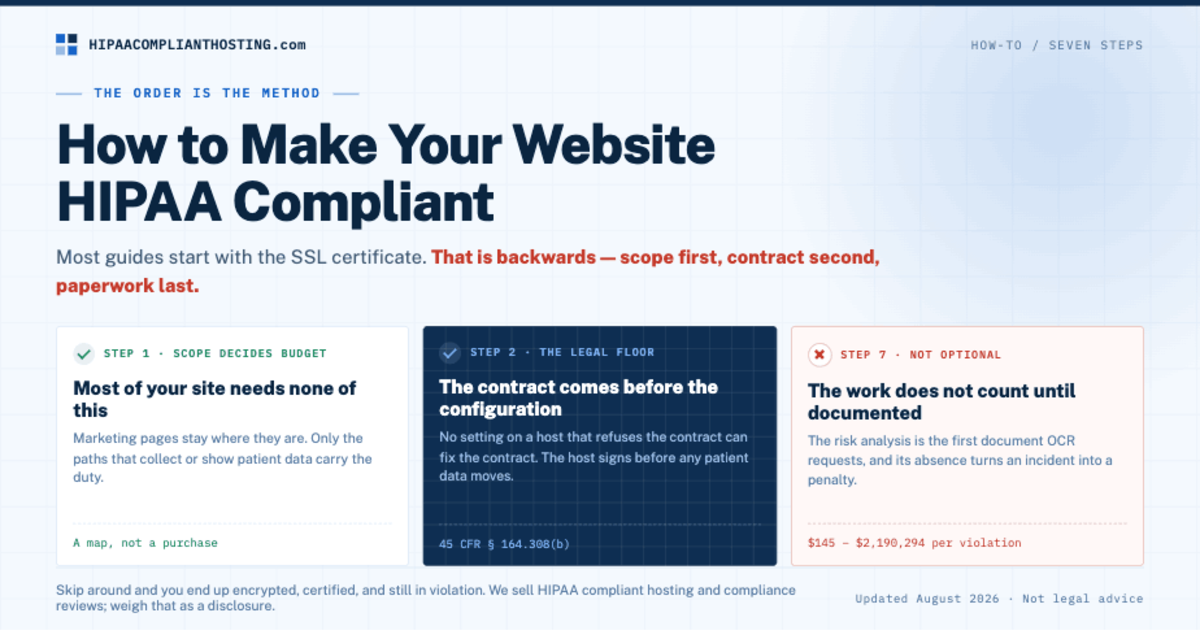
To make a website HIPAA compliant, first map which pages touch patient data and move those paths to hosting with a signed Business Associate Agreement (BAA). Then rebuild the forms, strip the trackers, lock down access, turn on logging and backups, and write the risk analysis. Most guides tell you to start with an SSL certificate. That is backwards, and this guide explains why the order matters when you make your website HIPAA compliant. It walks the seven steps with the rule behind each one, what done looks like, and what it costs. It also starts with the best news in the whole topic: most of your website does not need any of this.
TL;DR: Quick answer
Seven steps, in order: map the PHI paths, get BAA-covered hosting, fix the forms, and strip the trackers. Then lock down access, turn on logs and backups, and write the risk analysis.
The contract comes before the configuration. A perfect site on a host with no BAA still fails on legal grounds (45 CFR § 164.308(b)).
Only the pages that collect or show patient data need the work. Marketing pages can stay where they are, which keeps the cost down.
Typical budget: our managed plans start at $229 a month, and the first month includes 4 hours of migration and configuration. Add one-time work on forms and trackers.
The paperwork step is not optional. HHS calls the risk analysis the first step in Security Rule compliance, and OCR enforces it.
Step 1: map which pages actually touch patient data
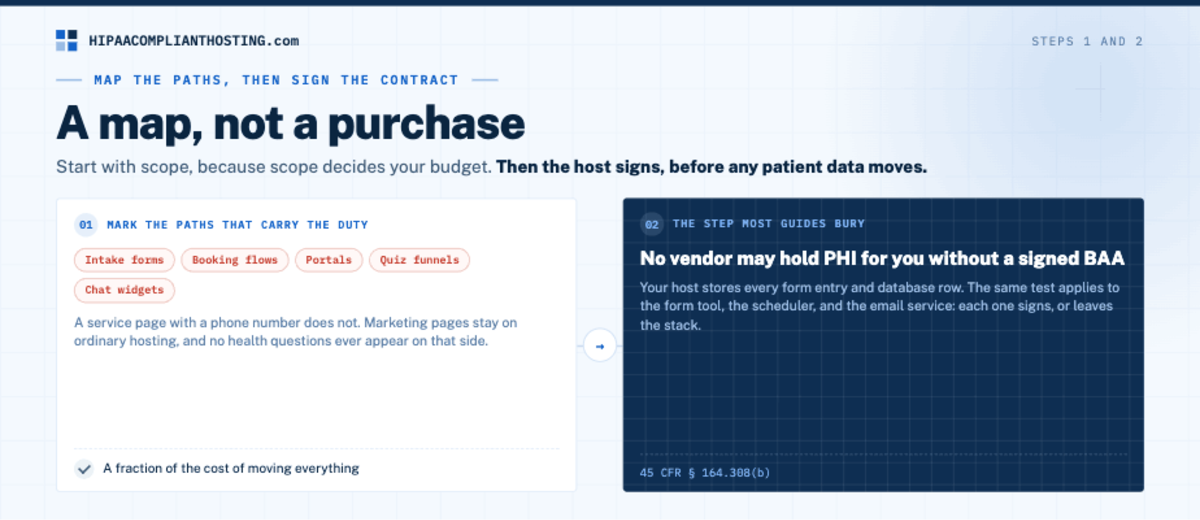
The first move to make your website HIPAA compliant is a map, not a purchase. Start with scope, because scope decides your budget. List every page and feature, then mark the ones that collect, display, or send health information tied to a person. Think intake forms, booking flows, portals, quiz funnels, chat widgets, and any contact form that invites health details. Those paths carry the duty. A service page with a phone number does not. The line between the two is drawn in who needs HIPAA-compliant hosting. This split matters because of the build it allows. Marketing pages stay on ordinary hosting. The patient-data paths move to a covered environment. No health questions ever appear on the ordinary side. Done that way, you make your website HIPAA compliant for a fraction of the cost of moving everything. The requirements you are about to meet apply only to the paths that need them. Before you start, our HIPAA hosting assessment can help you check whether any of this applies to you.
Step 2: put those paths on hosting that signs a BAA
The second step to make your website HIPAA compliant is a contract, and this is the step most guides bury. Under 45 CFR § 164.308(b), no vendor may hold protected health information (PHI) for you without a signed BAA. Your host stores every form entry and database row, so the host signs first, before any patient data moves. No setting on a host that refuses the contract can fix the contract. What the agreement must contain, clause by clause, is in our HIPAA business associate agreement guide. The same test applies to every other vendor in the path: the form tool, the scheduler, the email service. Each one that touches PHI signs a BAA or leaves the stack. The hosting step for a practice site is spelled out in medical website hosting.
Step 3: rebuild the forms
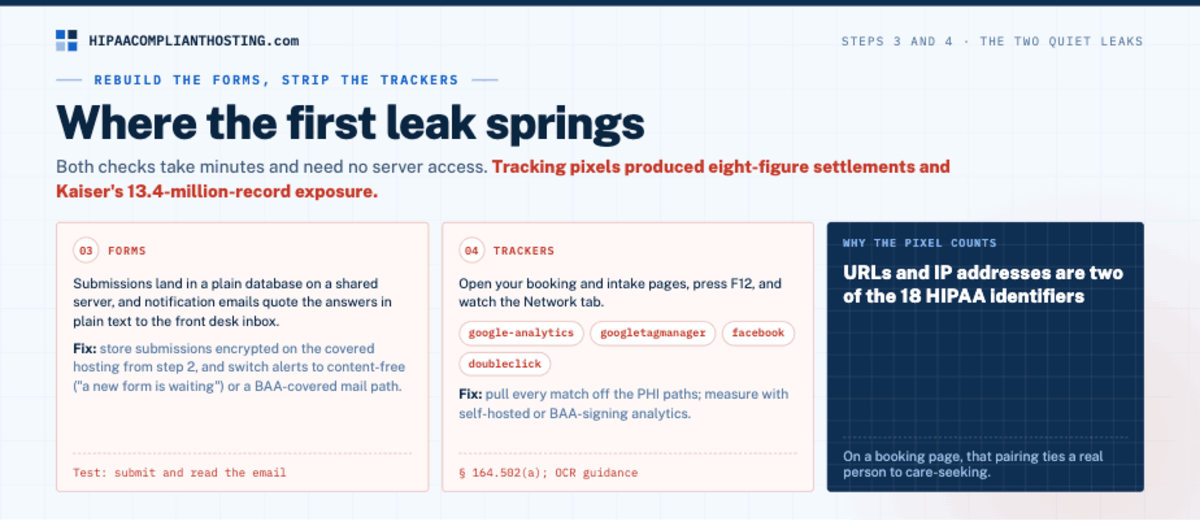
Forms are where many attempts to make your website HIPAA compliant spring their first leak, in two quiet ways. Submissions land in a plain database on a shared server, and notification emails quote the answers in plain text to the front desk inbox. Fix both. Store submissions encrypted, on the covered hosting from step 2. Switch the alerts to content-free ("a new form is waiting") or a BAA-covered mail path. Test it by submitting a form and reading the email that arrives. The full architecture, including plugin choices, is in HIPAA compliant forms. If your patients include children, minors sign HIPAA forms covers the consent and access rules your forms must respect.
Step 4: strip the trackers from patient pages
Two of the 18 HIPAA identifiers are URLs and IP addresses, and analytics and ad pixels typically receive both. On a booking page, that pairing can tie a real person to care-seeking. HHS gives this example: an appointment made through a clinic website can send appointment details and the IP address to a tracking vendor. Patients sue over it, too. In July 2026, a federal court approved Kaiser's $47.5 million class action settlement over third-party tracking code on its website and apps.
In AHA v. Becerra (N.D. Tex., June 20, 2024), a federal court vacated one part of OCR's tracking guidance. That part said an IP address plus a visit to a public health information page is, by itself, PHI. The rest of the guidance still applies. Trackers on patient portals, login pages, booking flows and apps can still expose PHI.
To make your website HIPAA compliant here, start with a test. Open your booking and intake pages, press F12, and watch the Network tab for google-analytics, googletagmanager, facebook, and doubleclick. Pull every match off the PHI paths and measure with self-hosted or BAA-signing analytics instead. The rules and safer tools are in HIPAA tracking technologies. Before you keep Google Analytics, read is Google Analytics HIPAA compliant.
Step 5: lock down who gets in and how long sessions live
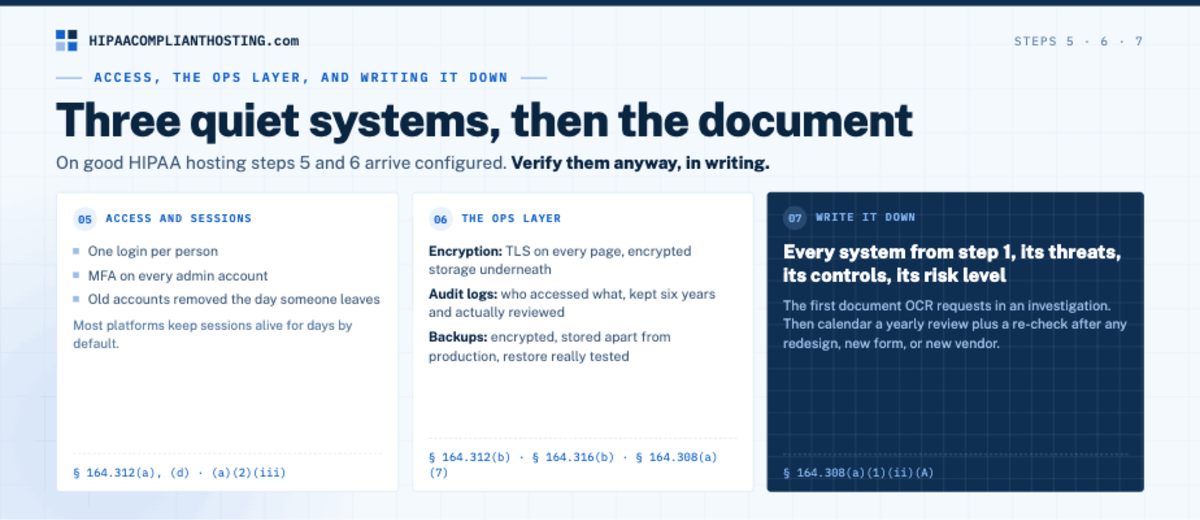
To make your website HIPAA compliant on the access side, start with one login per person, which 45 CFR § 164.312(a)(2)(i) requires. Section 164.312(d) requires you to verify that each user is who they claim to be. Multi-factor authentication (MFA) on every admin account is a practical way to do that. When someone leaves, remove their access the same day; HIPAA calls these termination procedures (§ 164.308(a)(3)(ii)(C)). HHS proposed a Security Rule update on January 6, 2025. It would require MFA, with limited exceptions. Proposed requirements are not law yet; the current Security Rule still applies.
Then set the timeout, because defaults can be generous. WordPress, for example, keeps a user who ticks "Remember Me" signed in for 14 days by default. Long idle sessions on admin and portal areas undercut the automatic logoff specification (§ 164.312(a)(2)(iii)). It calls for ending a session after a set period of inactivity. That specification is addressable, which does not mean optional. You implement it, or document why not and use an equivalent measure if reasonable (§ 164.306(d)(3)). The timeout tiers that hold up are in HIPAA automatic logoff requirements.
Step 6: turn on the ops layer
Three quiet systems make your website HIPAA compliant underneath everything else. Encryption: TLS on every page and encrypted storage underneath (§ 164.312(a)(2)(iv), (e)). Audit logs: who accessed what, recorded and actually reviewed (§ 164.312(b)). That standard sets no retention period for the logs themselves. Many organizations keep logs for six years to line up with the documentation rule (§ 164.316(b)(2)(i)). Backups: encrypted, stored apart from production, with a restore you have really tested (§ 164.308(a)(7)). On good HIPAA hosting these arrive configured, which is the point of step 2. Verify them anyway, in writing. The recovery half is covered in HIPAA backup and disaster recovery.
Step 7: write it down
The work to make your website HIPAA compliant does not count until it is documented. Write the risk analysis: every system from step 1, its threats, its controls, and its risk level. Section 164.308(a)(1)(ii)(A) requires it, and HHS calls it the first step in Security Rule compliance. The nine elements HHS says it must include are in HIPAA risk analysis. OCR enforces it, too: its 14th Risk Analysis Initiative action came in June 2026. Then keep yourself honest with the tickable HIPAA compliance checklist. Calendar a yearly review, plus a re-check after any redesign, new form, or new vendor.
The seven steps at a glance
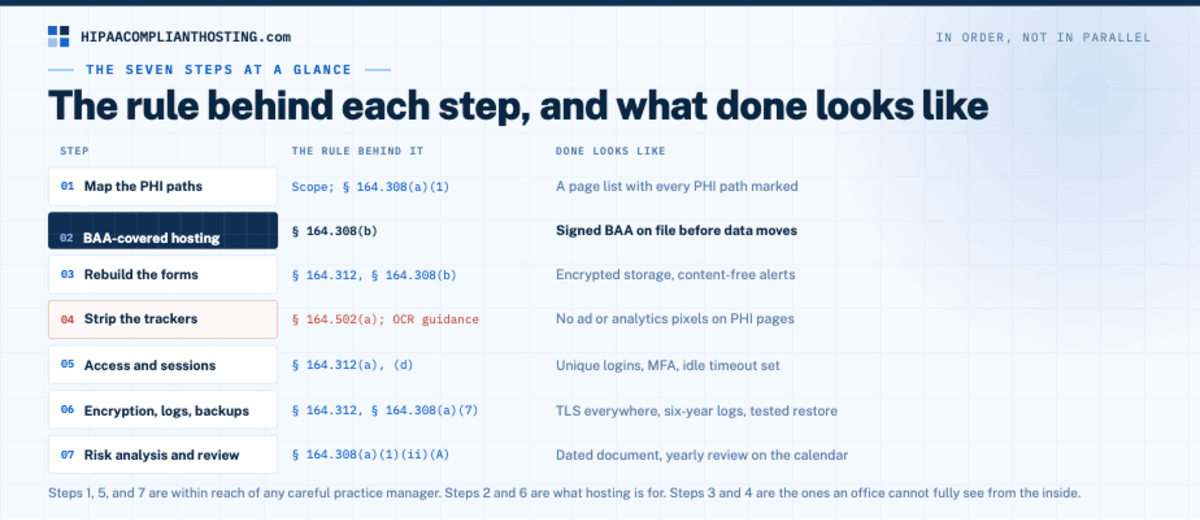
Step | The rule behind it | Done looks like |
|---|---|---|
1. Map the PHI paths | Scope; § 164.308(a)(1) | A page list with every PHI path marked |
2. BAA-covered hosting | § 164.308(b) | Signed BAA on file before data moves |
3. Rebuild the forms | § 164.312, § 164.308(b) | Encrypted storage, content-free alerts |
4. Strip the trackers | § 164.502(a); OCR guidance | No ad or analytics pixels on PHI pages |
5. Access and sessions | § 164.312(a), (d) | Unique logins, MFA, idle timeout set |
6. Encryption, logs, backups | § 164.312, § 164.308(a)(7) | TLS everywhere, reviewed logs, tested restore |
7. Risk analysis and review | § 164.308(a)(1)(ii)(A) | Dated document, yearly review on the calendar |
Why the order matters
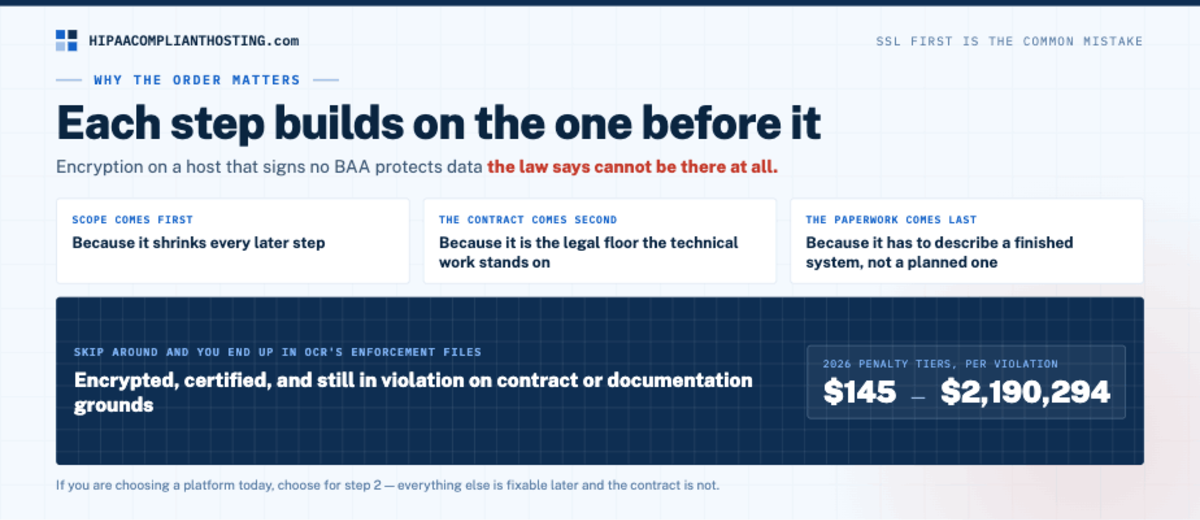
Most step guides start with the SSL certificate, because it is the easiest step. But encryption on a host that signs no BAA protects data the law says cannot be there at all. Scope comes first because it shrinks every later step. The contract comes second because it is the legal floor the technical work stands on. The paperwork comes last because it has to describe a finished system, not a planned one. Follow the sequence and each step to make your website HIPAA compliant builds on the one before it. Skip around and you can end up encrypted but still in violation on contract or documentation grounds. HHS's current penalty amounts, published in January 2026, run from $145 to $2,190,294 per violation (45 CFR § 102.3).
Which platform are you on?
The steps to make your website HIPAA compliant are the same on every platform; the difficulty is not. On self-hosted WordPress, every step has a clean path. The WordPress-specific version of this build, plugins and all, is in how to make WordPress HIPAA compliant. On website builders, step 2 is the wall, because the builder itself must sign. Squarespace, for example, says its BAA covers Acuity Scheduling but not its other features, such as form blocks. Wix announced a HIPAA option with a signable Business Associate Agreement on April 7, 2026. Where each builder stands is tracked in HIPAA compliant website builder.
On custom applications, the steps map to your infrastructure. For that case, see our page on HIPAA compliant cloud hosting. Laravel builds have their own framework checklist in our guide to whether Laravel HIPAA compliant sites are possible. Headless builds on Strapi get the same treatment in our Strapi HIPAA compliant guide.
Symfony apps get a framework checklist in our Symfony HIPAA compliant guide. If you are choosing a platform today, choose for step 2, because everything else is fixable later and the contract is not.
What it costs to make your website HIPAA compliant
The recurring cost is the covered hosting layer. Our managed plans start at $229 a month, and monthly plans have no long-term contract. The first month includes 4 hours of migration and configuration; after that, extra work is $175 an hour, quoted before work starts. The one-time cost is steps 3 and 4, fixing the forms and removing the trackers, plus the time step 7 takes. The split-site build from step 1 is what keeps those numbers small, because only the PHI paths ride the covered layer. The full market math is in our 2026 HIPAA hosting cost guide. Compare all of it to the downside: so far in 2026 (through October 20), OCR has announced 11 HIPAA settlements totaling $3,170,250.
Where to get help, and where you do not need it
Here is the honest pain point. Steps 1, 5, and 7 are within reach of any careful practice manager with this guide open. Steps 2 and 6 are what hosting is for. Steps 3 and 4 are the ones an office cannot fully see from the inside, because the evidence lives in mail paths and browser scripts. We sell both halves, so weigh that as a disclosure.
If you want help to make your website HIPAA compliant, our healthcare hosting handles the hosting side of steps 2 and 6. We sign the BAA within 24 hours of signup, before patient data moves. Every plan runs on single-tenant AWS with a web application firewall, encryption at rest and in transit, six-year audit logging, and tested encrypted backups. Our BAA covers the servers and services we run, so your form, email, and scheduling vendors need their own. Step 5 settings live inside your CMS or app, so agree in writing who sets them.
If you want outside help with steps 3 and 4, ask about our client-side compliance review. If step 1 shows your site holds no patient data at all, you need none of this. Send us your page map if you are unsure which paths count. Whoever builds the site should have the training in HIPAA training for web developers.
Frequently asked questions
How do you make a website HIPAA compliant?
Seven steps in order. Map which pages touch patient data, and move those paths to BAA-covered hosting. Rebuild the forms with encrypted storage and content-free alerts, and remove trackers from patient pages. Enforce unique logins with MFA and timeouts, and verify encryption, logging, and backups. Then write the risk analysis.
Does my whole website need to be HIPAA compliant?
No. Only the pages that collect, display, or send patient data carry the duty. A common build keeps marketing pages on ordinary hosting and moves the forms, booking flow, and portal to a covered environment. No health questions appear on the ordinary side.
What is the first step?
Mapping, not encryption. List every page and mark the PHI paths, because scope decides the budget and every later step. The first purchase, if one is needed, is hosting that signs a BAA, since the contract precedes the configuration.
How much does it cost to make a website HIPAA compliant?
Our managed plans start at $229 a month, with no long-term contract on monthly plans. The first month includes 4 hours of migration and configuration. Add one-time work on forms and trackers. The split-site build keeps totals down by covering only the PHI paths.
Is an SSL certificate enough to make a website HIPAA compliant?
No. Encryption in transit is one safeguard among many. Without a signed BAA from the host, an SSL certificate is a padlock on a door the law says cannot hold patient data. You also need encrypted forms, clean trackers, access controls, logging, backups, and a written risk analysis.
Recap: make your website HIPAA compliant
To recap, you make your website HIPAA compliant in seven ordered steps. Map the PHI paths, put them on BAA-covered hosting, rebuild the forms, and strip the trackers. Then lock down access and sessions, verify encryption, logs, and backups, and write the risk analysis. Only the patient-data paths need the work. The contract comes before the configuration, and the paperwork proves the rest. Work the list once, calendar the yearly review, and the website stops being a compliance blind spot.
This article is general information, not legal advice. Regulatory citations reflect 45 CFR Parts 102, 160 and 164 and OCR guidance as of October 2026; pricing reflects published 2026 rates and may change. HHS says it is still evaluating its next steps on the tracking guidance. Confirm your obligations with qualified counsel and base your safeguards on a written risk analysis. We sell HIPAA compliant hosting and compliance reviews. Reviewed October 2026.
Sources
45 CFR § 164.308 (administrative safeguards: BAA requirement, risk analysis, contingency plan): ecfr.gov
45 CFR § 164.312 (technical safeguards: access, automatic logoff, audit, encryption): ecfr.gov
45 CFR § 164.316 (documentation and six-year retention): ecfr.gov
HHS OCR: Use of online tracking technologies
45 CFR § 164.306 (addressable implementation specifications): law.cornell.edu
45 CFR § 164.514(b) (the 18 identifiers, including URLs and IP addresses): law.cornell.edu
45 CFR § 102.3 (civil money penalty amounts): law.cornell.edu, updated by 91 FR 3665 (January 28, 2026)
HHS proposed Security Rule update: 90 FR 898 (January 6, 2025) and Unified Agenda, RIN 0945-AA22
HHS OCR: newsroom (2026 HIPAA settlements)
AHA v. Becerra, No. 4:23-cv-01110 (N.D. Tex.): district court docket and Fifth Circuit docket 24-10775
Doe v. Kaiser Foundation Health Plan, No. 3:23-cv-02865 (N.D. Cal.), final approval order of July 14, 2026: courtlistener.com
Squarespace: Acuity Scheduling and HIPAA
Wix: HIPAA compliance launch (April 7, 2026) and HIPAA Compliance for Your Wix Site